

Every second your visitor spends scrolling past a static layout is a second closer to them leaving.
Research from HubSpot shows that interactive content generates 2x more engagement than static content and Adobe reports that 38% of visitors stop engaging with a website if the layout is unattractive.
Carousel posts solve both problems at once. They present more content in less space, guide the eye naturally and invite interaction without demanding effort.
In this post, we look at 17 real carousel post examples built with Ultimate Post Kit, a powerful Elementor addon by BdThemes that gives you 17 ready-made carousel layouts to drop directly into your WordPress site.
What Is a Carousel Post?
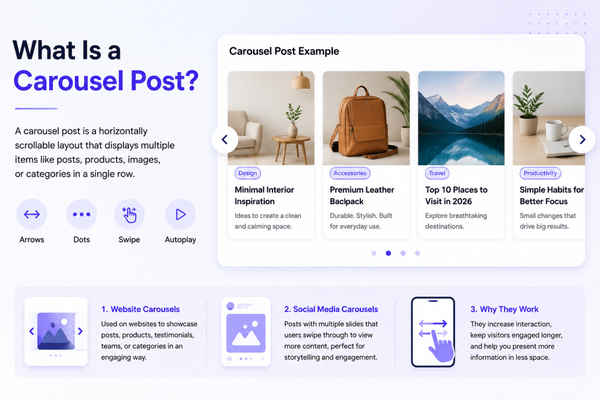
A carousel post is a horizontally scrollable content layout that displays multiple items, such as blog posts, products, images, or categories, within a single row. Users navigate through items using arrows, dots, swipe gestures, or autoplay. If you want to go deeper on the concept before diving into examples, the BdThemes guide on what a carousel post is and how to use it on WordPress is worth reading first.
Understanding the different forms carousels take helps you choose the right one for your site. Here are three areas worth clarifying before you look at the examples.
Difference Between Sliders and Carousels
Sliders typically show one item at a time in a full-width or hero format, transitioning automatically from one to the next. Carousels, by contrast, display several items simultaneously in a row and let users browse at their own pace. The distinction matters because:
- Sliders are better suited for featured announcements, hero sections and single-message promotions
- Carousels are better suited for content discovery, product browsing and post navigation
- Carousels give users control; sliders control the experience for the user
Website Carousels vs Social Media Carousels
On social platforms like Instagram and LinkedIn, a carousel post is a multi-slide post that users swipe through. Brands use social media carousel examples to share step-by-step guides, product showcases, or storytelling sequences. On websites, carousels function as dynamic layout components that surface multiple pieces of content without requiring additional page space. The core principles are the same across both contexts:
- Sequential content presented in a single contained area
- User-driven or auto-driven navigation between items
- Each item serving as an independent unit of discovery
Common Use Cases of Carousel Posts
Carousel posts appear in almost every type of web project. Versatility is one reason why carousel graphic design has become such an important skill set for WordPress designers and content creators alike. Common applications include:
- E-commerce stores featuring products and showcasing categories
- Blogs surfacing recent or popular articles
- Agency websites displaying portfolio galleries and team showcases
- Service businesses presenting testimonials
- News and magazine sites navigating featured stories
- Educational sites building step-by-step course or resource previews
Why Carousel Posts Work So Well in 2026
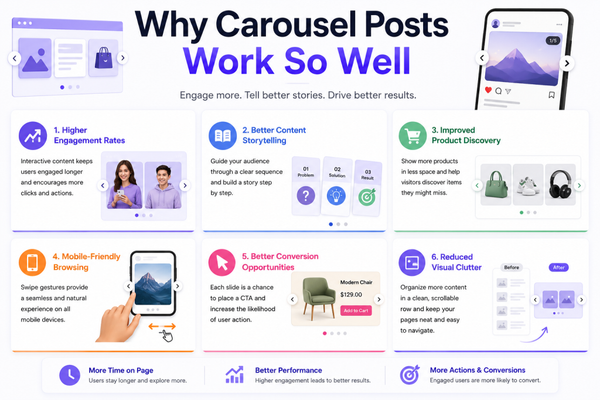
The continued dominance of carousel layouts in 2026 is not accidental. There are clear, measurable reasons why designers and marketers keep returning to this format. Here is what both the data and design practice support.
- Higher Engagement Rates. Interactive content naturally encourages users to act. When visitors can swipe, click, or browse through content, they stay longer and click more. Nielsen Norman Group research consistently shows that interactive layouts outperform static layouts in terms of time-on-page and click-through rates.
- Better Content Storytelling. Carousel posts allow you to build a narrative across multiple items. This is exactly why engaging carousel posts dominate LinkedIn feeds and Instagram accounts. Whether you are walking someone through a process, revealing a product collection, or presenting a before-and-after story, the sequential format keeps attention anchored.
- Improved Product Discovery. Showing more products on a single screen without overwhelming the visitor is one of the hardest challenges in e-commerce design. A well-built carousel solves this naturally, surfacing items that a visitor might never have found through traditional browsing.
- Mobile-Friendly Browsing Experience. Touch-based swipe gestures feel entirely natural on mobile. In 2026, with mobile devices accounting for more than 60% of global web traffic (Statcounter), a design pattern that works with the gesture habits of mobile users is not optional. It is essential.
- Better Conversion Opportunities. Every carousel slide is a chance to place a call-to-action. Whether it is an “Add to Cart” button, a “Read More” link, or a “Book Now” prompt, the repeated exposure across multiple slides increases the likelihood that a visitor will act.
- Reduced Visual Clutter. Instead of stacking post after post in a long vertical feed, a carousel compresses content into a clean, organized row. This makes pages feel lighter and easier to navigate, which improves the overall reading and shopping experience.
17 Attractive Carousel Post Examples
All 17 of the following carousel post examples are built with Ultimate Post Kit, available through BdThemes.
Each widget ships with multiple layout demos, deep Elementor customization and full WooCommerce compatibility. Whether you need a bold ecommerce layout, an editorial magazine style, or a clean minimalist structure, there is a carousel here that fits. Let us go through each one and break down what makes it worth using.
1. Dynamic Carousel Example
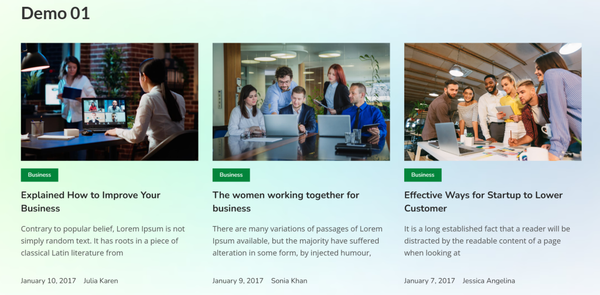
The Dynamic Carousel is the most versatile layout in the collection.
It supports multiple demo variations including standard card layouts, sports-focused presentations, food photography grids and travel content displays.
What makes this carousel post example particularly valuable is its advanced query system, which lets you dynamically pull posts based on categories, tags, authors, or custom post types.
If you publish across many topics and need one carousel that flexes with your content strategy, this is it.
Key Features:
- Advanced query controls to filter posts by category, tag, author, or post type
- Adjustable autoplay with speed control for hands-free browsing
- Grab cursor support for desktop drag interaction
- Loop mode for continuous, uninterrupted scrolling
- Multiple template styles in a single widget
- Post format support covering images, videos and galleries
- Item match height to keep cards balanced regardless of title length
Common Use Cases:
- News and magazine homepages featuring posts from multiple categories
- Multi-topic blogs that want one carousel to handle all content types
- Corporate blogs showcasing recent articles across departments
- Any site where posts need to update in the carousel automatically as new content is published
2. Eldora Carousel Example
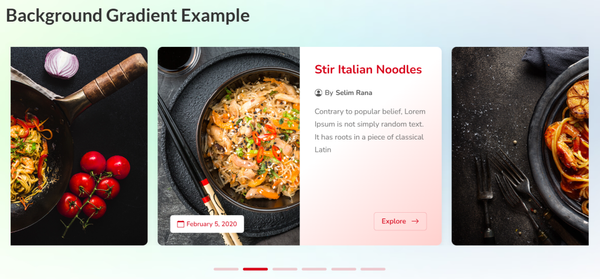
The Eldora Carousel, subtitled “Motion,” delivers one of the most polished visual experiences in the toolkit. Its defining feature is the coverflow layout option, which creates a three-dimensional perspective effect as users scroll through items.
This makes it one of the most impressive carousel design examples for fashion, lifestyle, travel and luxury brands where visual presentation is central to the brand identity.
It also supports reading time display, which adds editorial credibility to each post card.
Key Features:
- Coverflow layout option for a three-dimensional depth effect
- Horizontal scrolling with smooth motion transitions
- Gradient background overlays for atmospheric visual depth
- Reading time display per post item
- Item wrapper link for full-card click navigation
- Item match height for consistent card sizing
- Loop mode and grab cursor for an uninterrupted browsing feel
Common Use Cases:
- Fashion and beauty blogs with editorial photography
- Travel websites presenting destination stories
- Luxury brand pages where premium visual presentation matters
- Lifestyle content hubs that want cinema-quality scroll effects on their homepage
3. Gratis Carousel Example
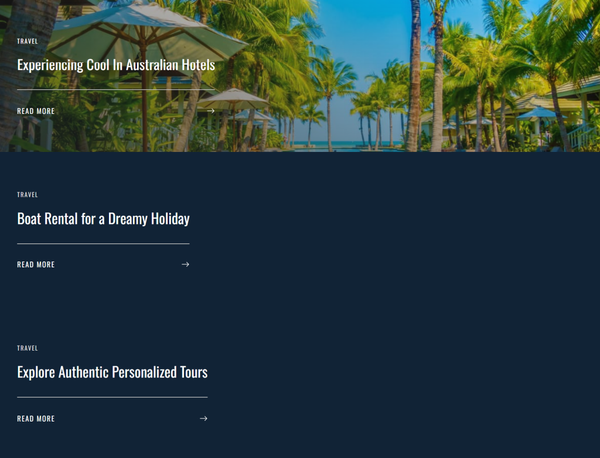
The Gratis Carousel, tagged “Focus Layout,” draws its strength from a clean, product-forward presentation style.
The focus layout technique brings the active slide into sharper visual prominence compared to adjacent items, creating a sense of depth and directing the visitor’s eye naturally to one piece of content at a time.
Its lightweight structure ensures fast load times, which is especially critical for e-commerce stores where page speed directly affects conversion rates.
Key Features:
- Focus layout that highlights the active slide with visual prominence
- Lightweight build optimized for fast page load performance
- Clean image-forward card design with minimal text clutter
- Smooth slide transitions that keep product images central
- Responsive column controls for desktop, tablet and mobile
- Category and tag query filtering for product-type content
Common Use Cases:
- WooCommerce product showcase rows on homepages and category pages
- Featured product sections on landing pages
- Portfolio sites presenting project highlights one at a time
- Any carousel where speed and product focus need to coexist
4. Harold List Carousel Example
View Harold List Carousel Demo
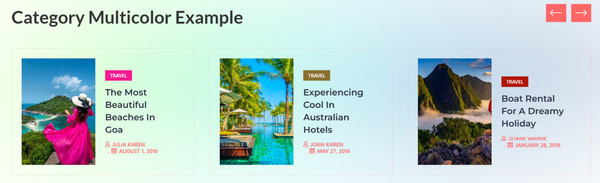
The Harold List Carousel takes a noticeably different visual approach from the image-forward layouts above.
Instead of presenting content in card format, it uses a list-based structure that prioritizes text readability. Each item reads more like an organized list entry, complete with title, metadata and category labels.
This makes it one of the most useful carousel post examples for sites where readers come for information rather than visual browsing.
Key Features:
- List-based card structure that prioritizes title and metadata readability
- Compact layout that fits more content items in view simultaneously
- Category and date labels displayed clearly within each list item
- Lighter image dependency for faster loading on text-heavy content
- Clean horizontal scrolling with navigation arrows
- Compatible with custom post types and blog posts equally
Common Use Cases:
- News portals and business blogs with high publishing frequency
- Educational platforms listing course articles or lesson previews
- B2B websites featuring thought leadership content
- Any site where visitors scan titles rapidly before committing to a click
5. Amox Carousel Example
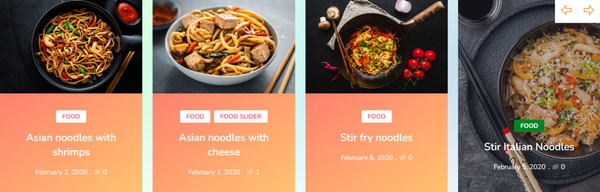
The Amox Carousel, labeled “Clean Layout,” is one of the free widgets in the Ultimate Post Kit library.
Despite being free, it delivers a confident carousel design built around strong typography and clear visual hierarchy.
The layout gives featured images generous space while keeping metadata like author names and dates organized neatly below the title. For promotional content and conversion-focused sections, it delivers reliable results without requiring a Pro subscription.
Key Features:
- Clean card layout with strong typographic hierarchy
- Prominent featured image area with well-organized metadata below
- Author name, date and category display support
- Customizable colors, fonts, spacing and card borders via Elementor
- Works out of the box with a range of brand styles
- Free widget with no Pro upgrade required
Common Use Cases:
- Homepage blog sections on business or service websites
- Promotional content rows on landing pages
- Blog index pages where visitors need to scan and choose articles quickly
- Starter carousel setup before upgrading to a Pro layout
6. Wixer Carousel Example
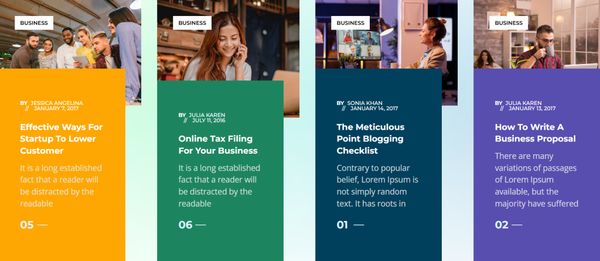
The Wixer Carousel, subtitled “StoryRoll,” is a Pro widget built for sites that want their carousel to feel dynamic and storytelling-driven.
It leans into creative hover interactions and modern animations that add energy to the browsing experience without distracting from the content.
Portfolio websites, creative agencies and digital studios will find this layout aligns naturally with the brand personality they want to project through their carousel design examples.
Key Features:
- StoryRoll animation style with fluid hover interactions
- Modern transition effects that add narrative energy to browsing
- Portfolio-friendly card proportions that balance image and text
- Advanced query controls for targeted content surfacing
- Smooth carousel motion optimized for creative content niches
- Pro widget with expanded customization depth
Common Use Cases:
- Creative agency portfolio carousels
- Design studio project showcases
- Digital product landing pages with story-driven content sections
- Any site where the carousel interaction itself needs to feel like part of the brand experience
7. Pixina Carousel Example
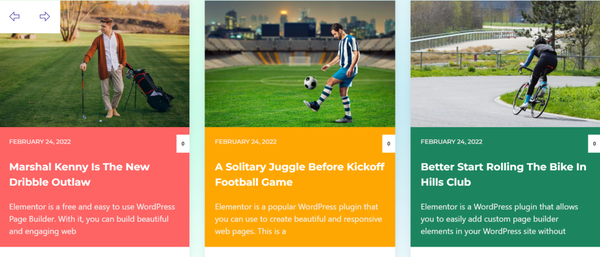
The Pixina Carousel, tagged “Stream,” is a Pro widget optimized for large-format visual presentation.
It gives featured images the most screen prominence of any layout in this collection, creating an immersive browsing experience that works particularly well for photography, fashion, art and visual storytelling.
If your content strategy is built around high-quality imagery, Pixina is the layout that respects that investment most.
Key Features:
- Large image ratio that maximizes visual real estate per card
- Stream layout for a continuous, flowing image-forward browsing experience
- Adjustable overlay styles and hover states for brand alignment
- Custom image ratio controls to match photography orientation
- Smooth transitions that keep the visual focus uninterrupted
- Pro widget with deep Elementor style customization
Common Use Cases:
- Photography portfolio carousels
- Fashion editorial blog sections
- Visual art and design showcases
- Ecommerce brands selling products where lifestyle imagery drives purchase decisions
8. Kalon Carousel Example
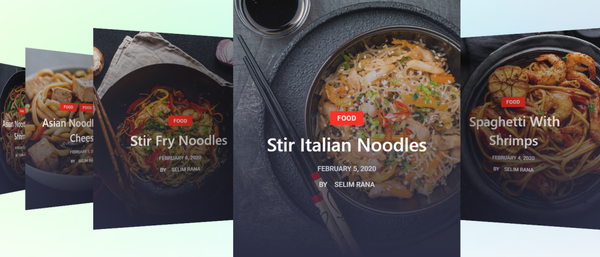
The Kalon Carousel, subtitled “Content Carousel,” is a Pro widget that brings together elegant spacing and a premium product showcase sensibility.
The layout uses generous whitespace to give each content item room to breathe, which creates a sense of refinement appropriate for luxury products, premium services and high-end brand presentations.
Where other carousels compete for attention, Kalon creates it through deliberate restraint.
Key Features:
- Generous whitespace design that signals premium brand quality
- Elegant card proportions with balanced image and text areas
- Minimal visual noise for a refined, uncluttered browsing experience
- Smooth navigation controls that maintain the calm aesthetic
- Compatible with product post types for luxury ecommerce applications
- Pro widget with full Elementor style control
Common Use Cases:
- Luxury product and fashion brand homepages
- Premium service agency showcases
- High-end real estate or interior design carousels
- Any context where the message is “quality over quantity”
9. Buzz List Carousel Example
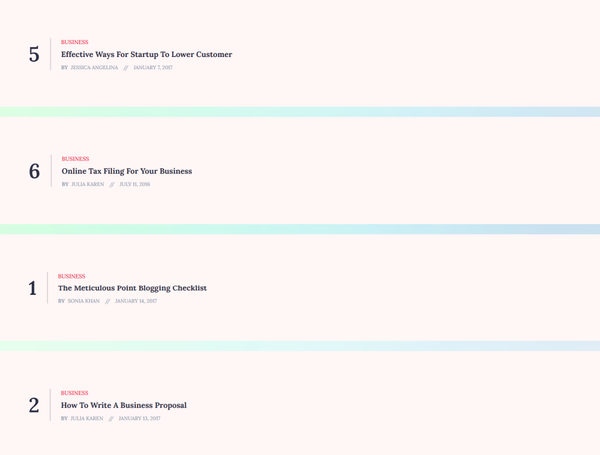
The Buzz List Carousel, labeled “Display Layout,” is a free widget that brings a magazine-style editorial energy to post carousels.
Its structure combines list-format text organization with carousel navigation, producing a layout that works exceptionally well for high-volume content sites.
The goal here is rapid content discovery: visitors scan titles and metadata quickly across multiple items before deciding which article to open, much like flipping through a magazine section.
Key Features:
- Magazine-style list structure for high-content display capacity
- Clear title and metadata organization for fast visual scanning
- Editorial layout that handles multiple posts per view comfortably
- Free widget accessible without a Pro subscription
- Smooth carousel navigation between content batches
- Strong compatibility with category-based content filtering
Common Use Cases:
- Online magazines and news portals with high publishing frequency
- Multi-category blogs where content volume is a feature, not a burden
- Content aggregators that need to surface many posts in a single section
- Homepage “latest news” sections replacing traditional post lists
10. Alice Carousel Example
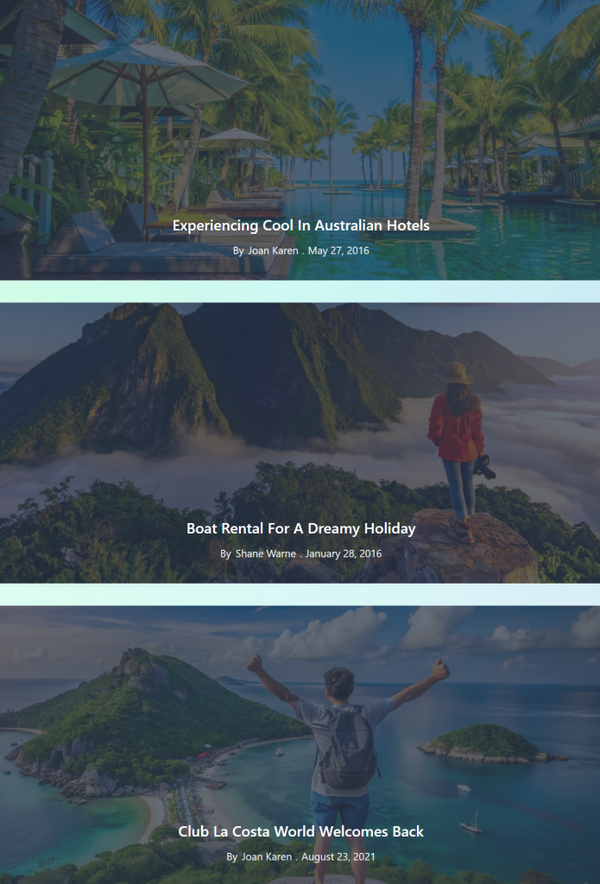
The Alice Carousel, subtitled “Elegant Carousel,” is a free widget with a soft, modern aesthetic.
It is one of the most accessible and lifestyle-friendly layouts in the collection, presenting posts with a gentle visual hierarchy that feels welcoming rather than urgent.
The design works particularly well for wellness, beauty, home decor, food and personal blog niches where the reader experience is central to the brand identity.
Key Features:
- Soft, minimal visual hierarchy that feels approachable and warm
- Balanced image and title weighting for a relaxed browsing pace
- Clean card design with gentle spacing and understated typography
- Mobile-optimized layout with natural swipe navigation
- Free widget with solid out-of-the-box visual quality
- Easy to match with light, pastel, or neutral brand color palettes
Common Use Cases:
- Wellness, beauty and self-care blog carousels
- Food and home decor content sections
- Personal blog homepages
- Any lifestyle brand where the reading experience needs to feel like a conversation, not a broadcast
11. Alex Carousel Example
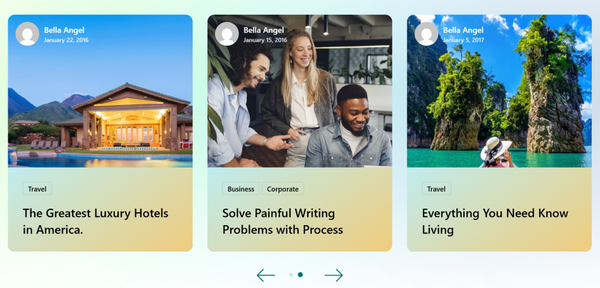
The Alex Carousel, tagged “Modern Carousel,” is a free widget built for clean, product-card navigation.
Its design language is contemporary and uncluttered, with card-based post items that display essential information clearly: featured image, title, category and date.
For e-commerce sites and product-adjacent blogs, the card format makes each post feel like a browsable product, which naturally encourages click-throughs.
Key Features:
- Modern card layout with clear image, title and metadata structure
- Uncluttered design that adapts well across different brand styles
- Category and date display for quick content identification
- Responsive column controls for consistent appearance across devices
- Free widget with a contemporary visual language
- Works well as a neutral base for further Elementor customization
Common Use Cases:
- Product review and comparison blogs
- E-commerce blogs surfacing related buying guides alongside products
- Tech and gadget content sites with fast-paced publishing schedules
- General-purpose homepage blog carousels that need to work across multiple content categories
12. Elite Carousel Example
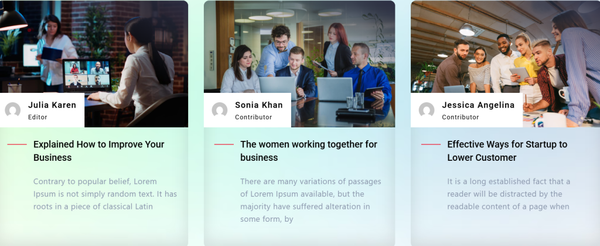
The Elite Carousel, subtitled “Orbit,” is a free widget that carries a premium, enterprise-level visual feel.
The layout emphasizes strong visual hierarchy with prominently featured images, well-structured content areas and clear CTA placement. It is one of the best carousel post examples for businesses that need their site to feel credible and polished from the very first impression.
The BdThemes knowledge base even highlights the Elite Carousel Widget as a strong option for content-rich blog displays.
Key Features:
- Strong visual hierarchy with prominently featured image placement
- Well-structured content area with clear title, excerpt and CTA zones
- Enterprise-level aesthetic without requiring Pro upgrade
- Clean, authoritative card design that builds immediate credibility
- Reliable performance optimized for content-heavy pages
- Full Elementor style control for brand color and typography matching
Common Use Cases:
- Professional services and B2B website blog sections
- SaaS product blog carousels
- Corporate content hubs surfacing thought leadership articles
- Any business site where the carousel needs to reinforce credibility on the first visit
13. Maple Carousel Example
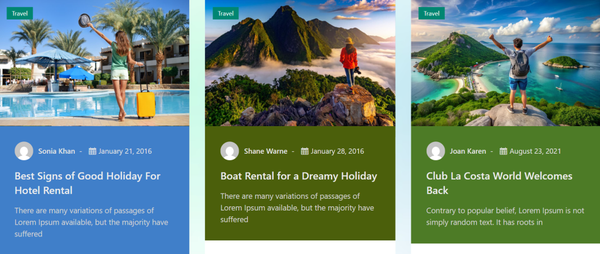
The Maple Carousel, tagged “Flow,” is a free widget with an editorial typography focus.
The layout gives text elements strong prominence, using title size, weight and spacing to create a reading rhythm that feels closer to an online magazine than a typical blog carousel.
For blog-heavy websites and digital publications, Maple encourages reading behavior rather than simple browsing as visitors are drawn to the titles first and images second.
Key Features:
- Editorial typography emphasis with a strong title size and weight
- Flow layout that creates a natural reading rhythm across carousel items
- Text-forward hierarchy that places content quality at the center
- Clean spacing that supports long-form titles without truncation issues
- Free widget that performs well on content-rich publishing sites
- Pairs well with serif or literary font choices in Elementor
Common Use Cases:
- Long-form editorial blogs and digital magazines
- Thought leadership platforms and newsletter-backed websites
- Educational content sites where article depth is a selling point
- Content marketing blogs that want to lead with strong headlines over imagery
14. Alter Carousel Example
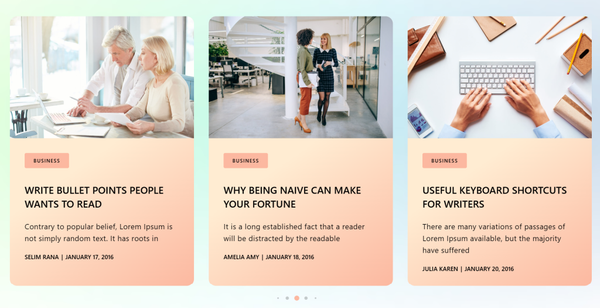
The Alter Carousel, labeled “Classic Layout,” is a free widget that blends a familiar card-based structure with modern interactive animations.
The result is a layout that feels both immediately readable and visually alive.
This balance makes Alter one of the more broadly adaptable carousel templates in the toolkit, capable of fitting conservative and contemporary design aesthetics without requiring significant customization work.
Key Features:
- Classic card-based information architecture for immediate readability
- Modern transition animations that add energy without distracting from content
- Balanced image and text weighting across card items
- Free widget that works well across a wide range of site niches
- Smooth navigation controls that feel polished on both desktop and mobile
- Easy to brand through Elementor color and font controls
Common Use Cases:
- General-purpose homepage blog sections across most industries
- Small business websites that want a polished carousel without heavy investment
- Portfolio sites where a classic but animated layout suits the work being shown
- Versatile starter layout for teams experimenting with carousel design for the first time
15. Hazel Carousel Example
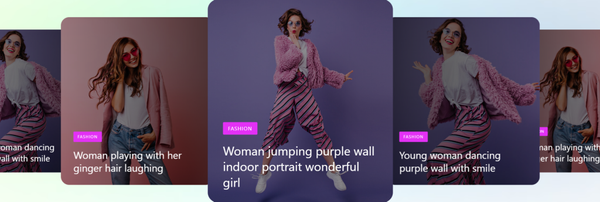
The Hazel Carousel, subtitled “Elite,” is a free widget with a strong focus on e-commerce display quality.
The layout achieves a high visual hierarchy through a clear separation between image space and content space, which gives product or post information a prominent, organized position without cluttering the card.
This structural clarity makes it one of the more conversion-oriented options among the 17 carousel post examples.
Key Features:
- Clear visual separation between image and content zones for a strong hierarchy
- Conversion-oriented layout with prominent CTA placement
- Clean whitespace management that prevents card clutter
- Strong title and excerpt presentation for product or post descriptions
- Free widget that performs at a premium visual level
- Responsive design with reliable appearance across screen sizes
Common Use Cases:
- WooCommerce product feature carousels on homepage and category pages
- Lifestyle ecommerce stores presenting curated product collections
- Fashion and apparel brand product showcases
- Any e-commerce context where a strong visual hierarchy needs to drive purchase decisions
16. Ramble Carousel Example
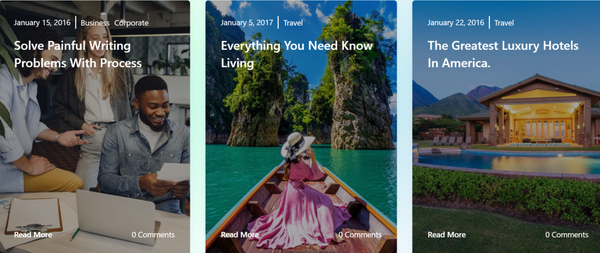
The Ramble Carousel, tagged “Glide,” is a free widget built for immersive, story-driven content browsing.
The glide motion gives transitions a fluid, continuous quality that feels natural for travel content, long-form storytelling and experiential brands.
It is among the most atmospheric carousel layouts in the collection and its movement style creates a sense of journey that matches the content it presents.
Key Features:
- Glide transition style for fluid, continuous carousel movement
- Immersive browsing experience that mirrors the feeling of the content
- Clean card structure that supports strong featured imagery
- Free widget with a distinctive visual personality
- Mobile swipe optimization for smooth touch-based navigation
- Natural pairing with travel, food, culture and adventure content categories
Common Use Cases:
- Travel blogs and destination content sites
- Food and culture publication carousels
- Adventure and outdoor brand content sections
- Any site where the browsing experience should feel like moving through a story
17. Category Carousel Example

The Category Carousel is a free widget that serves a fundamentally different purpose from the other 16 in this list.
Rather than showcasing individual posts, it displays your WordPress post categories in a navigable carousel format, turning category browsing into an interactive, visual experience.
For e-commerce sites, this means users can explore product categories directly from the homepage without navigating away. The BdThemes knowledge base covers the Category Carousel Widget in detail for users who want to configure it precisely.
Key Features:
- Displays WordPress post categories as visual, navigable carousel items
- Improves internal site navigation without requiring additional pages
- Ecommerce-optimized for WooCommerce product category display
- Clean category card design with image, label and post count support
- Free widget with immediate impact on navigation and content discovery
- Fully responsive with swipe navigation on mobile
Common Use Cases:
- Multi-niche blogs where helping visitors find their preferred topic is essential
- Large WooCommerce stores surfacing product categories on the homepage
- Content hubs organizing articles by subject, format, or audience type
- Any site where category navigation is a meaningful part of the visitor journey
Why Ultimate Post Kit Is Ideal for Carousel Layouts
Ultimate Post Kit by BdThemes is one of the most comprehensive Elementor content display plugins available for WordPress. Its carousel collection alone covers 17 distinct layouts, more variety than most standalone carousel plugins offer across their entire widget library. Here is what sets it apart from generic alternatives.
- 17 Ready-Made Carousel Layouts covering editorial, ecommerce, lifestyle, portfolio and category navigation use cases
- Elementor Integration Without Coding through a native drag-and-drop widget interface with Content, Style and Advanced tabs
- WooCommerce Compatibility allowing product-type carousels to pull data directly from your shop
- Responsive Customization Controls to adjust layout, spacing and typography independently for desktop, tablet and mobile
- Conversion-Focused Design Elements including built-in CTA button support, item wrapper links and post excerpt display
- Fast Performance Optimization through conditional script loading, lazy image loading and clean widget markup
- Free and Pro Tiers making several high-quality carousels accessible without any upfront investment
The free tier covers 11 of the 17 carousels in this list, including Amox, Alice, Alex, Elite, Maple, Alter, Hazel, Ramble, Buzz List, Harold List and Category Carousel. Upgrading to Pro unlocks Dynamic, Eldora, Gratis, Wixer, Pixina and Kalon, along with advanced query controls and additional demo templates.
You can explore every carousel demo and access pricing at postkit.pro and find the full range of BdThemes products at bdthemes.com.
Conclusion
Carousel posts have earned their place at the center of modern web design because they turn passive page views into active exploration. When a visitor clicks an arrow, swipes through a product row, or lingers on a post card, they are spending more time with your content and building a stronger connection with your brand.
The 17 carousel examples covered in this post represent a wide range of visual styles, content types and use cases. From the editorial precision of the Maple Carousel to the immersive photography focus of the Pixina Carousel, from the fast-paced news structure of the Buzz List Carousel to the navigation-first logic of the Category Carousel, there is a layout here for every kind of WordPress site.
The key is choosing the layout that matches both your content type and the behavior you want to encourage. A well-chosen carousel does not just look good. It creates a natural next step that moves visitors closer to reading, buying, or contacting you. Ultimate Post Kit gives you all 17 of these layouts in a single Elementor plugin, with the customization controls to make each one feel native to your brand.
Frequently Asked Questions
What is a carousel post?
A carousel post is a horizontally scrollable content layout that displays multiple items in a single section. Users navigate through items using arrows, swipe gestures, dots, or autoplay. On websites, carousel posts display blog articles, products, categories, or images in an interactive, space-efficient format.
Why are carousel posts effective?
Carousel posts increase engagement by inviting interaction. They surface more content in less vertical space, support storytelling across multiple items and work naturally with mobile swipe habits. Research shows interactive content consistently generates higher click-through rates and longer time-on-page than static layouts.
Are carousel sliders good for SEO?
Yes, when implemented correctly. Well-coded carousels with proper HTML structure, fast-loading images and valid internal links support SEO rather than hurting it. The key is ensuring all post titles and links are crawlable in the markup. All Ultimate Post Kit carousels are built with SEO best practices in mind.
Which carousel layout is best for e-commerce websites?
For e-commerce, the Gratis, Hazel, Alex and Category Carousel layouts offer the strongest combination of product presentation and navigation. Gratis excels at focus-style product spotlighting, while Category Carousel adds navigation depth by making product categories browsable directly from the homepage.
How many slides should a carousel contain?
Between five and twelve items work well for most carousels. Fewer than five can make a carousel feel incomplete, while more than twelve can make it feel endless or load slowly. The right number depends on your content and the section’s purpose.
Do carousel posts work well on mobile devices?
Yes. All 17 Ultimate Post Kit carousel layouts are responsive and support touch-based swipe navigation on mobile. Elementor’s device-level controls let you adjust the number of visible items, spacing and font sizes specifically for mobile and tablet screens.
Can I create carousel layouts in Elementor?
Yes. Elementor supports carousel widgets via addons like Ultimate Post Kit. You drag the widget onto the canvas, configure post source and display options through the Content tab and style every visual element through the Style tab. No coding is required.
Which plugin is best for Elementor carousel layouts?
Ultimate Post Kit by BdThemes is one of the most comprehensive options available. It includes 17 dedicated carousel layouts, deep WooCommerce integration, advanced query controls and full Elementor compatibility. It covers everything from editorial blog carousels to product showcase layouts in a single plugin.
Supreakshya Shrestha
The BdThemes team builds WordPress plugins trusted by 3M+ users worldwide. We write about web accessibility, WCAG compliance, and inclusive design.