

Building a website can feel confusing. Many people add too many colors, effects and sections. The result is a messy site that loads slowly and is hard to use.
This creates problems. Visitors cannot find what they need. They leave quickly. Your bounce rate goes up. You lose leads and sales. Even good content gets ignored when the design is not clear.
There is a better way. You can use Simple Web Design Ideas to create a clean and user-friendly website. A simple design helps users focus. It improves speed and makes navigation easy. In this guide, you will learn practical ideas that you can apply right away.
Check these 21 web design ideas and see what you can create.
1. Apple: Minimal Layout Design
A minimal layout means keeping your website clean and simple.
You should only show what is truly important. Many websites try to add too many sections, images and features. This makes the design look crowded. When users visit such websites, they often feel confused and may leave quickly.
A simple layout helps users focus. It guides them step by step. Users can understand your content without effort. This improves the overall user experience and keeps visitors on your site longer.
A minimal layout usually includes:
- A clear header
- Simple content sections
- A clean footer
It also uses enough space between elements. This is called white space. It makes everything easier to read and more visually appealing.
Apple uses a very clean and minimal layout. Their website features large images, short text and plenty of space. Nothing feels crowded. Everything looks premium and easy to understand.
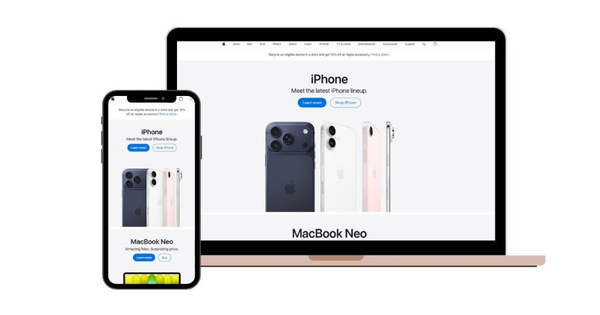
Key Takeaway: Less design is more powerful. Remove anything that is not needed.
2. Stripe: Simple Color Scheme
Colors are very important in web design. But using too many colors can create confusion.
A simple website usually uses only 2 to 3 colors. This makes the design look clean and professional. It also helps users focus on important elements like buttons and headings.
A good color setup includes:
- One main color (for branding)
- One secondary color
- One accent color (for buttons or highlights)
When you use too many colors, your website looks messy. It becomes hard for users to understand what is important.
Simple colors also help with branding. Users can remember your website easily when you use consistent colors.
Stripe uses a simple color scheme with soft gradients. They do not overload their design with colors. Their website looks modern, clean and easy to follow.
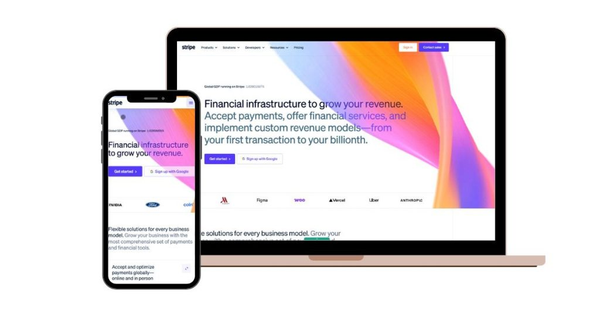
Key Takeaway: Stick to a limited color palette. Keep it clean and consistent.
3. Medium: Clear Typography
Typography means how your text looks on the website.
Good typography is very important because users come to read content. If your text is hard to read, users will leave your site quickly.
You should always use simple and clean fonts. Avoid fancy or decorative fonts. They may look stylish, but they reduce readability.
Here are some good font choices:
- Arial
- Roboto
- Open Sans
Also, keep your text size clear. Headings should be larger than normal text. Paragraphs should be short and easy to read.
Spacing is also important. Add enough space between lines and paragraphs. This makes reading comfortable.
Medium focuses on clear typography. Their website is designed for reading. The text is simple, clean and well-spaced. This makes it easy for users to read long articles.
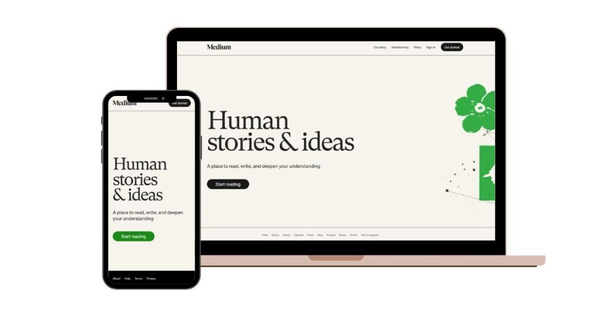
Key Takeaway: Use simple fonts and clear text. Make reading easy for everyone.
4. Airbnb: Easy Navigation
Easy navigation is one of the most important parts of a website.
When users visit your site, they want to find information quickly. If they cannot find what they need within a few seconds, they will leave. That is why your navigation must be simple and clear.
Do not add too many menu items. A long and complex menu confuses users. Instead, keep your menu short and organized.
A good navigation menu usually includes:
- Home
- About
- Services
- Contact
You can also add a search option if your website has a lot of content.
Your navigation should be:
- Easy to see
- Easy to click
- Easy to understand
Also, make sure your menu works well on mobile devices. Many users browse on phones, so your navigation must be responsive.
Airbnb is a great example of simple navigation. Their website uses a clean menu and a powerful search bar. Users can quickly find places, dates and prices without confusion.
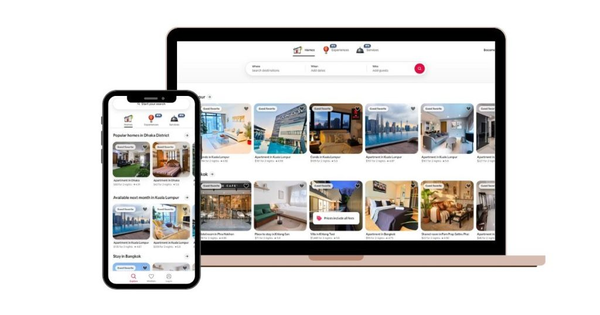
Key Takeaway: Keep menus short and simple so users can find what they need quickly.
5. Shopify: Strong CTA (Call-to-Action)
A call-to-action (CTA) tells users what to do next.
Without a clear CTA, users may not take any action. They may just leave your website. That is why every website needs a strong and clear CTA.
A good CTA should be:
- Short
- Clear
- Easy to see
Examples of CTAs:
- Get Started
- Buy Now
- Contact Us
- Start Free Trial
Do not use too many CTAs on one page. This can confuse users. Instead, focus on one main action.
Also, design your CTA button so it stands out. Use a different color, larger size or bold text. This helps users notice it quickly.
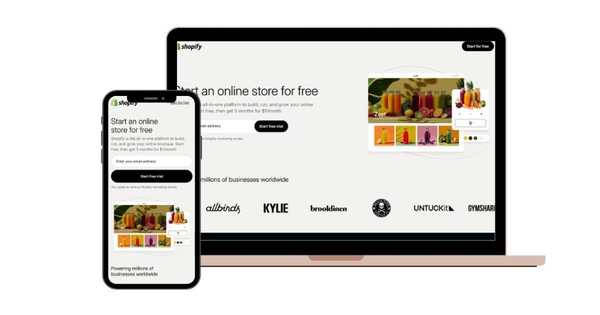
Shopify is a perfect example. Their website uses a clear CTA like “Start Free Trial.” It is simple, direct and easy to understand. Users know exactly what to do.
Key Takeaway: Use one clear and strong CTA to guide users.
6. Google: White Space Usage
White space means space around your content.
Many people think space is wasted space. But in web design, it is very important. White space makes your website look clean and organized.
When you use white space properly:
- Content becomes easier to read
- The design looks more professional
- Users can focus better
If your website is too crowded, users feel overwhelmed. Too much text, too many images and no spacing can make your site hard to use.
White space helps separate sections. It gives each element room to breathe.
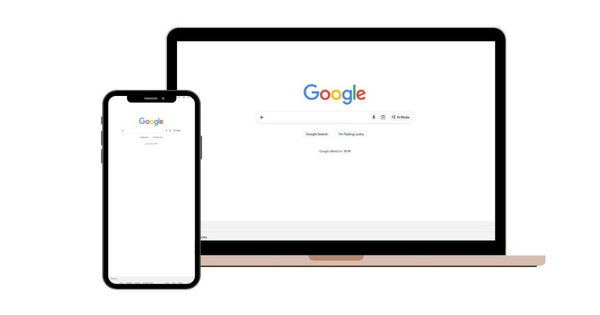
Google’s homepage is a great example. It uses a lot of white space. There are only a few elements on the page and everything is easy to understand. This simple design makes it very effective.
Key Takeaway: Do not overcrowd your design. Use white space to improve clarity and focus.
7. Instagram: Mobile-First Design
Mobile-first design means you design your website for mobile users first.
Today, most people use their phones to browse websites. If your website does not work well on mobile, you will lose many visitors. That is why mobile design is no longer optional. It is necessary.
A mobile-friendly website should:
- Fit all screen sizes
- Have readable text
- Use large buttons
- Load quickly
You should avoid small text and tiny buttons. These are hard to use on mobile screens. Also, keep your layout simple so users can scroll easily.
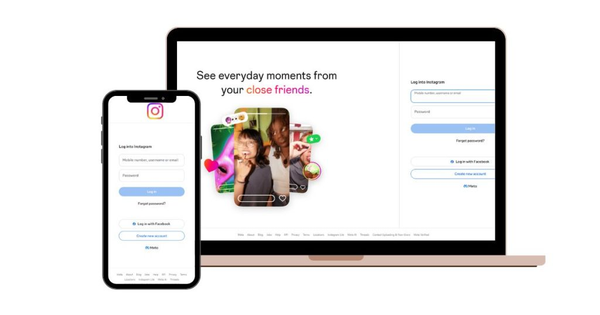
Mobile-first design also means testing your website on different devices. Check how it looks on phones, tablets and desktops.
Instagram is a great example of mobile-first design. It was built mainly for mobile users. The app is simple, fast and easy to use. Everything is designed for smooth scrolling and quick interaction.
Key Takeaway: Always design for mobile first and test your website on different devices.
8. Tesla: High-Quality Images
Images play a big role in web design.
Good images make your website attractive and engaging. They help users understand your message quickly. But poor-quality images can damage your website’s look.
You should always use:
- Clear images
- High-resolution photos
- Professional visuals
Avoid blurry or pixelated images. They make your website look unprofessional.
At the same time, do not use too many images. Too many visuals can slow down your website and distract users. Always choose quality over quantity.
Also, make sure your images match your brand. Use consistent style and color.
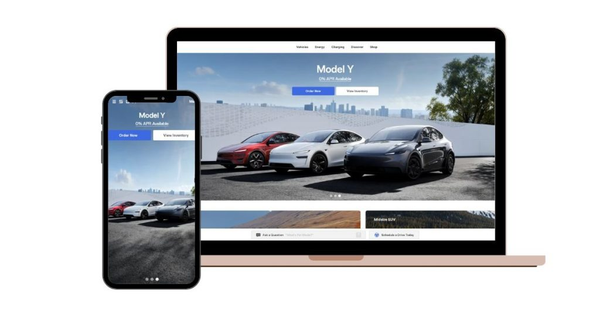
Tesla is a perfect example. Their website uses strong, high-quality images of cars. The visuals are clean, sharp and focused. They help users understand the product instantly.
Key Takeaway: Use fewer images, but make sure they are high quality and meaningful.
9. Dropbox: Short Content Sections
Users do not like long paragraphs.
Most people scan websites instead of reading every word. That is why your content should be short and easy to understand.
Break your content into small sections:
- Use short sentences
- Use bullet points
- Add headings
This makes your content easier to read.
Avoid large blocks of text. They can look boring and overwhelming. Instead, keep everything simple and clear.
Short content helps users:
- Find information quickly
- Stay engaged
- Understand your message better
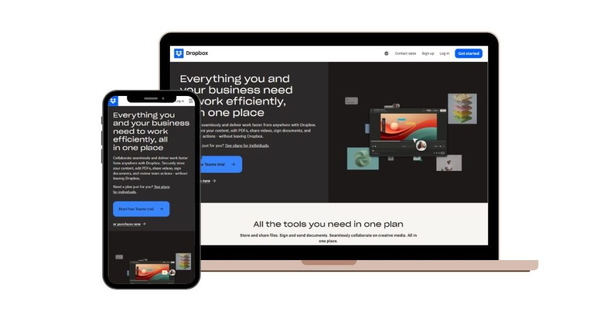
Dropbox is a great example. Their website uses short text and simple explanations. Each section is clear and easy to scan.
Key Takeaway:
Users scan, not read. Keep your content short, clear and well-structured.
10. Slack: Use Icons
Icons are small visual elements that help users understand information quickly.
Instead of reading long text, users can look at icons and instantly know what something means. This makes your website faster to use and easier to understand.
Icons are useful for:
- Features and services
- Contact information
- Navigation menus
- Benefits and highlights
For example, a phone icon shows a contact and an email icon shows messaging. These simple visuals reduce the need for extra text.
However, you should use icons carefully. Do not add too many. Too many icons can make your design look messy. Always choose simple and clear icons that match your content.
Also, keep your icon style consistent. Use the same design style across your website so everything looks clean and professional.
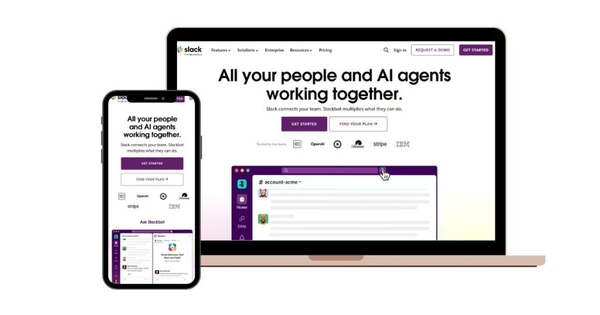
Slack is a great example. Their website uses simple icons to explain features. This helps users understand the platform quickly without reading too much.
Key Takeaway: Use icons to communicate faster and improve clarity.
11. Canva: Highlight Important Content
Not all content on your website is equal.
Some information is more important than others. You need to highlight these key points so users notice them quickly.
Users usually scan a website. They do not read everything. If important information is not highlighted, they may miss it.
You can highlight content by:
- Using bold text
- Changing color
- Increasing size
- Adding background sections
This helps guide users’ attention.
For example, you can highlight:
- Special offers
- Key features
- Important messages
- Call-to-action buttons
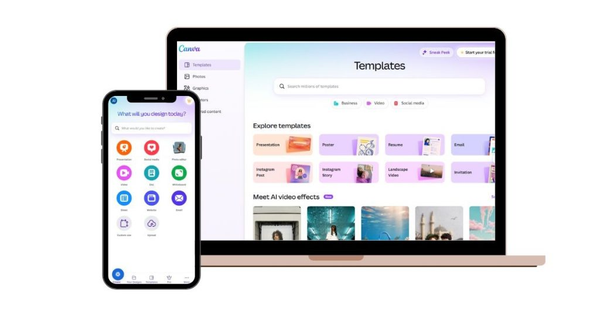
Canva does this very well. Their website highlights main features with bold text and strong visuals. This makes it easy for users to understand the value quickly.
Key Takeaway: Guide user attention by highlighting what matters most.
12. Mailchimp: Simple Forms
Forms are important for collecting user information.
But if your form is too long, users may not complete it. People prefer quick and easy forms.
A simple form usually includes:
- Name
- Message
Avoid asking too many questions. Long forms can feel tiring and confusing.
Keep your form:
- Short
- Clear
- Easy to fill
Also, make sure your form looks clean and works well on mobile devices. Use clear labels and enough space between fields.
Another good practice is to show users what happens after they submit the form. For example, a confirmation message or thank-you page.
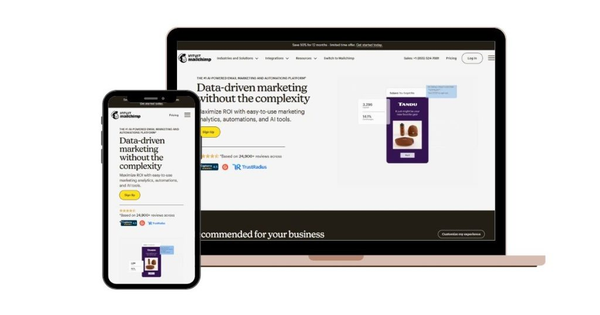
Mailchimp is a great example. Their signup forms are simple and easy to complete. This helps increase user signups.
Key Takeaway: Fewer fields lead to more conversions. Keep your forms short and simple.
13. Amazon: Fast Loading Design
Website speed is very important.
Users expect a website to load quickly. If your site is slow, people will leave before it even opens. This can increase your bounce rate and reduce conversions.
A fast website gives a better user experience. It also helps your website rank higher on search engines like Google.
There are many ways to improve speed:
- Compress images
- Use clean and simple code
- Avoid heavy animations
- Use fast hosting
- Reduce unnecessary plugins
Also, make sure your website loads well on mobile devices. Mobile users often have slower internet, so speed becomes even more important.
Amazon is a great example. Their website is designed for speed. Even with many products and features, pages load quickly. This helps users browse and shop without delays.
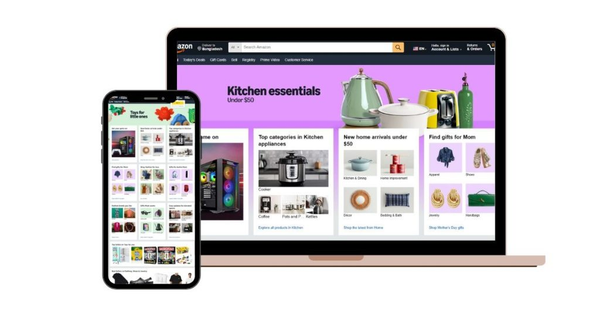
Key Takeaway: Optimize your website speed to keep users engaged and improve performance.
14. Adobe: Consistent Design Style
Consistency is key in web design.
Your website should look and feel the same on every page. This includes:
- Colors
- Fonts
- Buttons
- Layout styles
When your design is consistent, users feel comfortable. They understand how your website works and can navigate easily.
Inconsistent design can confuse users. For example, if buttons look different on each page, users may not know what to click.
Consistency also helps build your brand. It creates a strong identity that users can recognize and trust.
To maintain consistency:
- Use the same color palette
- Keep typography uniform
- Follow the same layout structure
- Use similar design elements
Adobe is a perfect example. Their website uses consistent colors, fonts and design patterns across all pages. This creates a professional and reliable experience.
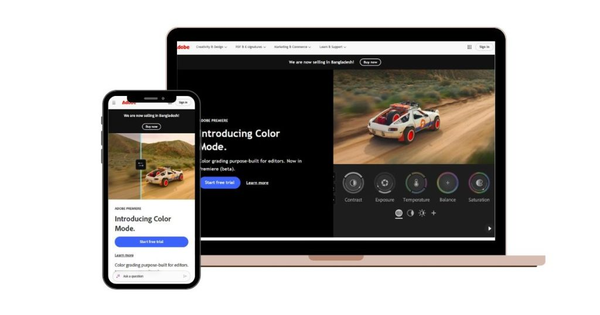
Key Takeaway: Consistency builds trust and improves usability.
15. Notion: Simple Background
Background design plays an important role in readability.
A busy or colorful background can make your website hard to read. It can distract users and reduce focus.
That is why simple backgrounds work best.
Use:
- White or light colors
- Soft gradients
- Minimal patterns
Avoid:
- Heavy textures
- Bright and distracting images
- Too many background effects
A clean background makes your content stand out. It improves readability and gives your website a modern look.
It also helps users focus on important elements like text, images and buttons.
Notion is a great example. Their website uses a clean and simple background. This keeps everything easy to read and visually appealing.
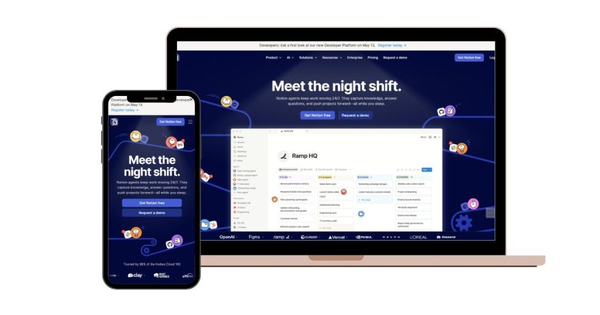
Key Takeaway: Keep your background light and simple to improve clarity and focus.
16. HubSpot: Testimonials Section
Testimonials show real feedback from your users or customers.
When people visit your website, they often want proof before they trust you. They want to know if others have had a good experience. This is where testimonials become very important.
A good testimonial section can include:
- Customer reviews
- Star ratings
- Short success stories
- Client names or photos
These elements help build trust. When users see that others are happy with your product or service, they feel more confident.
Keep your testimonials simple and real. Avoid long paragraphs. Short and clear feedback works better.
You can also place testimonials in key areas, such as:
- Homepage
- Service pages
- Landing pages
HubSpot is a strong example. Their website uses customer reviews and case studies to show real results. This helps users trust their services.
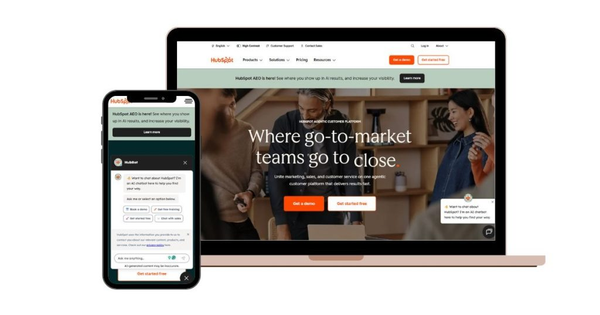
Key Takeaway: Build trust with real proof from your customers.
17. BBC: Clear Footer Design
The footer is the bottom section of your website.
Many people ignore it, but it is very important. Users often scroll to the footer to find extra information.
A good footer should include:
- Contact details
- Important links
- Social media icons
- Privacy policy and terms
Your footer should be clean and well-organized. Do not add too many links. Keep it simple and useful.
A clear footer helps users:
- Find information quickly
- Navigate easily
- Trust your website
Also, make sure your footer looks good on mobile devices.
The BBC is a great example. Their footer is structured and easy to use. It includes useful links that help users explore more content.
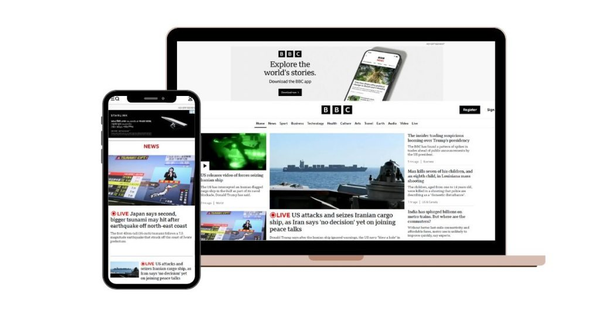
Key Takeaway: A well-designed footer improves usability and navigation.
18. Netflix: Simple Hero Section
The hero section is the first part of your website.
It is the first thing users see. That is why it must be clear and strong.
A simple hero section usually includes:
- A clear headline
- A short description
- A call-to-action (CTA)
- A strong image or background
Do not add too much information here. Keep it focused. Users should understand your message in a few seconds.
Your headline should be:
- Short
- Clear
- Easy to understand
The CTA should guide users on what to do next.
Netflix is a perfect example. Their homepage uses a bold headline and a simple CTA. Users instantly understand what the service offers and what to do next.
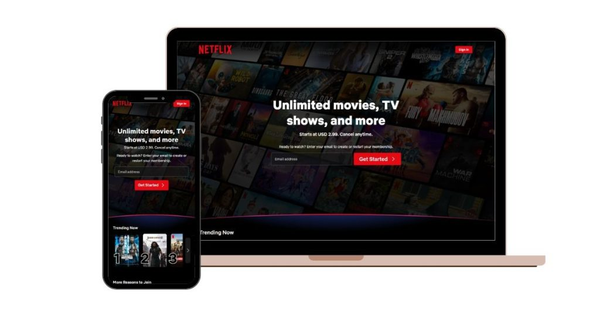
Key Takeaway: Make your hero section simple, clear and powerful to create a strong first impression.
19. Element Pack Pro: Use Website Builder Tools
Modern websites are no longer built only with code.
Today, many designers and developers use website builder tools. These tools make the process faster, easier and more efficient. Even beginners can create professional websites without advanced coding skills.
Website builder tools help you:
- Design pages visually
- Add features quickly
- Save time and effort
- Build responsive websites
One great example is Element Pack Pro. It is a powerful addon for Elementor that helps you create modern websites easily.
It offers:
- 300+ widgets
- 2700+ ready templates
- Drag-and-drop builder
- No coding required
With these features, you can design beautiful pages in minutes. You do not need to build everything from scratch.
These tools are especially useful for:
- Beginners
- Small businesses
- Freelancers
- Agencies
It allows you to focus more on design and user experience instead of technical work.
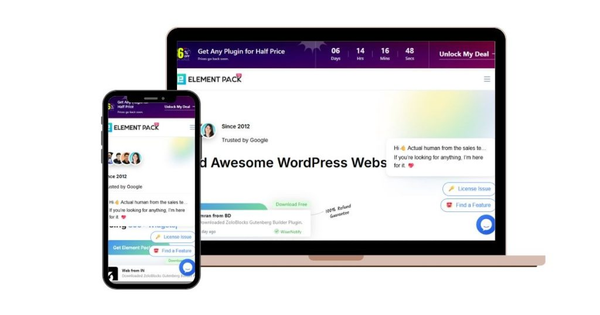
Key Takeaway: Use website builder tools to save time and create professional designs easily.
20. BdThemes: Use Professional Addons & Resources
Using the right tools can improve your website design.
Professional addons and resources help you add advanced features without extra effort. It also improves the quality of your design.
These tools can help you:
- Build faster
- Add advanced functionality
- Improve user experience
- Create modern layouts
BdThemes is a great example. It offers powerful Elementor addons and design tools that make website building easier.
These tools help you:
- Create dynamic websites
- Add interactive elements
- Use ready-made templates
- Customize designs easily
Instead of building everything manually, you can use these resources to speed up your workflow.
This is very helpful for designers and developers who want to deliver projects quickly and professionally.
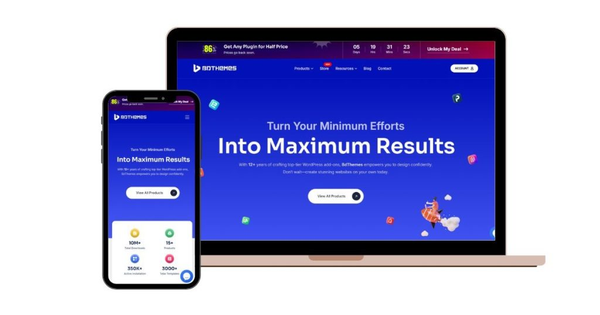
Key Takeaway: Good tools lead to better design, faster work and improved results.
21. Microsoft: Focus on User Experience (UX)
User experience or UX, is one of the most important parts of web design.
A website is not just about how it looks. It is about how it works for users. If users find your website difficult to use, they will leave quickly.
Good UX means:
- Easy navigation
- Fast loading speed
- Clear content
- Smooth interaction
You should always think from the user’s point of view. Ask yourself:
- Is this easy to use?
- Can users find information quickly?
- Is everything clear?
If the answer is yes, your UX is good.
Microsoft focuses strongly on user experience. Their websites and products are designed to be simple, clear and user-friendly.
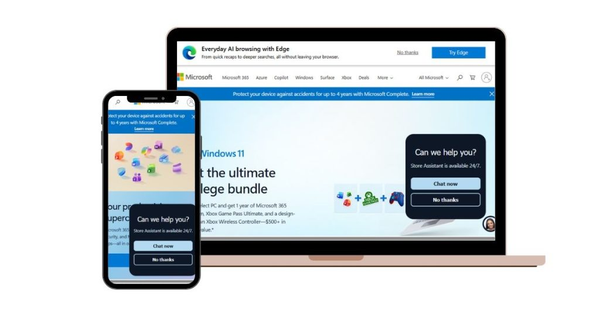
Good UX helps:
- Increase engagement
- Improve conversions
- Build trust
Key Takeaway: User experience is everything. Always design for your users.
What Kind of Websites Are in High Demand?
Not all websites are the same. Some types of websites are more popular because they solve real problems. If you want to build a successful website, you should understand which types are in demand.
There are mainly three types of websites:
1. Informational Websites
These websites share knowledge and content.
Examples:
- Blogs
- News websites
- Educational sites
They help users learn something new.
2. Transactional Websites
These websites allow users to take action.
Examples:
- E-commerce stores
- Booking websites
- Service websites
Users can buy, book or sign up.
3. Interactive Websites
These websites focus on user engagement.
Examples:
- Social media platforms
- Forums
- Community websites
Users can interact, share and connect.
Most modern websites combine these types. For example, a website can have a blog (informational) and also sell products (transactional).
What Skills Do You Need to Launch a Website Project?
You do not need to be an expert to start a website.
But some basic skills can help you build a better website.
Basic Skills:
- Understanding of design (layout, colors, fonts)
- Basic knowledge of HTML and CSS
- Simple content writing skills
Advanced Skills (Optional):
- JavaScript
- Backend languages like PHP or Python
- SEO knowledge
But today, you can build websites without coding. Tools like Element Pack Pro and Elementor make it very easy. You can design visually using drag-and-drop features.
If you want to build a complete website with Element Pack Pro, please watch this video.
Even beginners can create professional websites using these tools.
How to Choose the Best Website Idea for Your Goals
Choosing the right website idea is very important. Before you start, ask yourself a few questions:
- What is your goal?
- Who is your target audience?
- What problem are you solving?
If you want to earn money, you can choose:
- E-commerce website
- Affiliate website
- Membership website
If you want to build authority, you can choose:
- Blog
- Portfolio website
- Educational site
Also consider:
- Your budget
- Your time
- Your skills
Start with something simple. You can always grow later. For example, you can start with a blog and later add services or products.
Frequently Asked Questions About Web Design Ideas
Here are some common questions people ask:
1. What are simple web design ideas?
Simple web design ideas focus on clean layout, easy navigation and fast loading. They help users quickly understand your website.
2. Why is simple web design important?
Simple design improves user experience. It makes your website faster and easier to use, which helps increase engagement and conversions.
3. How many colors should I use in web design?
It is best to use 2 to 3 colors. This keeps your design clean and professional.
4. Do I need coding skills to create a website?
No, you do not need coding skills. Tools like Element Pack Pro make it easy to build websites without coding.
5. What is mobile-first design?
Mobile-first design means designing your website for mobile devices first. It ensures your site works well on phones and tablets.
6. How can I improve my website speed?
You can improve speed by compressing images, using clean code and avoiding heavy elements.
7. What is a call-to-action (CTA)?
A CTA is a button or message that tells users what to do, such as “Buy Now” or “Contact Us.”
8. Why is user experience (UX) important?
A good user experience helps visitors stay longer on your site. It also increases trust and conversions.
9. How can I make my website look professional?
Use simple layouts, clear fonts, high-quality images and consistent design.
10. What tools can help in web design?
You can use tools like Element Pack Pro, Elementor and WordPress to design websites easily.
Conclusion
Many websites fail because they are too complex. Too many elements can confuse users and slow down your site. This leads to poor user experience and lost opportunities.
If you ignore simple design, your visitors will not stay. They will move to another site that is easier to use. This can hurt your growth and online presence.
By using these Simple Web Design Ideas, you can build a website that is clean, fast and effective. Focus on clarity, speed and usability. Start with small improvements and keep refining your design. A simple website is not basic. It is powerful and works better for your users.

Strategic Content Writer for WordPress, Semantic SEO, and SaaS Audiences