

Jotform has built a loyal following over the years and for good reason. The platform offers a wide feature set, thousands of templates and solid integrations.
But as businesses grow, what once felt like enough starts to feel limiting. The free plan caps you at 5 forms and 100 monthly submissions. Hit that ceiling mid-campaign and your forms stop accepting responses until the next billing cycle.
The Bronze plan runs $39/month for 1,000 submissions, the Silver plan is $49/month and the Gold plan climbs to $129/month, all billed monthly, with annual savings available.
For growing teams, those costs add up fast, especially since every plan below Enterprise is single-user only.
This is why so many teams find themselves searching for Jotform alternatives. Whether you need better WordPress integration, AI-powered form creation, more flexible pricing or just fewer arbitrary limits on your data collection, there are strong options out there.
This guide covers 15 of the best, with honest breakdowns of what each one actually does well and where it falls short.
Why Teams Are Searching for Jotform Alternatives

Jotform is a capable product, but it has some real friction points that send users searching for alternatives.
The submission limits are the most common complaint!
The free plan allows just 100 submissions per month. If you embed a contact form on a moderately trafficked website, you can exceed that within a few days.
Even the 1,000-submission Bronze plan can feel tight for lead generation campaigns. When you hit the cap, Jotform displays an “over quota” message and stops accepting new responses: no overages, no grace period, just a hard stop.
The single-user structure is another sticking point!
Unless you’re on the Enterprise plan (which requires negotiation with sales), every account is designed for one person. Teams that need multiple members to create, edit or manage forms are essentially forced into a workaround.
Then there’s branding. The free plan places Jotform branding on all forms and removing it requires a paid subscription. For agencies building client-facing forms, this is a non-starter at the free tier.
Beyond those specifics, the broader landscape has shifted. In 2026, form builders aren’t just data collection tools. They’re part of lead generation workflows, AI-assisted automation pipelines and conversion-optimized funnels.
The best Jotform competitors have evolved accordingly and in several categories, they’ve pulled ahead.
15 Best Alternatives to Jotform in 2026
The tools below cover a wide range of use cases, team sizes and budgets. Each entry includes an honest breakdown of what the tool does well, where it falls short and what you should expect to pay.
1. AI Sigma Forms
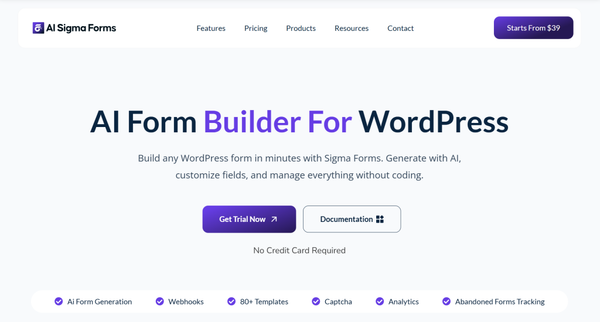
Sigma Forms is an AI-powered WordPress form builder developed by BdThemes, the team behind Element Pack Pro, Prime Slider and other well-established WordPress plugins.
Built specifically for WordPress users, it lets you describe a form in plain English. It generates a complete, structured draft in seconds, with AND/OR conditional logic and math functions.
The plugin offers 80+ pre-built templates, abandoned form tracking and a 30-day analytics dashboard. Further, it comes with in-built webhook integrations with Google Sheets, Slack, Discord and Telegram and multi-layer CAPTCHA protection including Google reCAPTCHA, hCaptcha, Cloudflare Turnstile and CleanTalk.
All options are GDPR-compliant and the plugin works natively with Elementor and shortcodes across any WordPress page builder.
If you are getting started with WordPress forms, the complete guide to creating a custom contact form in WordPress walks you through the process step by step. Also, the guide to form addons for Elementor covers how Sigma Forms fits into the broader Elementor ecosystem.
Why Sigma Forms Stands Out
- AI form generation from plain-language prompts, with 80+ smart templates to accelerate setup
- Abandoned form tracking captures partial submissions for lead recovery, a feature most WordPress form plugins charge extra for or skip entirely
- Built-in analytics dashboard with 30-day submission trends, completion rates and active form monitoring
- Native Elementor and shortcode support for seamless embedding in any WordPress page builder
- Webhook integrations with Google Sheets, Slack, Discord and Telegram require no third-party automation tools
- Multiple CAPTCHA layers (Google reCAPTCHA, hCaptcha, Cloudflare Turnstile, CleanTalk) with GDPR compliance built in
- Conditional logic with AND/OR rules, math functions and AI suggestions for field logic
- 60-day money-back guarantee across all plans
Pros:
- The most WordPress-native AI form builder on this list
- Conversion-focused features (abandoned forms, analytics) included at all plan levels
- Predictable annual pricing with lifetime options available
- White-label branding available on Agency plan, making it a strong fit for WordPress agencies managing client sites
- Active development backed by a team with 12+ years in the WordPress ecosystem
Cons:
- Designed for WordPress environments only; not a hosted SaaS option
- Newer in the market compared to tools like Gravity Forms or WPForms
Pricing
The Personal plan starts at $39/year for one site. Business is $89/year for up to 5 sites. Agency is $189/year for up to 1,000 sites with white-label branding and VIP Zoom support. Lifetime plans are also available at $119, $249 and $499 respectively.
See the full Sigma Forms pricing page for plan details.
2. Typeform
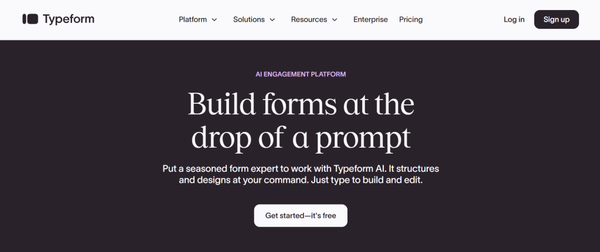
Typeform made its name by rethinking the form experience from the ground up.
Instead of showing all fields at once, it presents one question at a time in a conversational flow that genuinely improves completion rates for surveys, research forms and brand-forward lead capture.
The free plan covers just 10 responses per month, the Basic plan at $39/month gives you 100 responses, Plus at $79/month covers 1,000 responses with branding removed and Business at $129/month handles 10,000 responses with AI-powered analytics.
For marketing teams running high-volume lead operations, Growth Plans start at $199/month. Users on G2 and Capterra consistently praise Typeform’s interface.
In the typeform vs jotform conversation, Typeform wins on form experience and brand presentation; Jotform and most alternatives on this list win on submission volume per dollar.
Why Typeform Stands Out
- One-question-at-a-time conversational format drives measurably higher completion rates than traditional static forms
- Among the cleanest visual form design experiences available in any online form builder
- Strong native integrations with HubSpot, Salesforce, Slack and Google Sheets on Business plan and above
- AI-powered analytics and Smart Insights on higher-tier plans help identify where respondents drop off
- Growth Plans add lead enrichment, scoring and CRM routing for marketing teams at scale
Pros:
- Best-in-class form aesthetics and user experience
- Genuinely improves engagement for surveys and brand-facing lead capture forms
- Reliable uptime and strong integration ecosystem
Cons:
- Response caps are aggressive relative to price (100/month on a $39/month plan)
- Free plan is essentially a testing environment with 10 responses
- CAPTCHA requires a higher-tier plan
- Single-user restriction on Basic; team features require Plus at $79/month or above
Pricing
Free plan available (10 responses/month). Paid plans start at $39/month (Basic, 100 responses) through $129/month (Business, 10,000 responses). Growth Plans from $199/month. See Typeform’s pricing page for current details.
3. WPForms
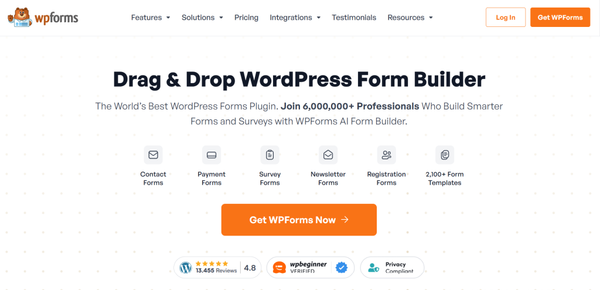
WPForms is one of the most widely installed form plugins on WordPress.org, with over 6 million active installs, built by focusing relentlessly on ease of use.
The drag-and-drop builder is clean, the 2,100+ template library means most users have a working form live within 15 minutes, WooCommerce compatibility is strong and the free WPForms Lite handles basic contact forms.
For entry storage, payment processing, CRM integrations and webhook support, paid plans are required.
For a full comparison of WPForms alongside other WordPress form plugins in ecommerce contexts, the WooCommerce form builder plugins guide covers the landscape in detail.
Why WPForms Stands Out
- One of the most beginner-friendly WordPress form builders available, with consistent drag-and-drop UI
- 2,100+ form templates covering contact forms, payment forms, surveys, registrations and more
- Strong WooCommerce payment integration for product order forms and checkout flows
- 39 officially maintained add-ons with guaranteed compatibility and direct support
- Free version (WPForms Lite) provides a genuine starting point for basic contact forms
Pros:
- Fastest time-to-live-form of any WordPress plugin on this list
- Reliable, actively maintained by the WPForms team
- Strong community documentation and tutorials
Cons:
- Renewal pricing nearly doubles after the first year on Pro and Elite plans
- CRM integrations and webhooks require the most expensive plan
- Free version does not store form entries in the database
Pricing
Paid plans start at $49.50/year (Basic) rising to $299.50/year (Elite) at first-year promotional rates. Renewals increase significantly. See WPForms pricing for full details.
4. Gravity Forms
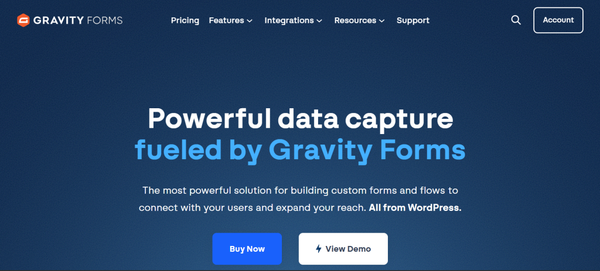
Gravity Forms has been part of professional WordPress development stacks for over 16 years.
It does not compete on price, design polish, or beginner friendliness. It competes on depth, reliability and the ability to handle complex workflows without custom code.
The conditional logic engine lets you chain multiple conditions across fields and pages, show or hide form sections, route email notifications to different recipients and build multi-step quote calculators all within a single form.
The absence of a free version is the main barrier: you pay $59 before testing on a live site, though a 30-day refund policy exists.
Why Gravity Forms Stands Out
- Industry-leading conditional logic for multi-step, multi-condition workflows that other form builders cannot match
- Predictable, consistent annual pricing with no renewal price jumps
- Hundreds of third-party add-ons from an established developer community, plus dozens of official integrations
- WCAG 2.1 AA accessibility compliance built into the core for organizations with compliance requirements
- All form submissions are automatically saved to the WordPress database by default, with no configuration required
Pros:
- Proven reliability over 16 years of active development
- More affordable than WPForms at the Elite tier ($259 vs $599 for unlimited sites)
- Strong for organizations with accessibility compliance needs
- Deep developer ecosystem for custom extensions
Cons:
- No free version; $59 minimum before testing on a live site
- Minimal built-in design controls; custom styling requires CSS
- Surveys and user registration gated behind the highest-tier Elite plan
- WordPress-only; no hosted or SaaS option
Pricing
Basic $59/year (1 site), Pro $159/year (3 sites), Elite $259/year (unlimited sites). Renewal pricing is consistent with the original purchase price. Full details on Gravity Forms pricing page.
5. Formidable Forms
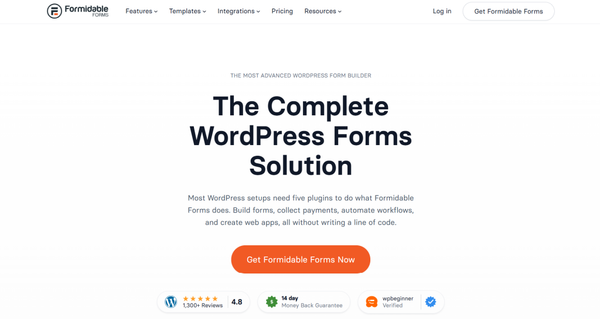
Formidable Forms occupies a unique position in the WordPress form builder landscape. Most form plugins collect data. Formidable Forms also displays that data on the front end, turning submissions into directories, member listings, searchable databases and user portals, all without custom development.
The “Views” feature lets you create publicly filterable, searchable layouts from submitted data and the calculation engine handles dynamic pricing, mortgage calculators, ROI tools and complex scoring systems.
It makes Formidable operate closer to a low-code application platform than a traditional survey form builder. WordPress-based job boards, real estate listing sites and recipe databases are all built regularly with it.
Why Formidable Forms Stands Out
- Views feature converts form submissions into front-end directories, listings and searchable databases that other form builders cannot produce natively
- Calculation engine handles dynamic pricing, mortgage calculators, ROI tools and form-based scoring one of the most powerful on the market
- Doubles as a low-code application builder, not just a form tool
- 150+ premium templates available on higher-tier plans
- Free version on WordPress.org handles basic contact forms without cost
Pros:
- Unmatched for teams building WordPress-based applications and data-driven front-end displays
- Extensive native add-on library reduces reliance on third-party integrations
- Strong developer API for custom extensions
Cons:
- Steep learning curve compared to simpler drag and drop form builders
- First-year promotional pricing increases significantly on renewal
- Interface feels dated relative to newer alternatives
- Overkill for basic contact form or lead capture needs
Pricing
Paid plans start at $39.50/year (Basic) and go up to $399.50/year (Elite) at first-year rates. Renewal rates are higher. See Formidable Forms pricing for current details.
6. Google Forms
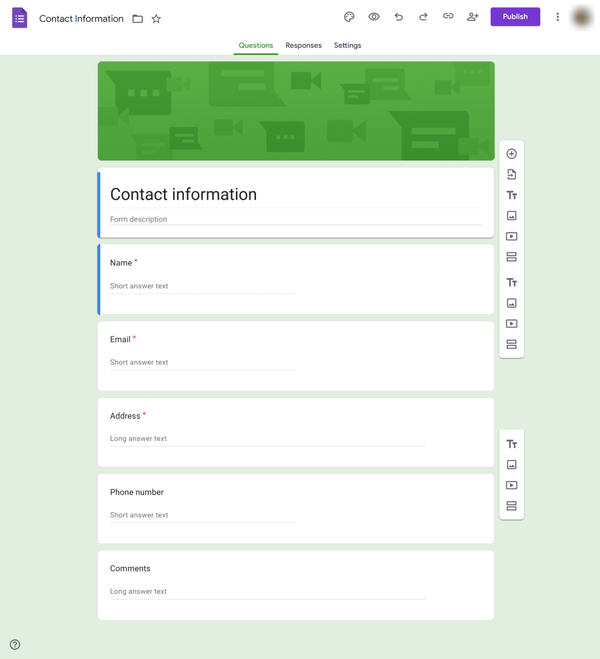
Google Forms is the easiest recommendation in any free Jotform alternative conversation: completely free, with no submission limits or branding restrictions, and used by over 1 billion people globally through Google Workspace.
Responses flow directly into Google Sheets for immediate analysis, real-time collaboration lets multiple users edit simultaneously and no account is required for respondents.
For internal surveys, event RSVPs, classroom data collection and simple customer feedback, it genuinely covers the job at zero cost.
Where it falls short is anywhere brand presentation or advanced functionality matters: every form looks like a Google Form, payment collection is absent, conditional logic is basic and analytics stop at raw response counts.
Why Google Forms Stands Out
- Completely free with genuinely unlimited forms and responses no submission caps, no branding fees
- Native integration with Google Sheets for immediate, familiar response analysis
- Real-time multi-user collaboration built in by default
- No account required for respondents to complete a form
- HIPAA compliance available through paid Google Workspace plans with a Business Associate Agreement
Pros:
- Zero cost, truly unlimited
- Familiar to virtually every internet user, reducing completion friction
- Instant Sheets integration for basic analysis
Cons:
- Minimal customization; all forms have the same Google look
- No payment processing
- Basic conditional logic only
- No submission analytics beyond raw response counts
Pricing
Free with a Google account. Google Forms is included in all Google Workspace plans ($6 to $18/user/month for business plans).
7. Microsoft Forms
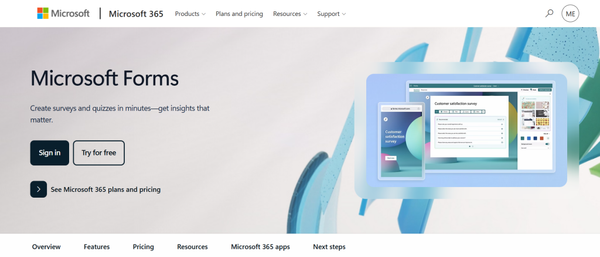
Microsoft Forms is the natural choice for organizations built around Microsoft 365.
It integrates natively with Teams, SharePoint, OneDrive and Excel, making it frictionless to distribute surveys internally, collect responses and analyze results without leaving the Microsoft environment.
Employee pulse surveys, quick team polls, event RSVPs and training assessments all work well within that ecosystem.
The limitations become clear for anything customer-facing or logic-heavy: no payment collection, conditional logic limited to basic IF/THEN branching with no AND/OR conditions and minimal design customization.
As a Microsoft Forms alternative path, most teams moving to external-facing forms will want Typeform for conversational UX, Sigma Forms for WordPress integration, or Formstack for enterprise workflow automation.
Why Microsoft Forms Stands Out
- Seamless integration with Microsoft 365, Teams, SharePoint and Excel requires no additional setup
- Free for all Microsoft 365 subscribers with no additional cost
- Simple enough for any team member to create and share a form in minutes
- Response data flows directly to Excel for immediate analysis
- Works well for internal feedback loops and compliance surveys within regulated organizations
Pros:
- Zero additional cost for Microsoft 365 subscribers
- Familiar interface for organizations already in the Microsoft ecosystem
- Teams integration makes form distribution effortless for internal audiences
Cons:
- No payment collection
- Limited conditional logic with no AND/OR support or visual logic builder
- Minimal design customization for external-facing forms
- Not suited for marketing, lead generation, or conversion-focused data collection
Pricing
Free with a Microsoft 365 subscription. Business plans start at $6/user/month. See Microsoft 365 pricing for details.
8. Zoho Forms
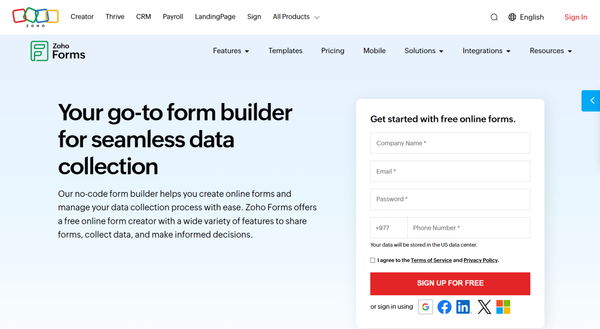
Zoho Forms earns its place on this list through one specific strength: if your business runs on the Zoho ecosystem, it is the most seamlessly integrated form builder available.
Form submissions flow directly into Zoho CRM, Zoho Desk and Zoho Projects without Zapier or manual imports.
Outside the Zoho ecosystem, the trade-offs are real: third-party integrations are more limited than Jotform or Typeform and design options lean functional rather than polished, which matters for customer-facing branded forms.
Why Zoho Forms Stands Out
- The deepest native integration with Zoho CRM, Zoho Desk and Zoho Projects of any form builder on this list
- Multi-step approval workflows route submissions through internal review chains without additional tools
- Mobile app with offline mode for teams collecting data in the field
- Payment processing through Stripe, PayPal and Razorpay available at the free tier
- Integrations with Salesforce and Zapier available on the free plan for teams with mixed ecosystems
Pros:
- Eliminates manual CRM data entry for Zoho ecosystem users
- Competitive pricing compared to enterprise alternatives
- Offline mobile collection is rare in this category
Cons:
- Design flexibility is limited compared to premium form builders
- Less compelling outside the Zoho product ecosystem
- Fewer third-party integrations than Jotform or Typeform at equivalent price points
Pricing
Free plan (3 forms, 500 submissions each). Paid plans range from approximately $10/month (Basic) to $50/month (Professional). See Zoho Forms pricing for full plan details.
9. Cognito Forms
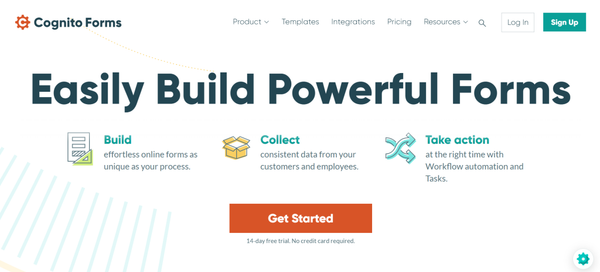
Cognito Forms has a loyal following among developers and power users for one clear reason: its conditional logic and calculation capabilities are among the most advanced in the market.
If you need a form that calculates dynamic pricing based on user selections, applies tax rules, handles repeating sections like multi-item order forms, or generates scoring logic, Cognito Forms was purpose-built for this work.
The calculation engine operates more like a spreadsheet formula editor than a typical form builder.
You reference fields, compute totals and update values dynamically as users type.
Repeating sections allow respondents to add multiple line items critical for expense reports, itemized order forms and event registrations with multiple attendees.
These powerful features are available on lower-tier plans, which distinguishes Cognito Forms from tools that gate complex logic behind top-tier pricing.
Why Cognito Forms Stands Out
- Expression-based AND/OR conditional logic engine with repeating sections and lookup fields one of the most capable logic systems in this category
- Calculation engine handles dynamic pricing, tax rules, quiz scoring and multi-item totals with spreadsheet-style formulas
- Payment processing through Stripe and Square available on the free plan, not gated behind premium tiers
- HIPAA compliance available on Enterprise for healthcare organizations
- Competitive pricing for the depth of logic capabilities provided
Pros:
- Handles calculation complexity that most form builders cannot match
- Generous free tier with payment processing included
- Good for forms that need to behave like mini-applications
Cons:
- Design and UI are functional, not visually engaging
- Fewer integrations than major platforms like Jotform or Typeform
- Not ideal for high-volume marketing forms or brand-forward customer experiences
Pricing
Free plan available. Individual plan approximately $15/month. Team approximately $35/month. Enterprise approximately $99/month. See Cognito Forms pricing for current details.
10. Tally Forms
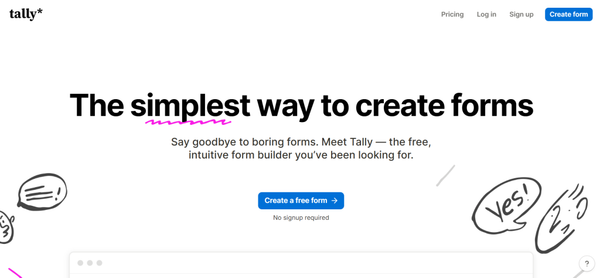
Tally Forms has built a devoted following by doing something rare in this market: the free plan includes genuinely unlimited forms and unlimited submissions.
Most polished form builders cap free users at 100-500 responses per month. Tally removes that limit entirely, making it one of the most honest free alternatives to Jotform.
The editor takes a Notion-inspired document approach, where you type as if you were writing a note and keyboard shortcuts insert question types, logic blocks, and media.
The result is fast and intuitive and forms look clean and modern without requiring design effort.
Tally does not offer HIPAA compliance, advanced analytics, or deep CRM workflow automation. It is a hosted service, not a WordPress plugin, so embedding requires an iframe, which can affect performance on WordPress sites.
Why Tally Forms Stands Out
- Genuinely unlimited forms and submissions on the free plan no monthly caps, no submission limits
- Notion-inspired editor is among the fastest and most intuitive form creation experiences available
- File uploads with a 10MB limit included on the free tier
- Clean, modern form output that looks intentionally designed without any design effort required
- Integrations with Notion, Airtable, Google Sheets and Zapier work well for flexible data routing
Pros:
- The most generous free plan for submission volume of any polished form builder
- Fast editor experience reduces time from idea to live form
- No arbitrary limits make budgeting straightforward
Cons:
- No HIPAA compliance
- Team collaboration and custom branding require Pro ($29/month)
- Hosted service only; embeds via iframe on WordPress sites
- Limited enterprise capabilities compared to Formstack or Cognito Forms Enterprise
Pricing
Free (unlimited forms and submissions). Pro plan $29/month. See Tally pricing for current plan details.
11. Paperform
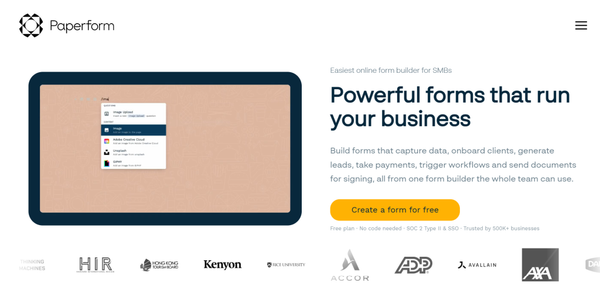
Paperform approaches form building from a content-first perspective. Rather than placing fields on a standard form canvas, it gives you a blank document where you mix questions with text, images and video.
The result looks less like a data entry form and more like a designed landing page, a meaningful distinction for product registrations, event pages and brand-forward customer interactions.
The editor is document-style and once you adapt to that approach, it is genuinely flexible.
Paperform supports an Excel-style calculation engine for dynamic pricing and quiz scoring, five payment gateways (Stripe, PayPal, Square, Braintree and Google Pay), built-in e-signatures through Papersign and over 2,000 integrations. SOC 2 Type II and GDPR compliance are included.
Why Paperform Stands Out
- Document-style editor creates visually distinctive, on-brand forms that look like designed landing pages rather than standard data entry screens
- Five payment gateways including Google Pay and Braintree, more than most form builders offer natively
- Built-in e-signatures through Papersign, covering the collect-sign workflow without a separate tool
- Excel-style calculation engine for dynamic pricing, quiz scoring and conditional totals
- SOC 2 Type II and GDPR compliance for teams with security requirements
Pros:
- Best visual output for brand-forward customer-facing forms on this list
- Comprehensive payment and e-signature capabilities in one platform
- 2,000+ integrations for flexible workflow automation
Cons:
- Higher price point than most form builders; no permanent free plan
- Learning curve for users accustomed to standard drag-and-drop editors
- Not the right fit for high-volume, utilitarian data collection
Pricing
Essentials $29/month, Pro $59/month, Business $129/month (annual rates; monthly billing is higher). 7-day trial available. See Paperform pricing for details on the current plan.
12. Wufoo
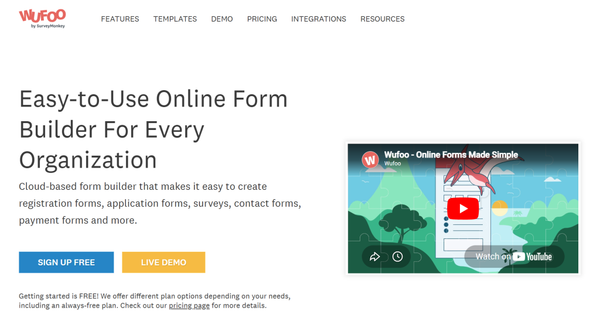
Wufoo is one of the oldest names in online form building, acquired by SurveyMonkey in 2011 for $35 million.
Since that acquisition, the two products have followed sharply different investment paths.
SurveyMonkey received continuous development: AI features, enterprise tools and research capabilities. Wufoo has been maintained but not meaningfully advanced, leaving its interface and feature set roughly where they were a decade ago.
Wufoo still works. It handles basic contact forms, simple conditional logic and payment collection through Stripe, PayPal and Authorize. Net reliably. Its integrations list is long, built over many years in the market and connected to most major platforms, including Salesforce, Mailchimp, and Dropbox.
Several industry comparisons now describe Wufoo as a legacy form builder kept operational rather than actively grown.
Why Wufoo Stands Out
- One of the simplest, most friction-free setups for teams that just need a basic form with payment collection
- Long integrations list built over many years of market presence
- 18 field types cover most standard data collection scenarios
- CSS editing available for teams that want visual customization without full design work
- Reasonable starter pricing for straightforward, low-volume form needs
Pros:
- Simple and reliable for basic use cases
- Strong integration breadth from years in the market
- Low entry-level pricing
Cons:
- Interface and features have not kept pace with modern form builders
- Minimal investment from SurveyMonkey since the 2011 acquisition
- Design output looks visually dated compared to current alternatives
- Not recommended as a primary choice for new projects in 2026
Pricing
Free (5 forms, 100 entries/month). Starter approximately $14/month. Professional approximately $29/month. Advanced approximately $74/month. See Wufoo pricing for details on the current plan.
13. Ninja Forms
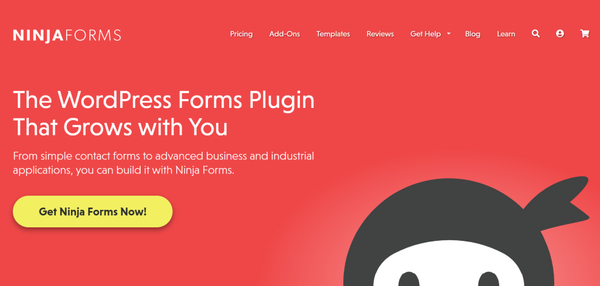
Ninja Forms takes a modular approach to WordPress form building that particularly appeals to developers and teams who want precise control over what they pay for.
The core plugin is free and available on WordPress.org, covering unlimited forms, unlimited submissions, basic field types and built-in spam protection. Additional capabilities come through individual add-ons or bundled plans.
With over 30 million downloads, Ninja Forms has built a large community of WordPress users who value the free core and the ability to extend selectively.
For teams that want to understand the broader WordPress plugin ecosystem, the guide to best WordPress plugins covers context on how modular plugins like Ninja Forms fit into different site architectures.
Why Ninja Forms Stands Out
- Free core plugin provides unlimited forms and submissions without any cost a strong starting point for budget-conscious WordPress users
- Modular add-on system lets teams pay only for the specific capabilities they actually need
- Developer-friendly codebase with clean hooks and filters for custom extensions
- GDPR compliance and built-in spam protection included at the free tier
- 30+ million downloads demonstrate sustained community adoption
Pros:
- Free core is genuinely functional for basic contact and lead forms
- Precise cost control through selective add-on purchasing
- Good developer customization options for teams with technical resources
Cons:
- An add-on structure can be confusing to navigate when planning which plan covers specific needs
- Can impact page load times more than lighter alternatives
- No API access
- Key features like conditional logic and CRM integrations require paid add-ons
Pricing
Free core plugin. Plus $99/year (1 site). Professional $199/year (20 sites). Elite $299/year (unlimited sites). Individual add-ons also available separately. See Ninja Forms pricing for full details.
14. Formstack
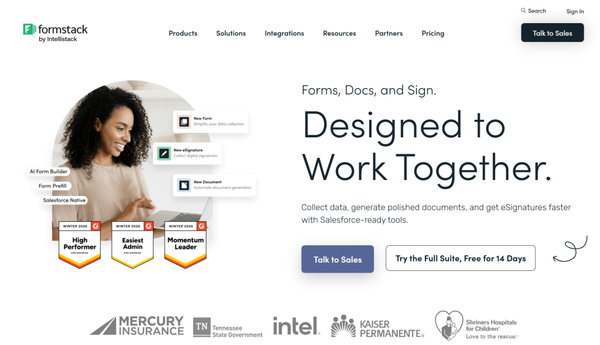
Formstack sits in a different market tier than most tools on this list. It is not primarily a traditional form builder.
It is a workflow automation platform that bundles online forms, document generation and electronic signatures into one product suite.
The pitch is that a single form submission can trigger automated document creation (PDFs, contracts, letters), route to e-signature collection and feed into CRM systems, all within one vendor relationship and one compliance umbrella.
The Salesforce integration is among the deepest available, with native object mapping and multi-object record creation from a single submission.
Why Formstack Stands Out
- End-to-end workflow automation covering forms, document generation and e-signatures under one compliance umbrella
- SOC 2 Type II and HIPAA compliance for regulated industries including healthcare and financial services
- SSO/SAML, role-based access control and audit logging for enterprise security requirements
- Salesforce integration with native object mapping for CRM-centric organizations
- Formstack Documents generates polished PDFs, contracts and letters from form submission data
Pros:
- Only tool on this list that combines forms, document generation and e-signatures natively
- Enterprise compliance credentials are comprehensive and well-documented
- Strong for organizations where the full collect-generate-sign workflow needs to stay compliant
Cons:
- Expensive relative to standalone form builders; per-seat costs scale quickly
- Products feel somewhat stitched together from multiple acquisitions
- Overkill for most small to mid-size business use cases
- The conditional logic setup lacks a visual flowchart builder, making complex branching harder to configure
Pricing
Forms product from $83/month. Formstack Suite from $250/month (annual billing). Enterprise pricing on request. See Formstack pricing for details on the current plan.
15. SurveyMonkey

SurveyMonkey has been building online survey tools since 1999 and its 25-year history in the market shows in what it does best: research methodology, survey design and stakeholder-ready data analysis.
With over 17 million active users and 300,000+ organizations on the platform, it is the dominant name in structured survey research, not because it is the most feature-rich form builder, but because it has the deepest toolset for understanding the data you collect.
Why SurveyMonkey Stands Out
- Industry-leading survey analysis with statistical reporting, cross-tabulation and benchmarking against industry averages
- AI-powered insight summaries surface patterns from response data automaticallyThe
- Audience panel feature lets you purchase survey responses from specific demographics for market research
- Over 25 years of survey methodology expertise reflected in the question bank and survey design tools
- HIPAA compliance available on enterprise tiers for sensitive data collection
Pros:
- Best-in-class for research-grade data analysis and stakeholder reporting
- Established platform with strong enterprise trust and global adoption
- AI-powered insights reduce manual analysis time
Cons:
- Expensive relative to the form-building capabilities provided
- No document generation or native e-signatures
- Limited CRM workflow automation compared to Formstack or Gravity Forms
- Response limits on individual plans can become restrictive for ongoing research programs
Pricing
Free plan (limited responses). Individual plans from $25/month. Team plans from $75/user/month. Enterprise pricing on request. See SurveyMonkey pricing for current details.
Comparison Table: 15 Best Jotform Alternatives
| Tool | Best For | Free Plan | AI Features | WordPress Native | Starting Paid Price |
| Sigma Forms | AI-powered WordPress forms | Trial available | Yes | Excellent | $39/year |
| Typeform | Conversational lead forms | Yes (10 responses/mo) | Partial | Good (embed) | $39/month |
| WPForms | WordPress beginners | Yes (basic) | Limited | Excellent | $49.50/year |
| Gravity Forms | Advanced WordPress workflows | No | No | Excellent | $59/year |
| Formidable Forms | WordPress application building | Yes (basic) | No | Excellent | $39.50/year |
| Google Forms | Free unlimited responses | Yes (unlimited) | No | Good (embed) | Free |
| Microsoft Forms | Microsoft 365 internal teams | Yes (M365 users) | No | Good (embed) | Free with M365 |
| Zoho Forms | Zoho ecosystem users | Yes (3 forms) | Partial | Moderate (embed) | ~$10/month |
| Cognito Forms | Logic and calculation forms | Yes | No | Good (embed) | ~$15/month |
| Tally Forms | Free unlimited submissions | Yes (unlimited) | No | Good (embed) | $29/month Pro |
| Paperform | Landing-page-style forms | No (7-day trial) | No | Good (embed) | $29/month |
| Wufoo | Simple legacy form needs | Yes (5 forms) | No | Good (embed) | ~$14/month |
| Ninja Forms | Modular WordPress add-ons | Yes (core plugin) | No | Excellent | $99/year |
| Formstack | Enterprise workflow automation | No | No | Good (embed) | $83/month |
| SurveyMonkey | Research and survey analysis | Yes (limited) | Partial | Good (embed) | $25/month |
Which Jotform Alternative Is Right for You?
Choosing a form builder ultimately comes down to what specific problem you are trying to solve and the platform you are working on. Here is a direct breakdown by use case so you can find your answer quickly without having to read through every option again.
- If you’re on WordPress and want AI-powered form creation, analytics and lead recovery: Sigma Forms was built for this use case. The combination of AI generation, abandoned form tracking, webhook integrations and WordPress-native architecture covers most of what growing WordPress businesses actually need, at a price point well below what you’d pay for Jotform’s comparable features.
- If form aesthetics and completion rates are your priority: Typeform’s conversational format genuinely moves the needle on engagement. The cost per response is high, but for premium lead capture where quality matters more than volume, it earns its place.
- If your organization lives in Microsoft 365: Microsoft Forms handles internal surveys without needing a separate tool or budget.
- If you need enterprise compliance, document generation and e-signatures in one platform: Formstack. No other tool on this list combines all three at scale.
- If research methodology and stakeholder-ready reporting are the goal: SurveyMonkey has 25+ years of investment in exactly that problem.
For more context on how different WordPress plugins fit different site goals, the BdThemes WordPress plugin guides cover a range of scenarios across plugin types.
Conclusion
Jotform remains a solid form builder, but many growing businesses eventually run into limitations around pricing, submission caps, collaboration and workflow flexibility.
The good news is that the market now offers far more specialized alternatives tailored to different needs.
Typeform excels at conversational experiences, Gravity Forms handles complex WordPress workflows and Google Forms remains unbeatable for simple free usage.
For WordPress users looking for a more modern solution, Sigma Forms stands out with AI-powered form generation, abandoned form tracking, analytics, webhook integrations and deep Elementor compatibility. And this is what makes it one of the strongest Jotform alternatives available in 2026.
Frequently Asked Questions
What is the best alternative to Jotform?
It depends on your use case. For WordPress users, Sigma Forms and WPForms are strong native alternatives. For conversational forms, Typeform leads on experience. For advanced WordPress workflows, Gravity Forms has a 16-year track record. For free unlimited submissions, Tally Forms or Google Forms remove every cost concern.
Is there a free alternative to Jotform?
Yes. Google Forms is completely free with unlimited responses. Tally Forms offers unlimited forms and submissions on its free plan. Ninja Forms has a free core WordPress plugin. Zoho Forms offers a free tier with 3 forms and 500 submissions each. WPForms Lite is free but does not store entries in the database.
Which Jotform alternative is best for WordPress?
Sigma Forms, WPForms, Gravity Forms, Formidable Forms and Ninja Forms all run natively inside WordPress. Sigma Forms adds AI form generation and abandoned form tracking that the others do not offer at equivalent price points. Gravity Forms and Formidable Forms lead for complex workflow and application-building needs respectively. For a deeper look at how these fit together, the guide to form addons for Elementor covers WordPress-native options in detail.
Are there AI-powered alternatives to Jotform?
Sigma Forms includes AI form generation from plain-language prompts and is the most WordPress-native AI form builder on this list. Typeform has introduced AI features on its Business and Growth plans. Most other tools on this list have limited or no AI form creation built in.
Which form builder is best for lead generation forms?
Typeform’s conversational format drives higher completion rates for premium lead capture. Sigma Forms combines conversion-focused features with abandoned form tracking and a 30-day analytics dashboard, making it a practical choice for WordPress-based lead generation specifically. For teams evaluating Elementor-based lead generation setups, the Elementor form addon comparison provides additional context.
What is the best free Jotform alternative?
Google Forms wins on pure cost (completely free, unlimited responses). Tally Forms is the best free option with a modern design and no submission caps. For WordPress, the free Ninja Forms core or WPForms Lite are practical starting points, though both have feature limitations at the free tier.
Which alternatives work best for agencies?
Gravity Forms Elite ($259/year, unlimited sites) and Sigma Forms Agency ($189/year, 1,000 sites, white-label branding) are the strongest agency options. Sigma Forms’ white-label capability is a differentiator agencies can present forms under their own or clients’ brands, which Gravity Forms does not offer. For agencies building client sites with Elementor, the complete Sigma Forms usage guide walks through the full workflow.
What is the best Microsoft Forms alternative?
If you are leaving Microsoft Forms because of limited logic or design options, Sigma Forms handles WordPress deployments, Typeform covers conversational lead capture and Formstack handles enterprise workflow automation. For something free and unlimited beyond Microsoft’s ecosystem, Tally Forms is a common migration path for teams that want simplicity without cost.
Supreakshya Shrestha
The BdThemes team builds WordPress plugins trusted by 3M+ users worldwide. We write about web accessibility, WCAG compliance, and inclusive design.