

Another ticket asks where to find a setting. Your team answered it yesterday. The instructions are already in your documentation, but someone still has to find the article and write the reply.
Meanwhile, a customer with a broken layout waits in the same queue.
NiroHelp is built around this problem. It connects help articles, support tickets, and AI replies inside WordPress. The idea is to let documentation answer more routine questions while your team investigates the cases that need attention.
But does that make it a good choice for your business?
If you're comparing options for the Best WordPress Helpdesk Plugin, this NiroHelp review examines its documented features, pricing, strengths, and limits. It also compares its approach with Fluent Support, SupportCandy, and BetterDocs.
What Is NiroHelp?
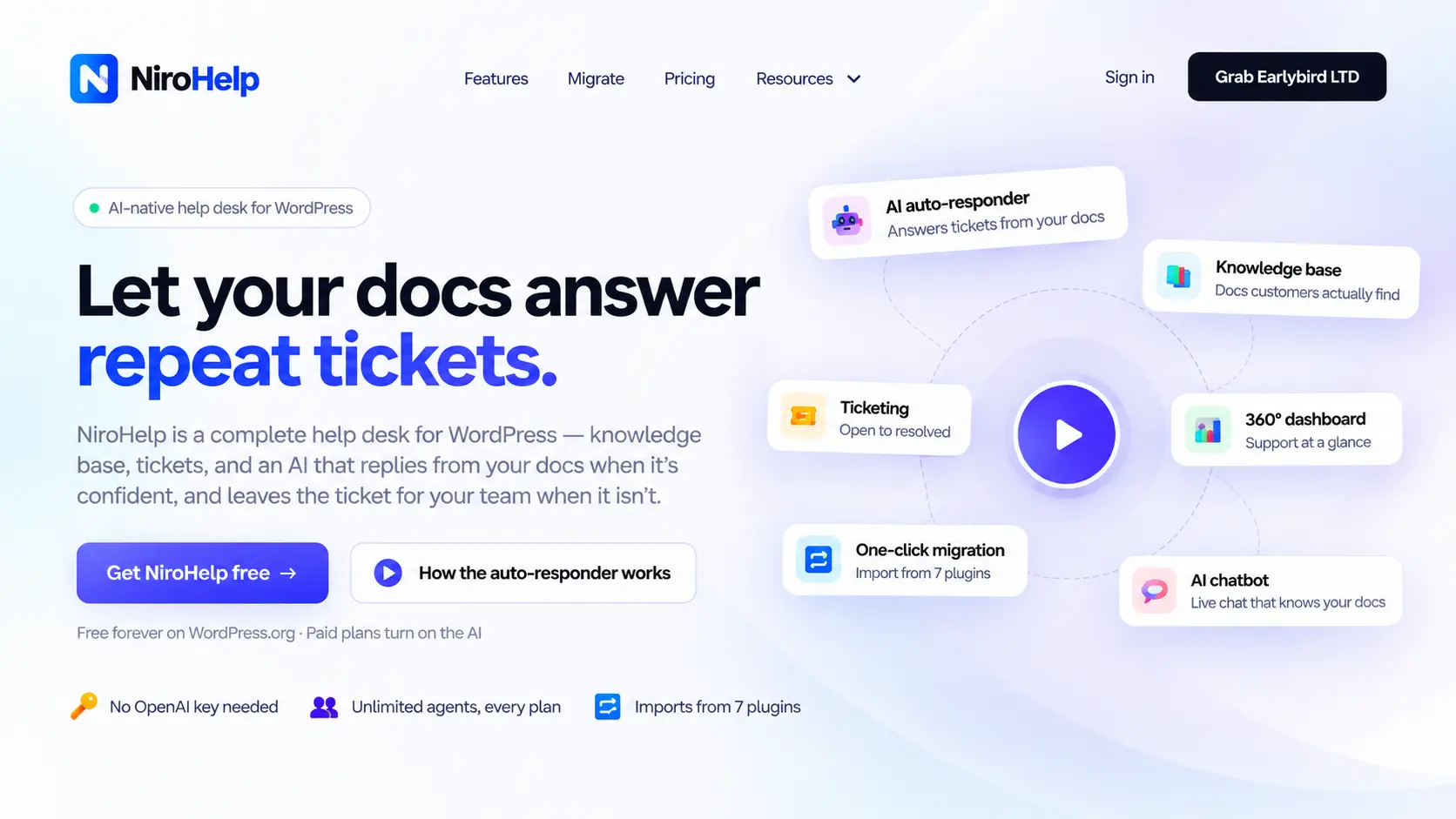
NiroHelp is an AI-native WordPress helpdesk plugin that combines a knowledge base, ticketing, an AI chatbot, and an AI ticket auto-responder. It also offers email piping, a support dashboard, and migration tools.
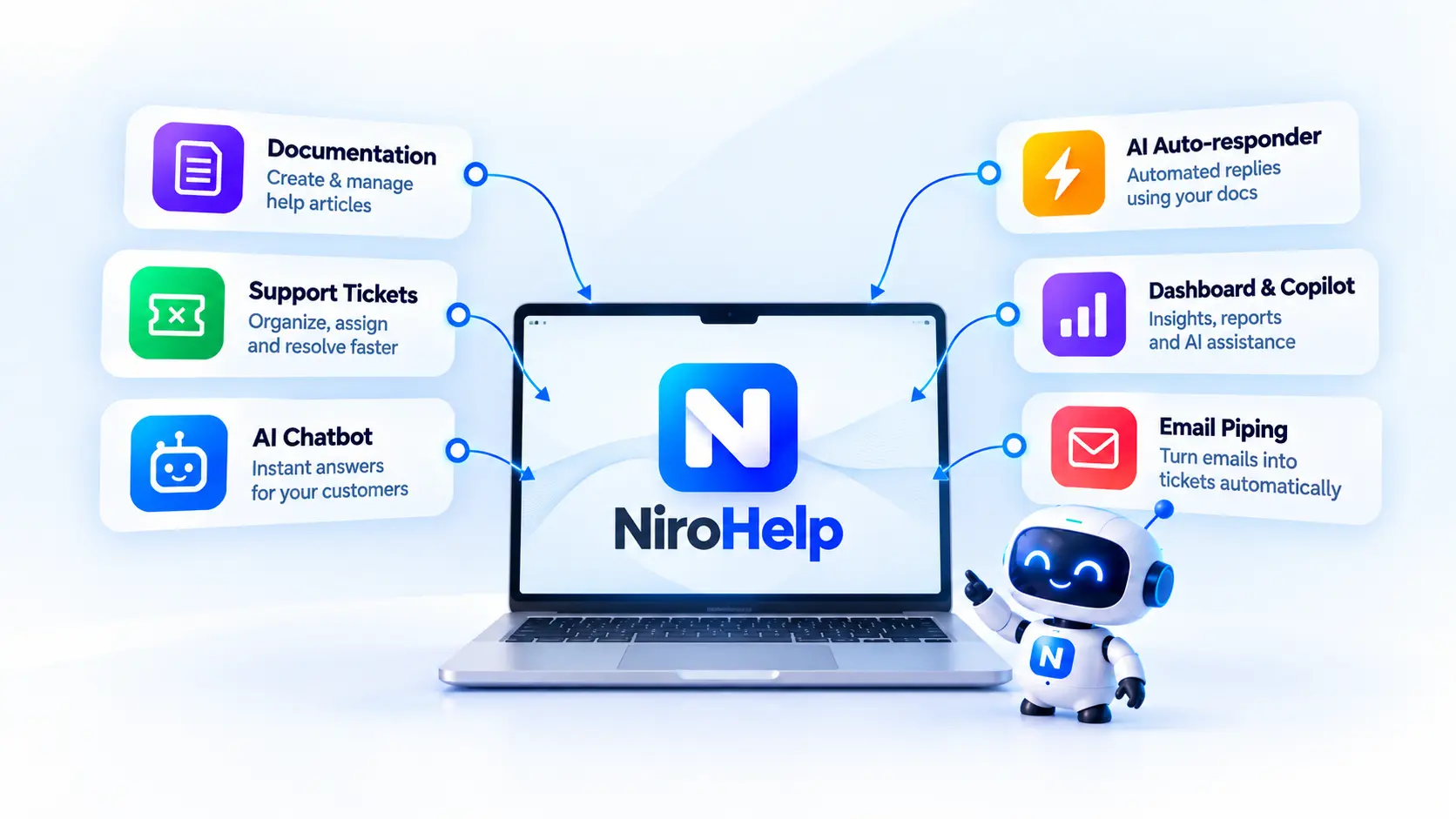
This free WordPress helpdesk plugin handles documentation and tickets. Paid plans add AI features and email piping. You can use the core helpdesk without connecting the AI service.
Here, “AI-native” describes how AI connects to the support workflow. The chatbot answers visitor questions from synced documentation. The auto-responder uses that documentation to answer submitted tickets when the result meets your chosen confidence threshold.
That gives the same help articles a role before and after a customer opens a ticket.
NiroHelp at a Glance
Here is everything that you should know before you start using this WordPress helpdesk plugin.
| Area | What to know |
|---|---|
| Main use | Documentation, tickets, and AI support managed through WordPress |
| Free core | Knowledge base, ticketing, assignment, dashboard, and migration |
| Paid features | AI chatbot, ticket auto-responder, copilot, and email piping |
| Agent and ticket limits | Unlimited on all plans |
| AI billing | Monthly credit allowance included with paid plans |
| Separate model account | No OpenAI or Anthropic account required |
| Chatbot handoff | Offers a support email or ticket link |
| Main consideration | Automated answers depend on the documentation you maintain |
These distinctions come from the feature overview and plan details. The practical question is whether you need these functions together.
Can NiroHelp Replace Separate Support Tools?
A WordPress helpdesk plugin needs to help customers find answers, collect unresolved requests, and show agents what to do next. If it uses AI, your team also needs control over when replies are sent.

You can build that setup with separate plugins. The work appears in the connections between them.
Imagine changing your product’s license activation process. You update the help article, then check whether the chatbot has the new instructions. You may also need to revise saved replies in the ticketing tool. A missed update can leave customers receiving different answers.
NiroHelp brings those functions into one plugin and uses synced articles for its AI responses. For a team starting from separate documentation and ticketing systems, that may reduce the number of tools to manage. It does not remove the need to maintain articles and refresh the AI’s source material.
Replacement also depends on your requirements. A business that relies on phone support, specialist reporting, or a particular integration should verify those needs before switching. Fewer plugins are useful only if the resulting setup still covers the work.
NiroHelp Features: What Do You Actually Get?
1. Knowledge Base
NiroHelp includes a WordPress knowledge base where you can create, organize, and publish customer support articles using the WordPress editor. Articles can be grouped by topic and product, searched by customers, and rated as helpful or unhelpful. Published documentation can also be synced with NiroHelp’s AI features to help answer customer questions.
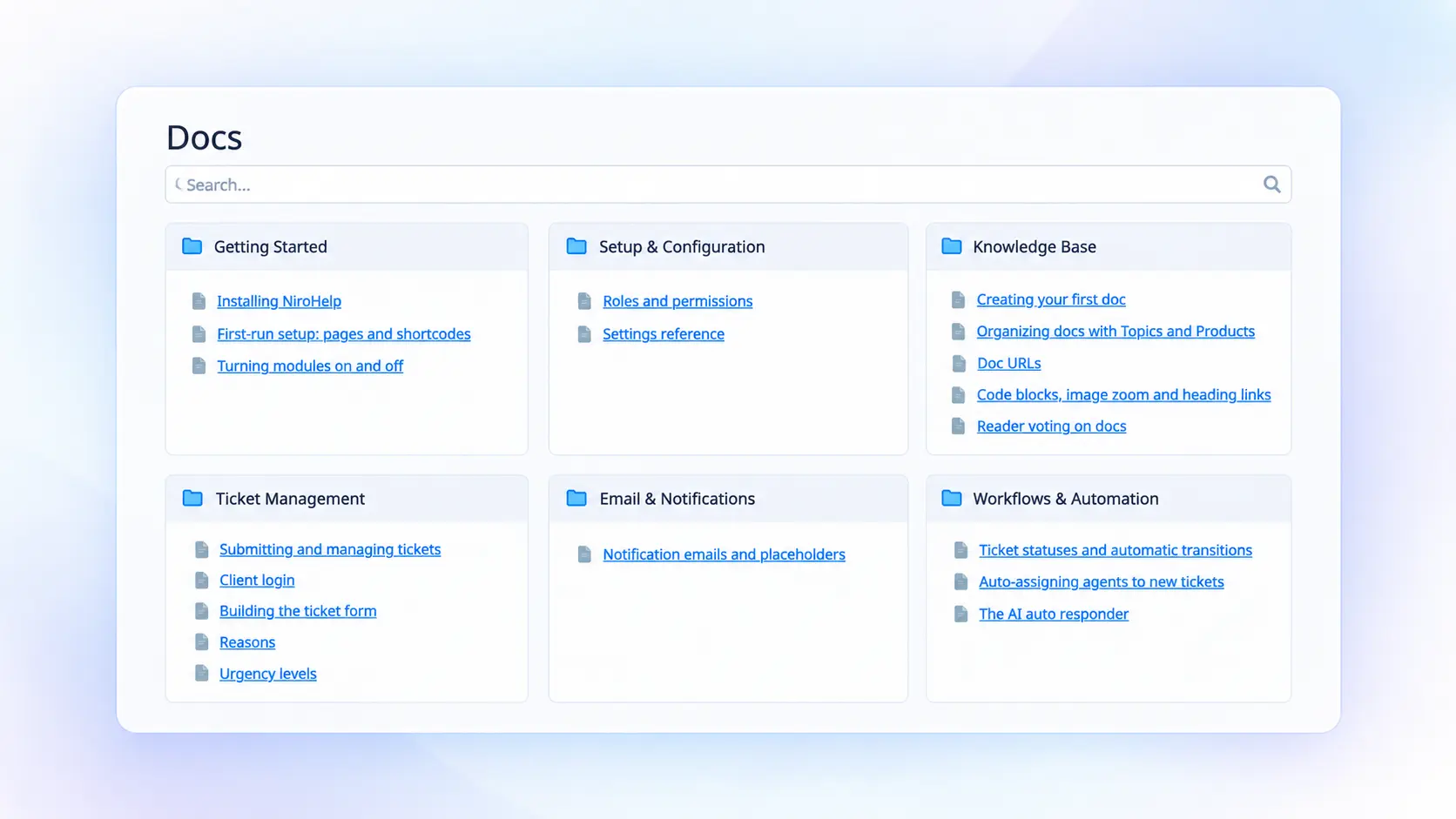
For example, a theme business can create separate guides for installation, demo imports, typography, updates, and troubleshooting instead of putting everything into one general FAQ.
The main limitation is that AI can only work with the information available in your documentation. Keeping articles accurate and updated is therefore essential. Explore NiroHelp’s Knowledge Base.
2. Support Ticket Management
NiroHelp provides a WordPress support ticket system with eight ticket statuses, custom fields, urgency levels, and automatic ticket assignment. Tickets can be assigned using round-robin, random, or least-loaded distribution, with workload caps to help balance agent queues. See the ticketing features.
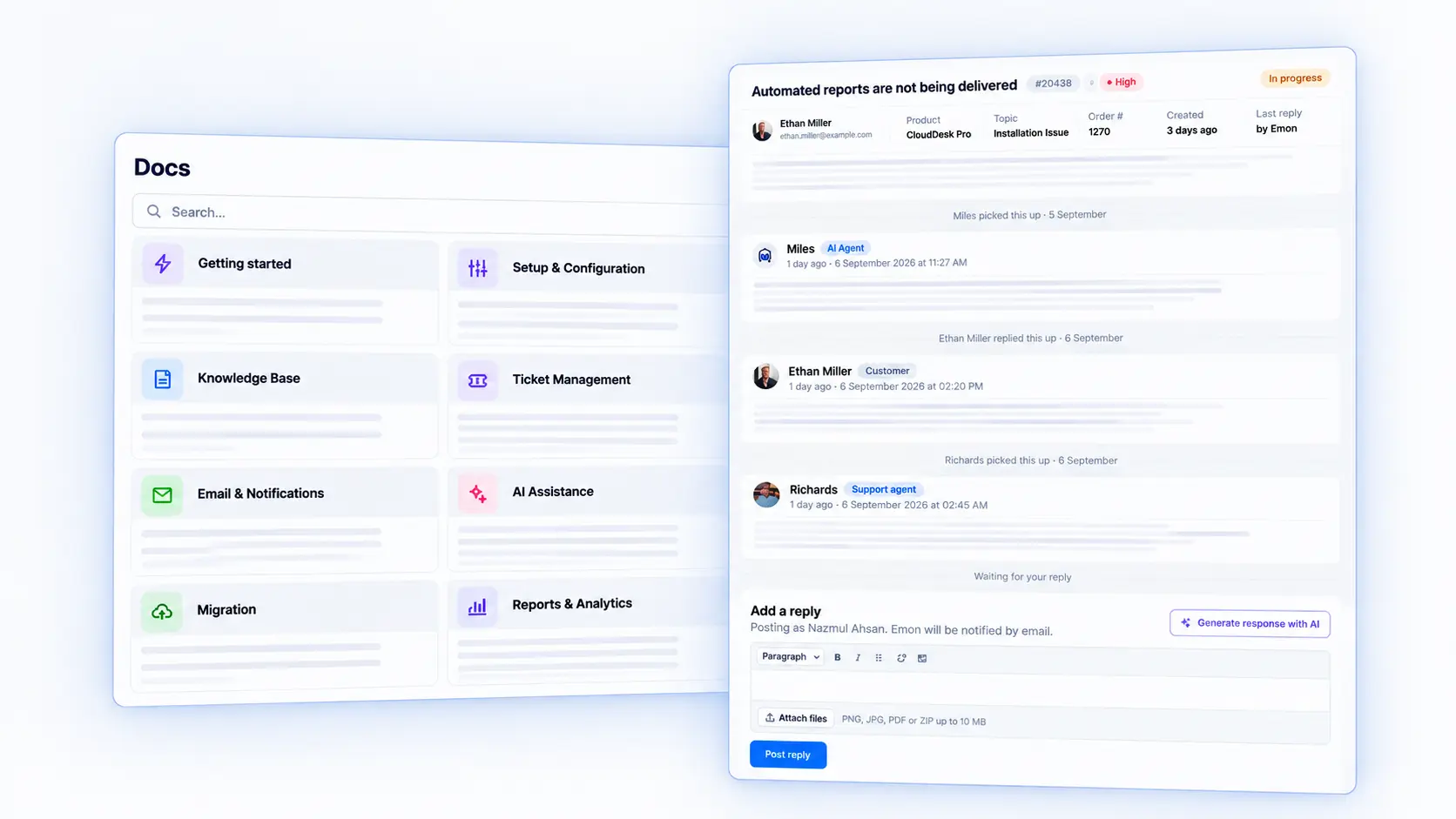
Custom fields let support teams collect details such as the product version, affected URL, and steps to reproduce an issue before an agent starts troubleshooting.
One important detail is the meaning of ticket statuses: “Waiting” means the team needs to reply, while “In Progress” means an agent has replied and is waiting for the customer. Teams should make sure agents understand these statuses before using them to manage support queues.
3. AI Chatbot
NiroHelp includes an AI chatbot for WordPress that answers visitor questions using your synced documentation. You can customize its name, avatar, colors, and suggested questions, control where it appears with page rules, and even embed it on non-WordPress websites. Explore the AI chatbot.
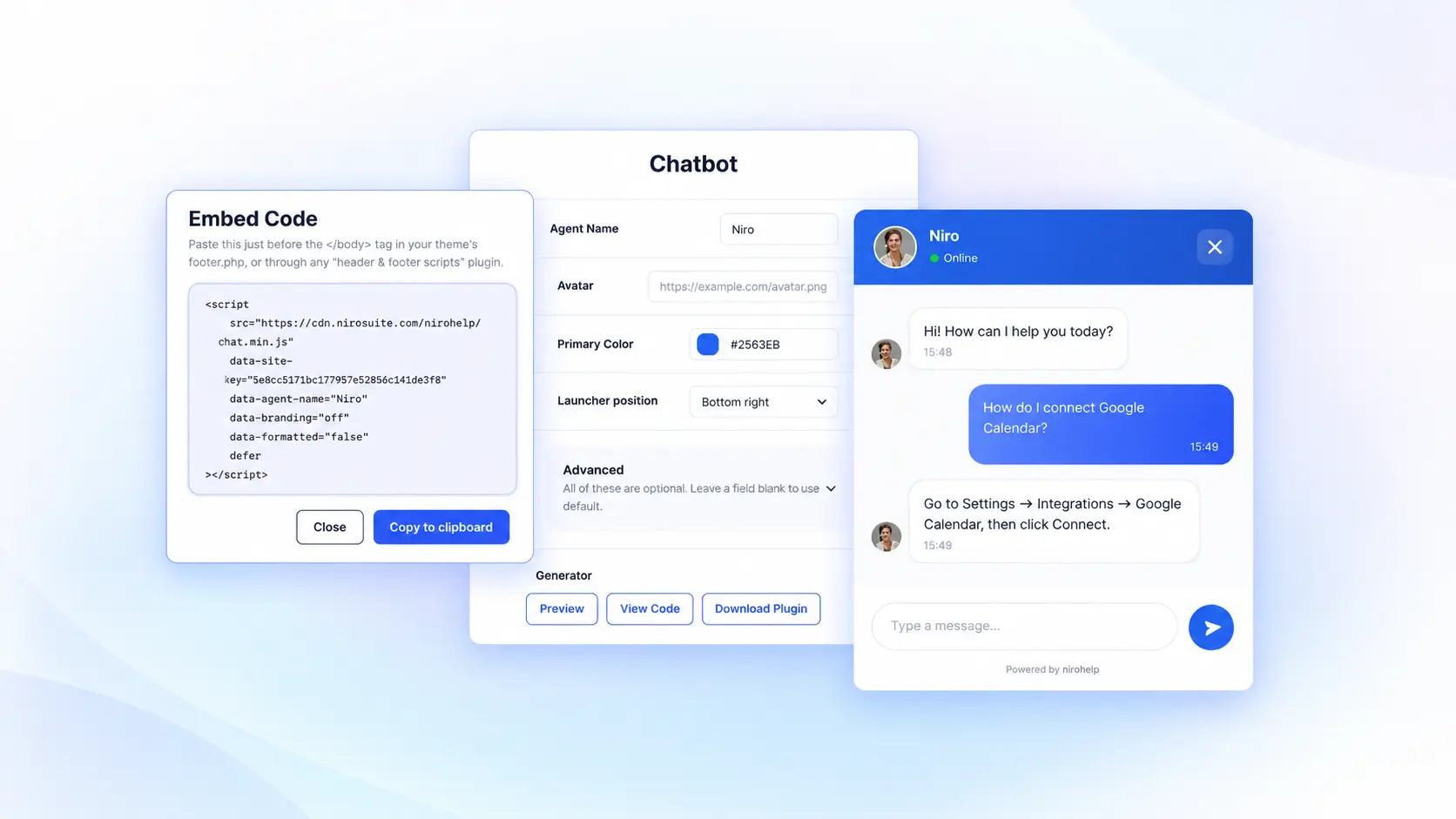
The chatbot works best when your knowledge base covers the questions customers commonly ask. When it cannot provide an answer, NiroHelp can direct customers to your support email or ticket system for further help.
This documentation-first approach keeps the AI grounded in your published support content while providing a clear path to human support when needed.
4. Email Piping
Email piping for WordPress is planned for NiroHelp to turn incoming support emails into tickets and keep customer replies connected to the same conversation. The planned feature will support common email protocols and provider integrations, allowing teams to manage email-based support from the NiroHelp ticket queue. See the email piping feature.
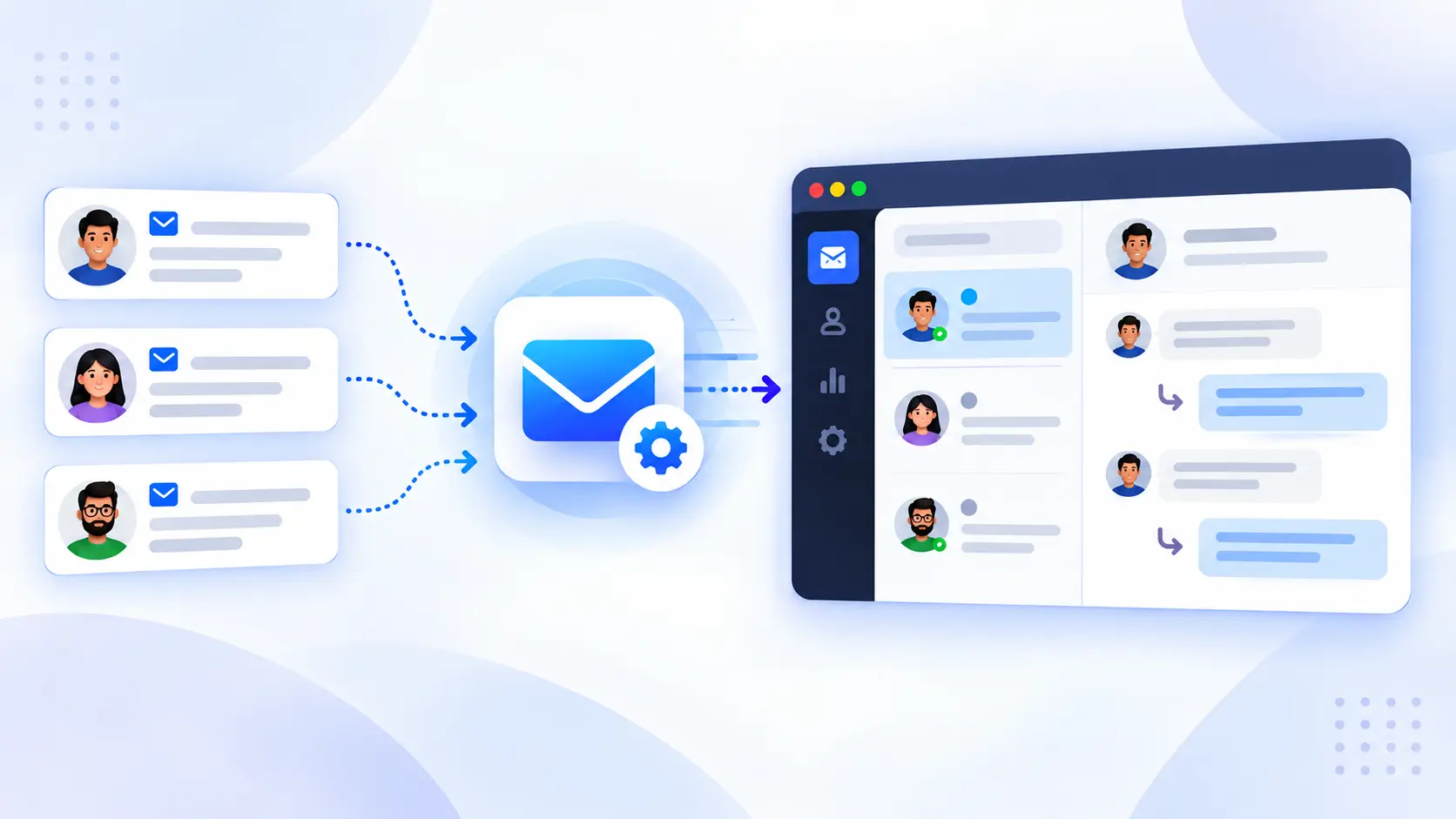
Unlike notification emails, email piping creates or updates a support ticket from incoming messages, allowing customers to continue using their regular email workflow.
Since this feature is still on the roadmap, teams should verify its availability before planning their support workflow around email-to-ticket functionality.
5. Dashboard and Support Copilot
NiroHelp provides an AI-native support dashboard that brings ticket queues, response metrics, documentation feedback, and support activity into one place. Its paid Ask NiroHelp Copilot can analyze support data, answer questions about your support operation, and identify the information behind its answers. Explore the dashboard.
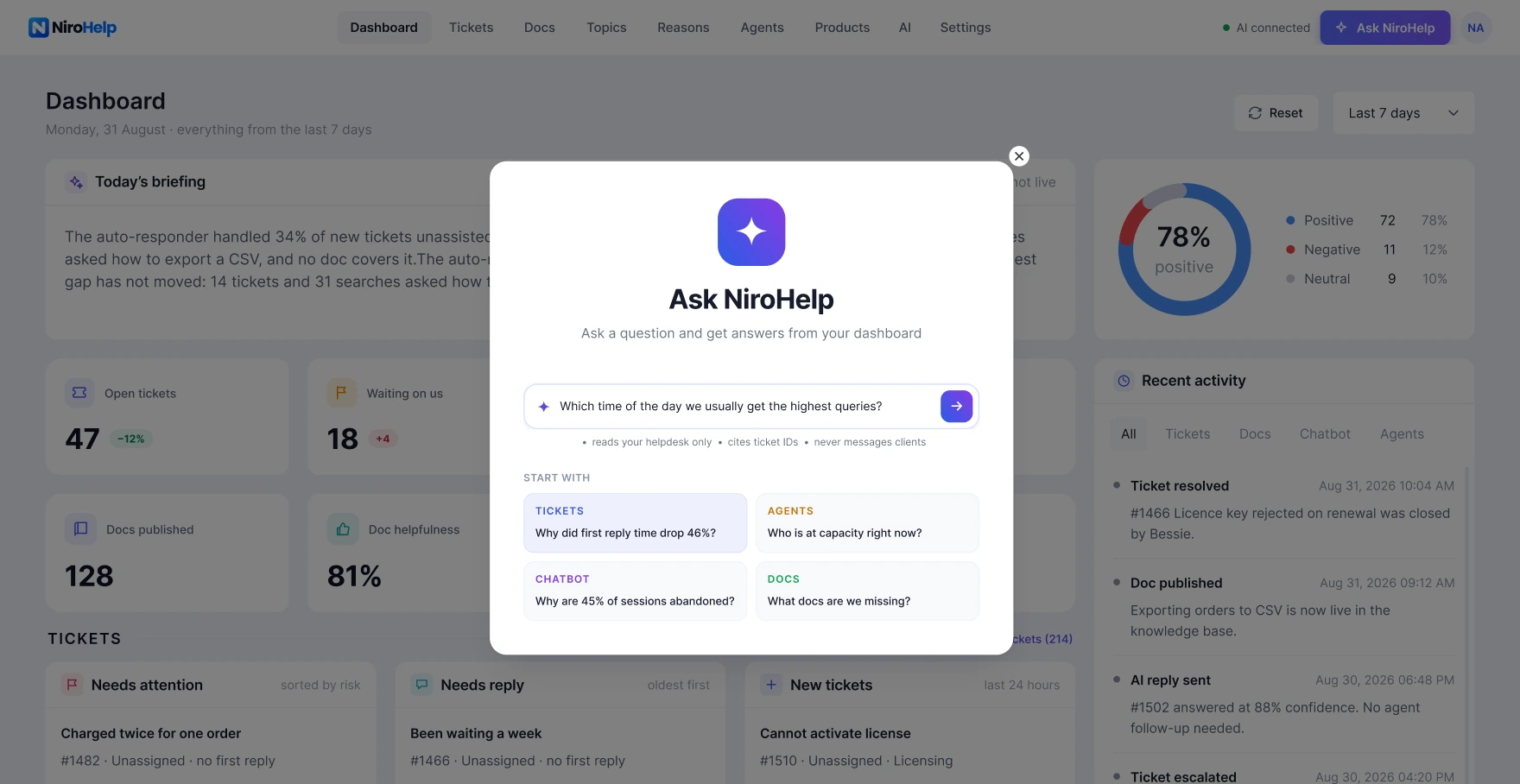
For example, if multiple customers report the same import problem, the dashboard can help identify the pattern and highlight whether a missing documentation step or product issue may be contributing to those tickets.
AI insights and sentiment data should be treated as starting points for investigation, not as a replacement for reviewing the actual customer conversation.
6. Migration Tools
NiroHelp lists importers for BetterDocs, weDocs, Echo Knowledge Base, BasePress, Awesome Support, SupportCandy, and JS Help Desk. The records transferred vary by source.
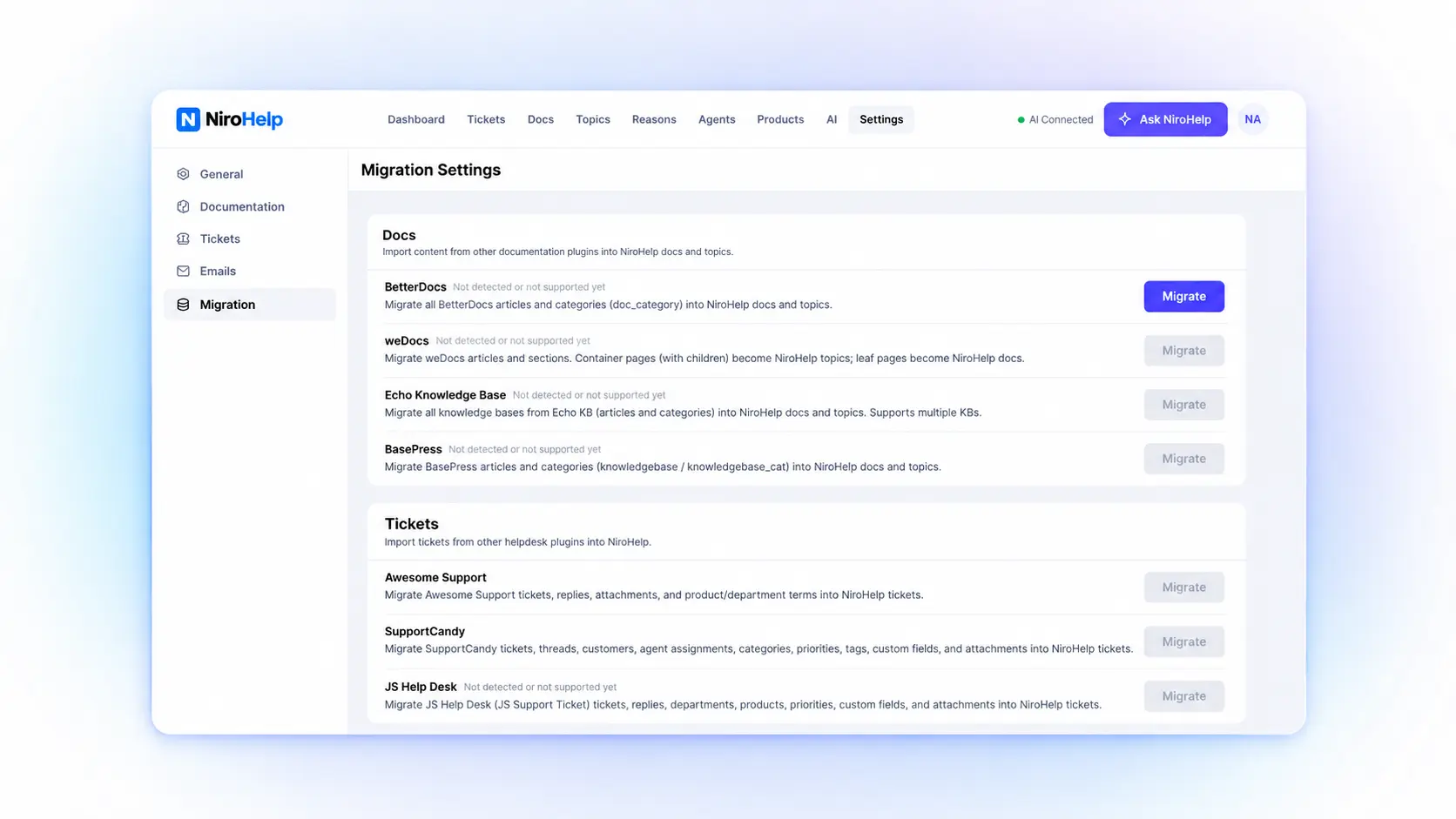
This can reduce the work of moving existing articles and ticket history. It should not be read as a promise that every setting, attachment, custom field, or report will transfer.
Run a staging import first. Inspect article URLs, replies, assignments, and any attachment types your source supports. Keep the original data until you have checked the result.
How Does Its AI Ticket Auto-Responder Work?
The auto-responder is worth examining separately because it can send replies without an agent approving each one.
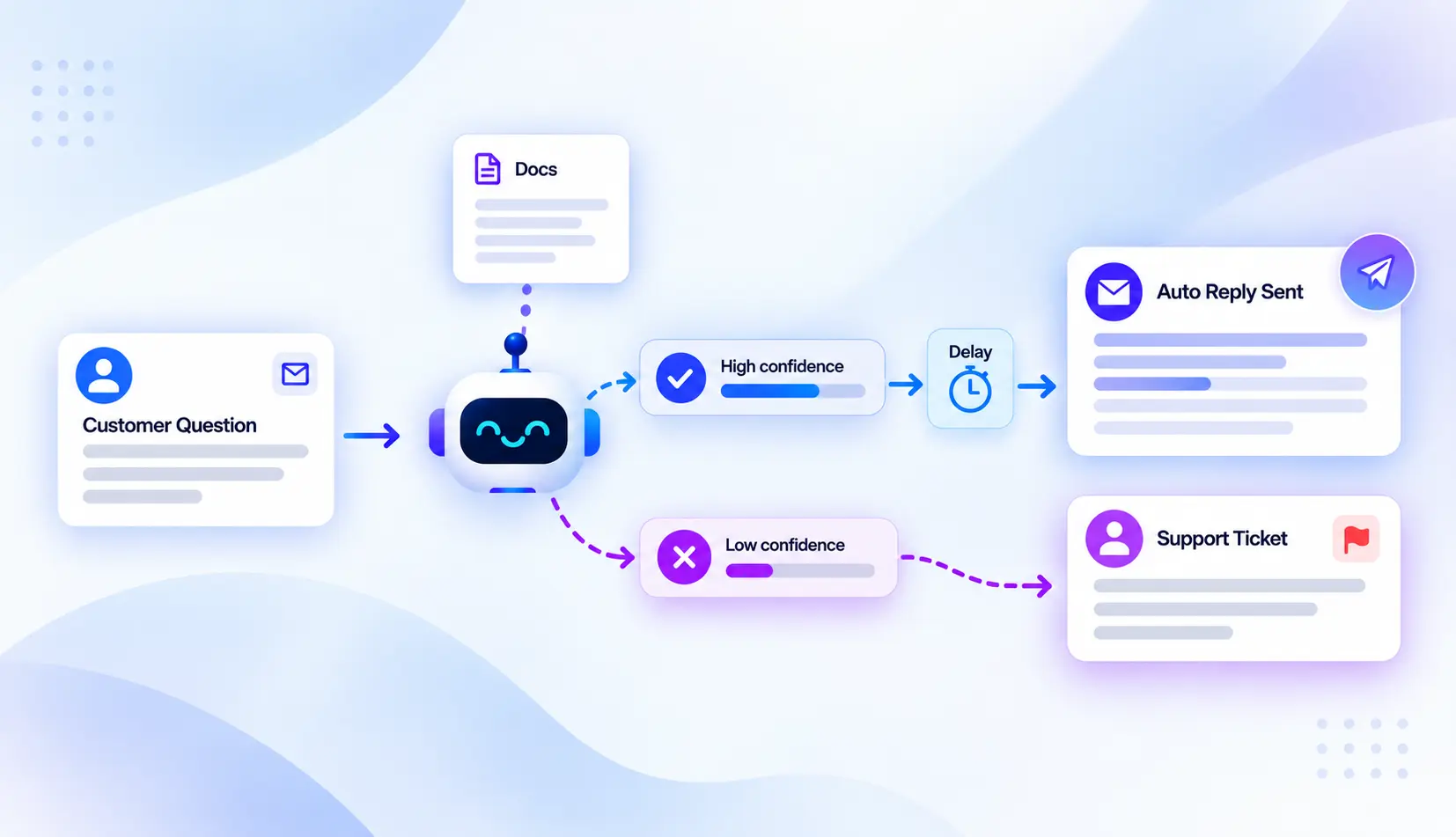
Its documented process is:
- A new ticket or customer reply triggers an AI attempt.
- NiroHelp searches your synced help articles.
- It compares the result with your confidence threshold.
- A qualifying answer posts after your configured delay.
- Below the threshold, no AI answer posts. The ticket waits for your team.
A teammate’s reply cancels a pending AI response. The system allows at most one attempt per customer message and excludes resolved, closed, or cancelled tickets. Attempt logs help you review its behavior. Read the auto-responder details.
These controls give teams a way to introduce automation gradually. Start with questions your articles answer clearly, then inspect what the system sends.
The confidence setting is not an accuracy guarantee. A 70% threshold does not mean an answer has a verified 70% chance of being correct.
Research supports evaluating AI assistance, but it does not establish NiroHelp’s results. The November 2024 revision of Generative AI at Work studied 5,172 support agents. Access to AI assistance increased issues resolved per hour by 15% on average. Results varied across workers. Read the academic study.
That study examined assistance for human agents. Your own evaluation should measure answer quality and time saved with the tickets your business receives.
NiroHelp Pricing: What Is Included?
NiroHelp’s paid plans are based on site allowances, with unlimited agents and tickets. The monthly prices below were displayed on September 21, 2026. See NiroHelp’s plans.
| Plan | Monthly price | Site allowance | Monthly AI credits |
|---|---|---|---|
| Free | $0 | Free core plugin | 300/month |
| Starter | $9.99 | 1 site | 1,000/month |
| Growth | $29.99 | 5 sites | 6,000/month |
| Agency | $49.99 | 10 sites | 15,000/month |
The free plan covers the core helpdesk. Paid plans add the chatbot, ticket auto-responder, copilot, and email piping.
One credit covers one AI answer, including a chatbot reply, ticket reply, or copilot question. If the allowance runs out, AI pauses until renewal while the other helpdesk functions continue. Check the pricing and credit terms.
Estimate usage by answers, not customers. A chat with five AI replies uses five credits. Internal copilot questions also count.
Annual plans and promotional offers are available. Compare the full billing period and renewal terms before deciding which plan costs less for your usage.
NiroHelp Pros and Cons
Pros
- A usable free core. You can assess documentation and ticketing before purchasing AI features.
- Shared source material. Help articles support customer self-service, chatbot answers, and automatic ticket replies.
- Control over automatic replies. The threshold, delay, and agent cancellation rules make the AI’s behavior easier to manage.
- No per-agent license fee. Adding another teammate does not require another paid seat.
- AI service included in paid plans. You do not need a separate model-provider account.
Cons and Limitations
- Documentation needs maintenance. Outdated instructions can produce unhelpful answers even when the question appears relevant. You need to sync the documentation whenever you update it.
- AI usage is limited. Busy support operations need to estimate their credit demand.
- Chatbot handoff is not the same as live agent chat. Check whether email and ticket routing meet your needs.
- You manage the WordPress installation. Hosting, updates, backups, and access permissions remain operational responsibilities.
- AI processing is external. Local ticket storage does not mean the language model runs on your server.
For stores, also distinguish answering a policy question from taking an action. Explaining a return policy does not prove that the AI can approve refunds or change orders.
NiroHelp vs. Other WordPress Help-desk Plugins
If you're researching the Best WordPress Help-desk Plugin, NiroHelp isn't the only option. Fluent Support, SupportCandy, and BetterDocs overlap with different parts of NiroHelp. Comparing their roles is more useful than counting features.
The table covers documented capabilities as of September 21, 2026. “Not listed” means the reviewed sources did not establish that capability. It is not a claim that no integration could provide.
| Capability | NiroHelp | Fluent Support | SupportCandy | BetterDocs |
|---|---|---|---|---|
| Public knowledge base | Built into free core | Article suggestions documented in Pro | Knowledge base integrations | Core product |
| Ticket management | Built into free core | Core product | Core product | Separate ticketing tool needed for a full helpdesk |
| Customer-facing AI chatbot | Paid plan | Not listed in reviewed sources | Included AI feature; provider API key required | Paid chatbot add-on requires BetterDocs Pro |
| AI ticket replies | Automatic replies above a threshold | Agent-assisted reply generation in Pro | AI drafts for agents to review and send | Ticket auto-responder not listed |
| Email-to-ticket intake | Paid email piping | Pro email piping | Premium email piping extension | Ticket intake not listed |
| Human support route | Ticket queue; chatbot offers email or ticket link | Agent ticket queue | Agent queue; chatbot can create tickets | Separate ticket workflow; chatbot can export or email transcripts |
| AI setup | Included service with monthly credits | Configurable external AI providers | Provider API key; usage follows provider terms | Provider API key; usage follows provider terms |
Pricing Comparison: Best WordPress Help-desk Plugin
If you're comparing the Best WordPress Help-desk Plugin for your business, pricing is an important part of the decision. Here's how the starting annual plans compare:
| WordPress Help-desk Plugin | Starting Yearly Price | Sites | Key Focus |
|---|---|---|---|
| NiroHelp | $79.99/year | 1 | Docs, Tickets, Chatbot, AI Auto Responder |
| Support Genix | $59/ half-year | 1 | Tickets + AI + Knowledge Base |
| Fluent Support | $103/year | 1 | Ticketing + Automation + AI |
| Awesome Support | $149/year | 1 | Ticketing + Extensions + AI |
NiroHelp's Starter plan is currently listed at $79.99/year for one site, with unlimited agents and tickets. The annual price reflects its current 40% early-bird discount. Fluent Support lists its single-site annual plan at $103/year, while Support Genix and Awesome Support list their respective plans separately on their pricing pages.
Pricing note: Prices can change based on promotions, billing terms, and plan updates. Check each provider's pricing page before purchasing.
Who Is NiroHelp Best Suited For?
For businesses looking for a WordPress helpdesk plugin, NiroHelp is worth shortlisting for plugin and theme businesses with repeated setup questions and documentation that already covers them. These teams have source material to test against real support requests.
It may also suit agencies that want documentation and tickets on client sites, plus small support teams that prefer to manage the work inside WordPress.
A store could use it for product instructions and policy questions. Account-specific actions and order integrations need separate verification.
It is a less obvious fit if you receive very few enquiries or already have a well-connected support setup. Teams that require live agent chat, phone support, or specialist integrations should confirm those requirements before migrating.
Final Verdict: Is NiroHelp Worth Considering?
NiroHelp has a clear reason to be on a WordPress helpdesk plugin shortlist: it connects documentation, tickets, and controlled AI replies without requiring a separate model-provider account.
That approach is most useful when your team repeatedly answers questions that your articles already explain. Its value will be lower if most tickets require debugging, account access, or individual decisions.
If you're trying to find the Best WordPress Help-desk Plugin for your business, start by defining the type of support you actually need rather than choosing based on the number of features.
Begin by testing the free knowledge base and ticket system. For an AI evaluation, choose recent tickets with clear answers, incomplete information, and problems outside your documentation. Inspect what gets answered, what stays in the queue, and whether the replies help customers complete the task.
Then compare the time saved with the time spent maintaining articles and reviewing mistakes.
You can start with NiroHelp’s free plugin. The result to look for is specific: fewer routine replies taking time away from customers whose problems need investigation.
Frequently Asked Questions
1. Is NiroHelp the Best WordPress Helpdesk Plugin?
There’s no single Best WordPress helpdesk plugin for every business. NiroHelp combines documentation, ticket management, and AI support, but the right choice depends on your workflow, features, and budget.
2. Do I need an OpenAI or Anthropic subscription?
No. NiroHelp includes its AI service in paid plans, with a monthly credit allowance.
3. What happens when the AI cannot answer a ticket?
If the result falls below your confidence threshold, the auto-responder posts nothing. The ticket remains available for your team, and the attempt is logged.
4. Does NiroHelp replace human support?
Your team still handles cases that need investigation or judgment. The auto-responder is intended to handle questions supported by your documentation.
5. Can I move existing articles and tickets into NiroHelp?
Yes, from supported plugins. Check the source-specific migration guide because the fields and records transferred vary.
Hanifur Rahman
The BdThemes team builds WordPress plugins trusted by 3M+ users worldwide. We write about web accessibility, WCAG compliance, and inclusive design.