

The WordPress team released WordPress 6.9 on December 2, 2025. At first, the team planned to have only one release in 2025. However, as more contributors became available, they felt that an additional release was possible.
This update improves the site editor by adding a simpler editing mode and easier template management. It also introduces block-level comments, making it easier to collaborate on content.
Developers benefit from updates to the Interactivity API and a new Ability API. These changes help make pages load faster and use resources more efficiently.
This blog explains all the new features in detail. Let’s dive in!
Overview of WordPress 6.9 Release
WordPress 6.9 brings a variety of exciting new features and improvements designed to enhance your website-building experience. From better block management to new design tools, this update offers something for everyone.
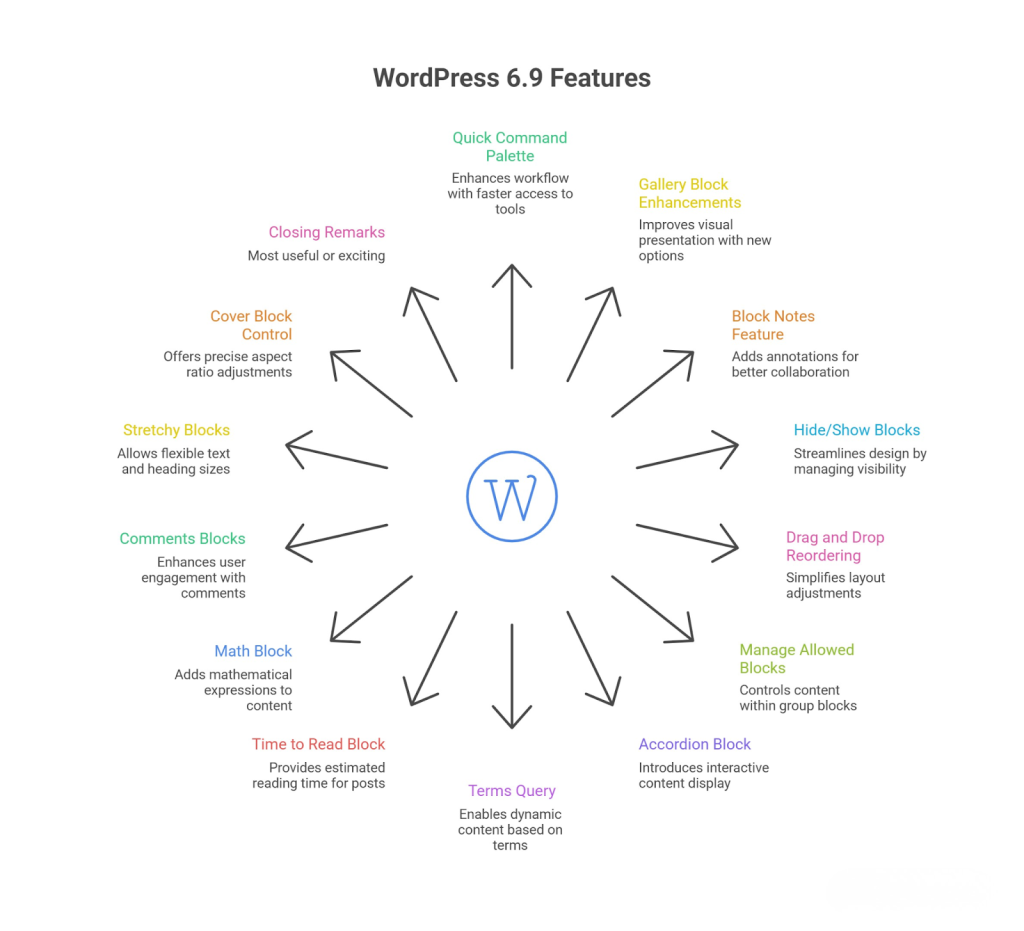
Below is a quick overview of the most notable additions and changes included in this release.
- Quick Command Palette Improvement
- Gallery Block Enhancements
- Block Notes Feature
- Hide/Show Blocks for Design Efficiency
- Drag and Drop Block Reordering
- Manage Allowed Blocks in Group Block
- Accordion Block Introduction
- Terms Query and Dynamic Content Features
- New Time to Read Block
- Math Block Addition
- Comments Blocks: Count and Link
- Stretchy Paragraph and Heading Blocks
- Cover Block Aspect Ratio Control
- Closing Remarks
Quick Command Palette Improvement
The quick command palette is a handy tool that lets you jump to different parts of your WordPress site fast by pressing Ctrl + K (or Command + K on a Mac).
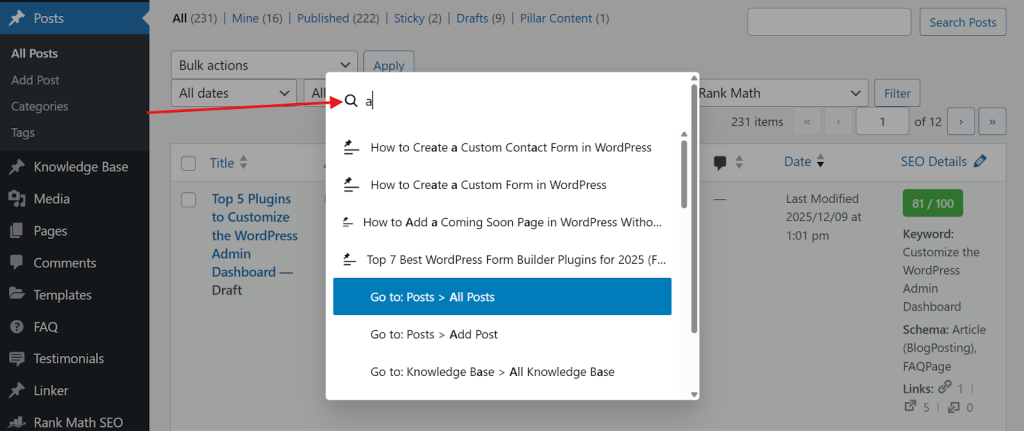
With WordPress 6.9, this feature is now available throughout the entire WordPress dashboard, not just in the Site Editor. You can use it to search for settings instantly, go straight to options like Plugins, Pages or create a new post without navigating through multiple menu items.
Gallery Block Enhancements
When adding a gallery block, you can now set an aspect ratio for the whole gallery, choosing from popular options like 16:9, square, 4:3, and more. This feature lets you customize how your images look beyond the default square shape, making your galleries visually more appealing.
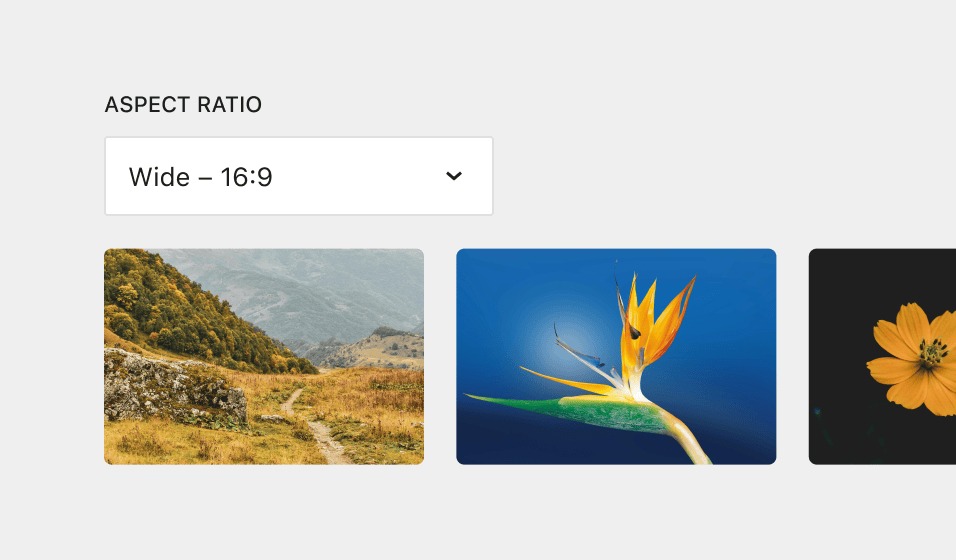
You can also adjust the number of columns and other settings while keeping the aspect ratio you’ve selected.
Block Notes Feature
A new feature lets you add notes directly to any block in the editor. You can access notes through the three-dot menu on a selected block, making it easy for team members or collaborators to leave comments or reminders related to that block.
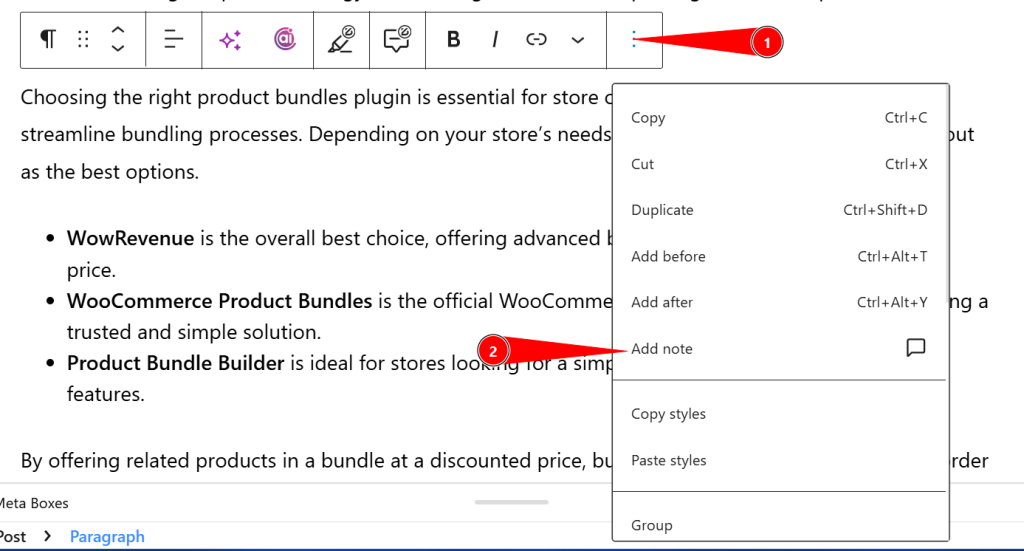
Also, users can show or hide all notes, resolve them when done, and edit or delete as needed. This is especially helpful for teams, while solo users might find it less helpful.
Hide/Show Blocks for Design Efficiency
You can use the hide or show blocks features to make design testing easier. You can now temporarily hide individual blocks in the editor to try out different design options without removing any content. Hidden blocks still appear in the list view, so you can easily toggle them back on.
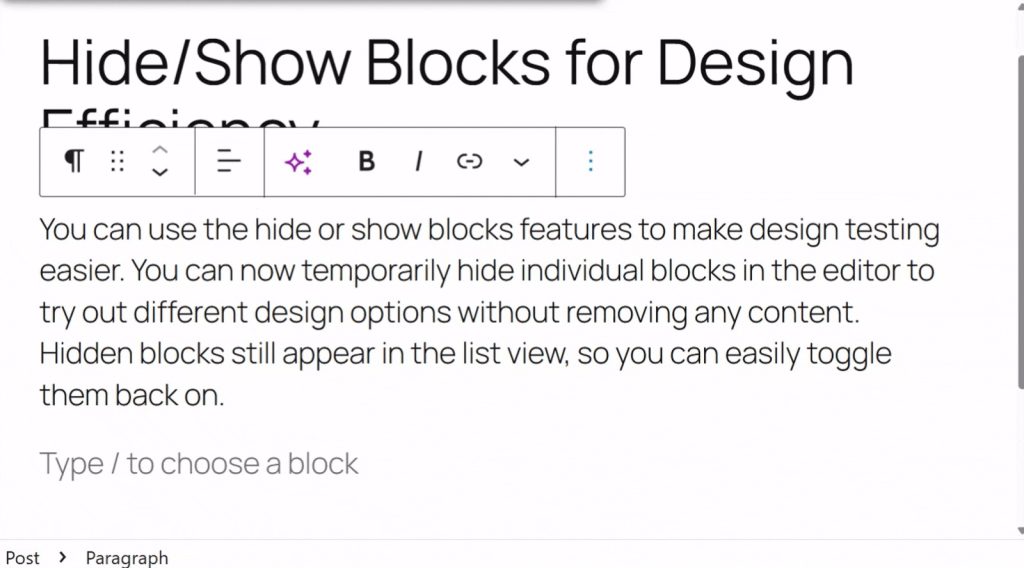
This feature is excellent for anyone experimenting with different layouts on any website sections.
Drag and Drop Block Reordering
For many beginners, moving blocks in the editor used to feel a bit awkward because you had to grab a small “handle” to move them.
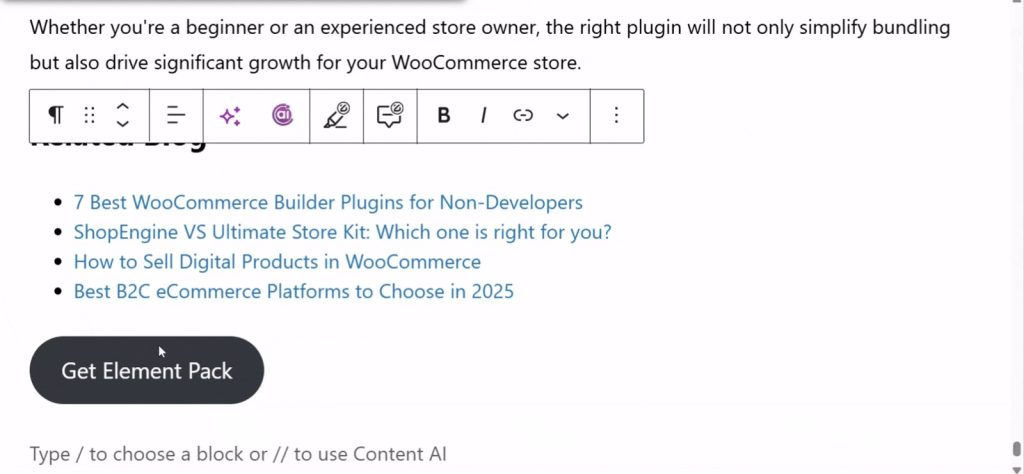
With WordPress 6.9, Direct Drag and Drop lets you click and drag blocks more naturally anywhere in the editor, without having to hunt for the handle. This update makes the Block Editor feel more like a visual page builder and speeds up your design workflow.
Manage Allowed Blocks in Group Block
In the Group block’s advanced settings, you can now control which block types are allowed by turning specific blocks on or off. This helps simplify the editing experience by showing only the blocks you need, such as disabling widgets, embeds or specific plugin blocks.
This feature is handy for building templates, while it may be less helpful on regular pages or posts where block restrictions aren’t as necessary.
Accordion Block Introduction
In WordPress 6.9, the new Accordion block lets you easily create expandable and collapsible sections, much like the UI components found in page builders such as Elementor or Bricks. You can add multiple accordion items, edit their titles and insert content inside each panel.
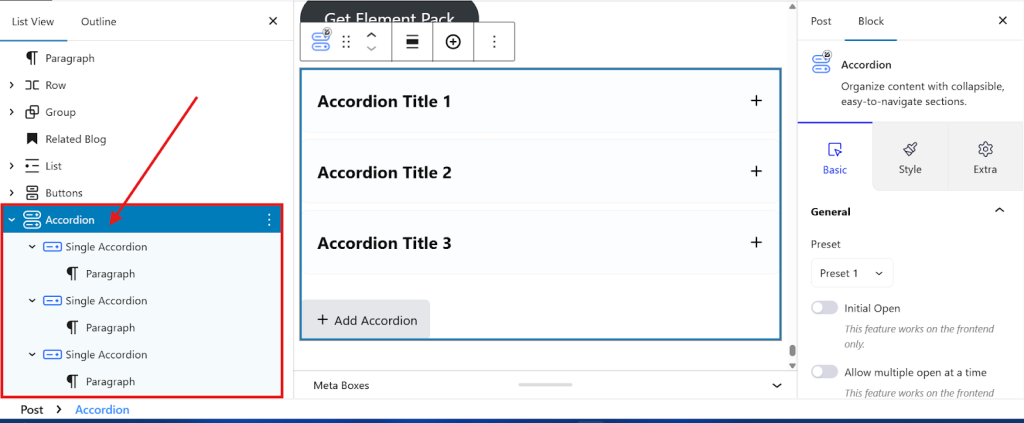
Options include:
- Layout variations
- Auto-close toggles
- Icon display and positioning
- Styling options such as background color, text color, spacing, margins, borders and shadows
Terms Query and Dynamic Content Features
WordPress 6.9 has introduced support for the Terms Query Loop in block templates. This will make it easier to dynamically list taxonomies such as categories, tags or custom taxonomies.
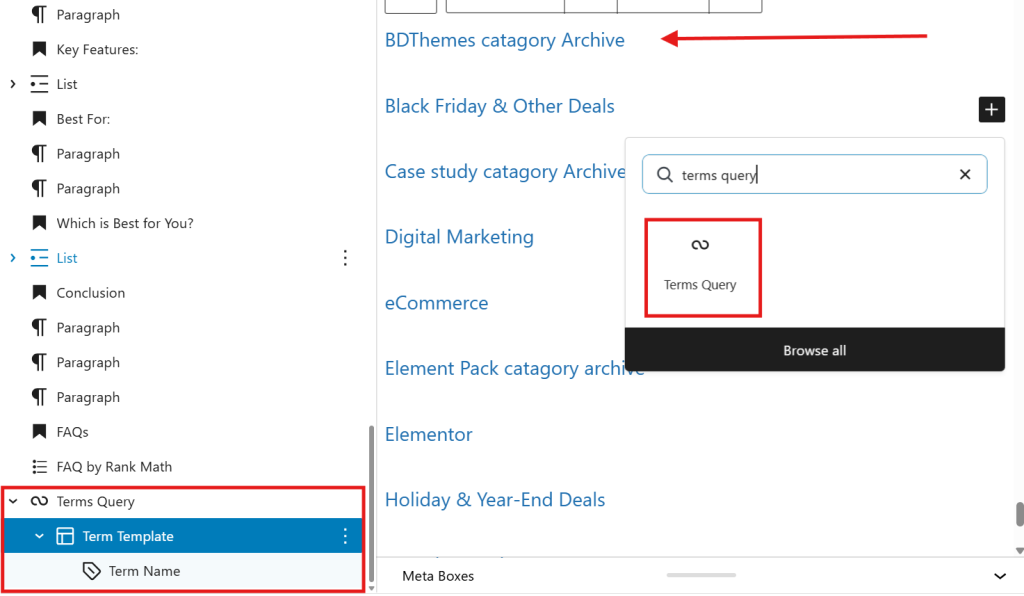
You can also filter which terms to display, with options to show or hide empty terms and add term descriptions with names and post counts.
This feature will allow you to create dynamic lists of categories or tags with descriptions and links, helping to improve navigation and organization on sites with a lot of content.
New Time to Read Block
The Time-to-Read block automatically calculates and shows how long it takes to read a post based on its word count. While it doesn’t directly improve SEO, it does give readers a clear idea of the content length, which can boost click-through rates.
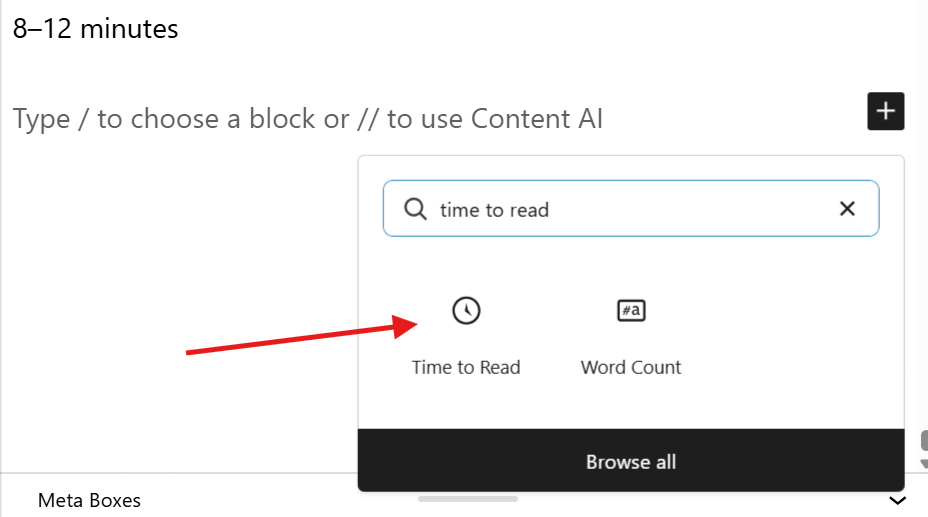
It also helps increase engagement and completion rates, which indirectly benefits your site’s SEO. You’ll often find this block placed just below the post title or at the beginning of tutorials and long-form guides.
Math Block Addition
The new Math block lets you insert mathematical formulas and calculations directly into your posts or pages. By writing formulas in LaTeX syntax, the block converts them into proper mathematical symbols.
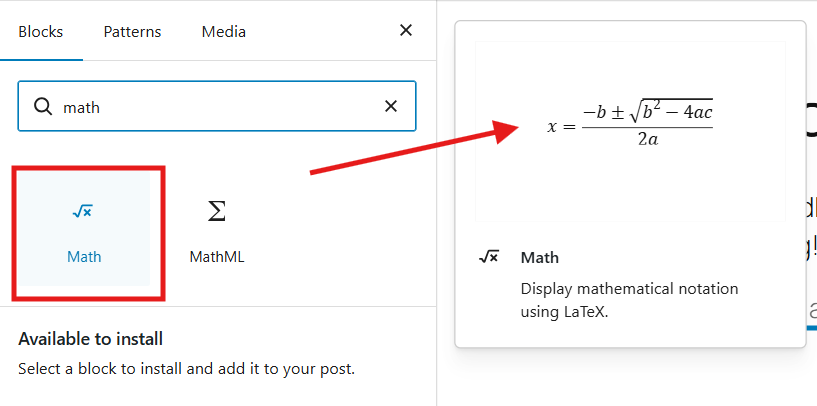
While it serves a niche audience, this block is perfect for content creators who need to display mathematical equations without using extra plugins.
Comments Blocks: Count and Link
Now, in WordPress 6.9, two new comment blocks are available. Comments Count, which shows the number of comments on a post. And another Comments Link, which adds a link to the comments section.
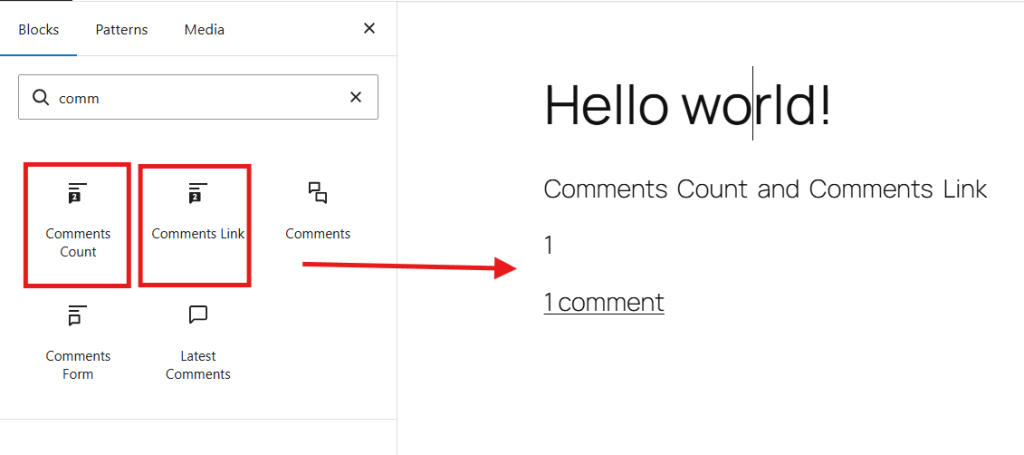
These blocks give template creators more control to customize how comments appear, no coding needed.
Stretchy Paragraph and Heading Blocks
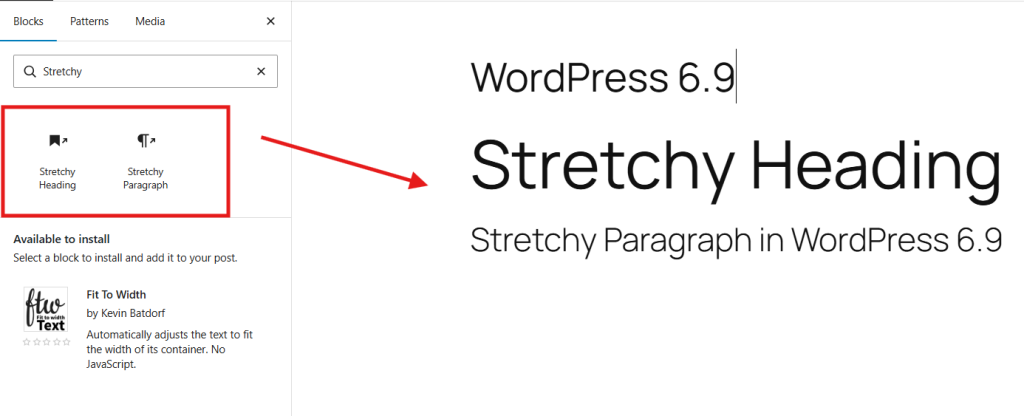
In the new update, two new blocks have been added: Stretchy Paragraph and Stretchy Paragraph.
Stretchy Paragraph and Heading blocks automatically adjust the text size to fit within a given area. The font shrinks or grows depending on how much content you add.
Cover Block Aspect Ratio Control
The cover block now includes an aspect ratio setting, similar to the gallery block. Users can choose a 16:9 ratio and set a minimum height using units such as pixels, percentages or ems.
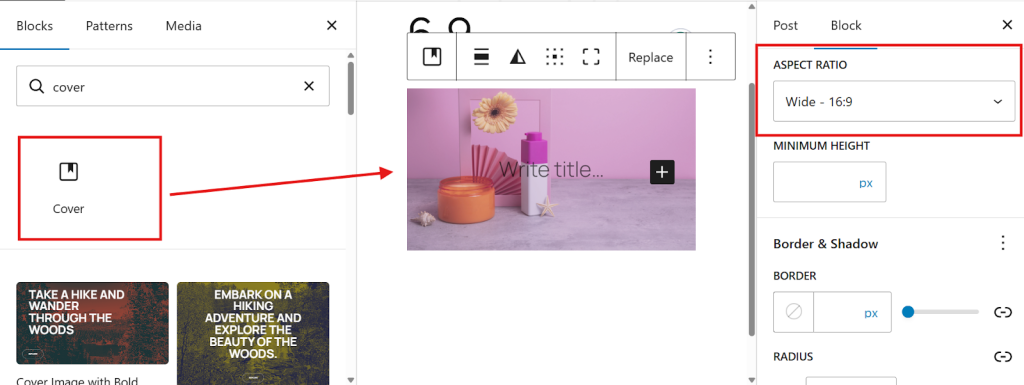
This improvement gives you better control over the size of your cover image and helps you maintain a consistent layout across your pages.
AI Developments in WordPress 6.9
WordPress 6.9 includes important AI updates that make it easier to add innovative features and connect AI tools to your site. Here’s a quick look at the key changes:
Abilities API
The new Abilities API creates a machine-readable list of everything WordPress and its plugins or themes can do. Until now, many functions have been available only through code.
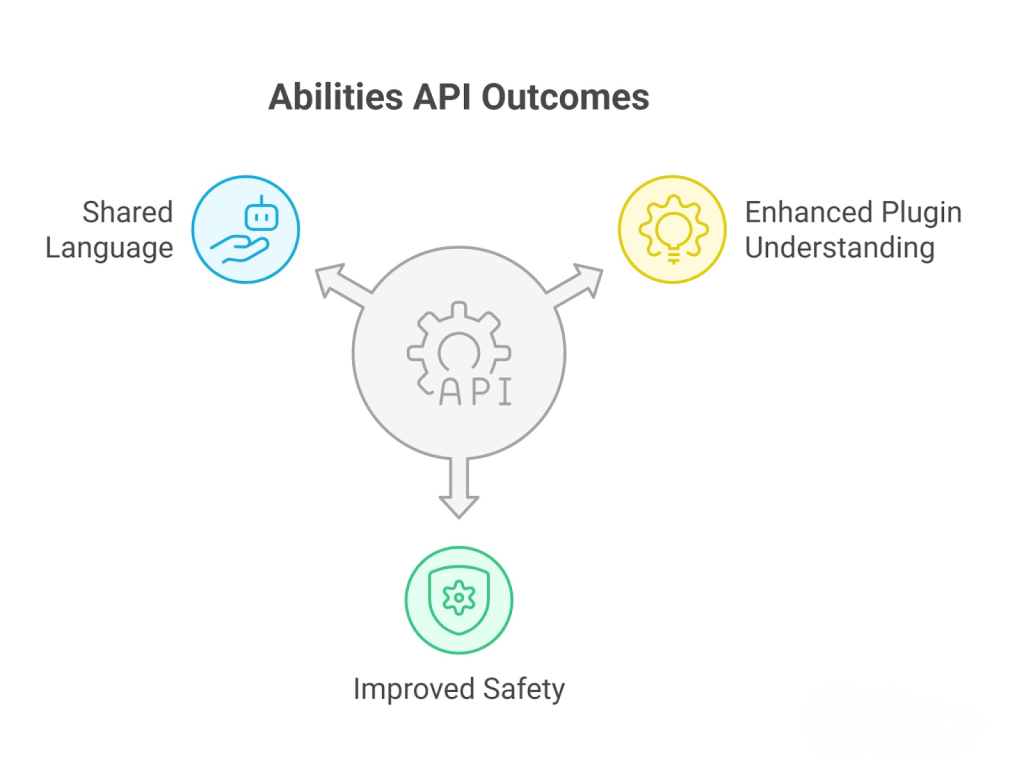
This API creates a shared language for people and AI to understand what each plugin or theme can do. It includes features such as SEO analysis, report generation and site backups. It also ensures these capabilities are used safely.
MCP Adapter
The MCP Adapter acts as a bridge between the Abilities API and the MCP standard, helping AI agents communicate smoothly with your website.
It supports standard connection methods and includes error handling to make building AI integrations easier and more reliable for developers.
PHP AI Client
The PHP AI Client simplifies adding AI features to plugins. It works with all major AI providers and lets developers pick the best models for their needs. Plus, it manages API keys in one place, so you don’t have to enter them separately for each plugin.
Summary Table of Key WordPress 6.9 Features
| Feature | Description | Use Case / Benefit | Limitations / Notes |
| Quick Command Palette | Accessible anywhere with Ctrl/Cmd+K; searches settings, plugins, pages, etc. | Faster navigation inside the dashboard | None specified |
| Gallery Block Aspect Ratio | Set aspect ratios (16:9, square, 4:3) for galleries | Better image display customization | None specified |
| Block Notes | Add notes to blocks for collaboration | Useful in team environments | Limited use for solo users |
| Hide/Show Blocks | Temporarily hide blocks in the editor for design testing | Design flexibility without deleting content | None specified |
| Drag and Drop Block Reordering | Drag blocks/images to reorder; inconsistent support across block types | Easier content reordering | Not supported on paragraphs/headings |
| Manage Allowed Blocks | Restrict blocks allowed inside the Group block | Simplify the editor interface, useful in templates | Less useful in regular posts/pages |
| Accordion Block | Create expandable/collapsible content sections | Structuring FAQs, content summaries | No animation/transition control |
| Terms Query Loop | Display taxonomy terms dynamically with descriptions and counts | Dynamic category/tag lists for content-heavy sites | None specified |
| Time to Read Block | Shows estimated reading time and word count | Inform readers of the article’s length | Approximate timing only |
| Math Block | Insert math formulas/calculations | Academic/scientific content display | Niche use case |
| Comments Count/Link Blocks | Display the number of comments and link to the comments section | Template customization for comment layouts | None specified |
| Stretchy Paragraph/Heading | Text size adjusts to fit the bounding box | Dynamic typography effects | May be gimmicky or niche in practical use |
| Cover Block Aspect Ratio | Set cover image aspect ratio and minimum height | Consistent cover image sizing | None specified |
Key Insights
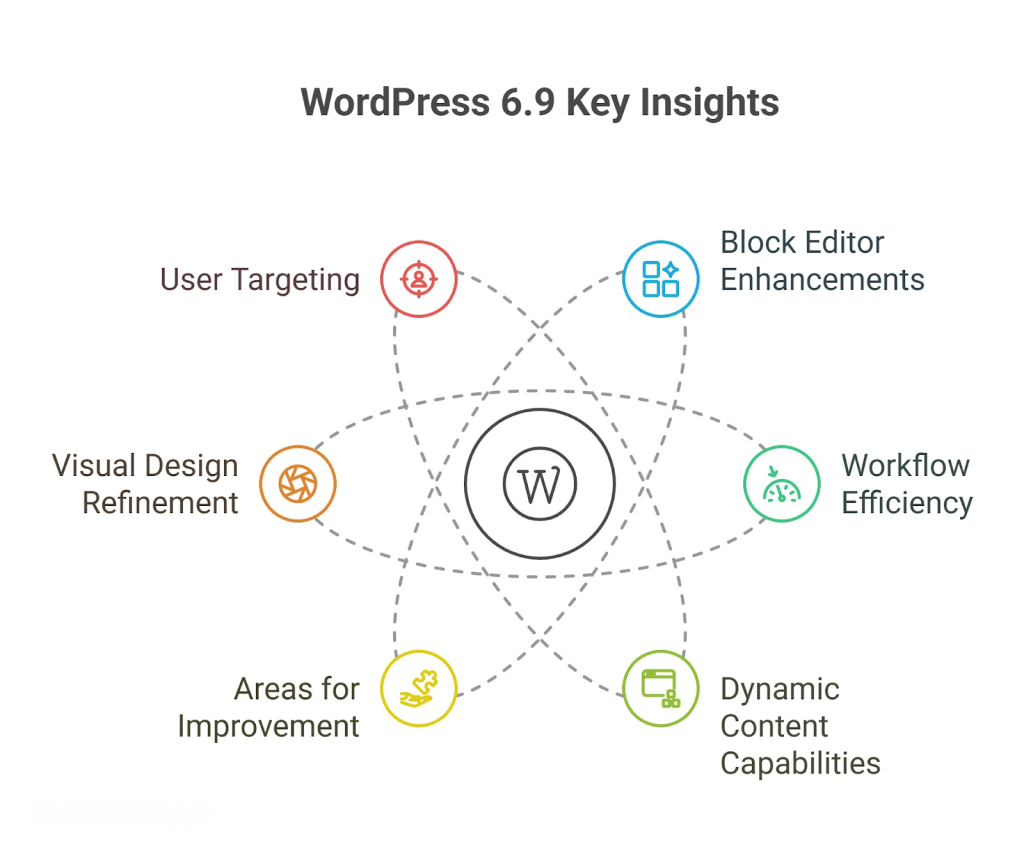
- WordPress 6.9 focuses heavily on enhancing the block editor experience by adding more design flexibility and dynamic content control without relying on third-party plugins.
- New features like the quick command palette anywhere in the dashboard and block notes improve workflow efficiency and collaboration.
- Dynamic content capabilities such as terms query loops and comment blocks empower site builders to create richer, more interactive templates.
- Certain features (e.g., stretchy blocks, drag-and-drop inconsistencies, accordion animations) reveal areas where WordPress can still improve in polish and UI consistency.
- The introduction of aspect ratio controls for gallery and cover blocks reflects a focus on visual design refinement.
- Some features are targeted more at template developers and advanced users, whereas others provide incremental benefits for general content creators.
Conclusion
We understand that WordPress 6.9 brings functional improvements and new features. This update will make the block editor more straightforward to use and more powerful.
Some features are still in development. However, the update will help users and developers build better websites without additional tools.
New options such as limiting blocks, adding notes, rearranging content using drag-and-drop, and dynamically displaying taxonomy terms give you more control within WordPress.
Are you already using these features? If so, don’t forget to share your feedback in the comment section below.