

The One Accessibility is a pro plugin of Bdthemes. In this documentation, we will guide you on how to install and activate the One Accessibility plugin on your site.
Why use the One Accessibility plugin?
BdThemes One Accessibility is a powerful WordPress accessibility plugin that helps make websites inclusive and user-friendly for everyone. It improves WCAG 2.1, ADA, and Section 508 compliance with features like screen reader support, font resizing, contrast controls, keyboard navigation, text-to-speech, and multilingual accessibility tools. With smart accessibility presets, a drag-and-drop editor, and universal compatibility with all major WordPress themes and page builders, One Accessibility makes building accessible websites simple and effective.
How to download the Pro version plugin from the Bdthemes account
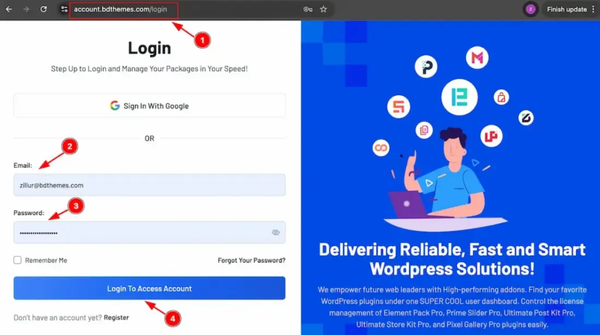
You can easily download the latest pro version of the plugin from your Bdthemes account. If you have a Bdthemes account, then just log in to your account and download the latest version of the plugin.
1. Go to the link https://accounts.bdthemes.com
2. Enter the Purchase email (The email used for purchasing the One Accessibility).
3. Enter the password.
4. Click on the ‘‘Login To Access Account’’ button to log in to your license management dashboard.
If you don’t have the Bdthemes account, then just register first with your purchasing email, then log in to your account, and download the latest version of the plugin.
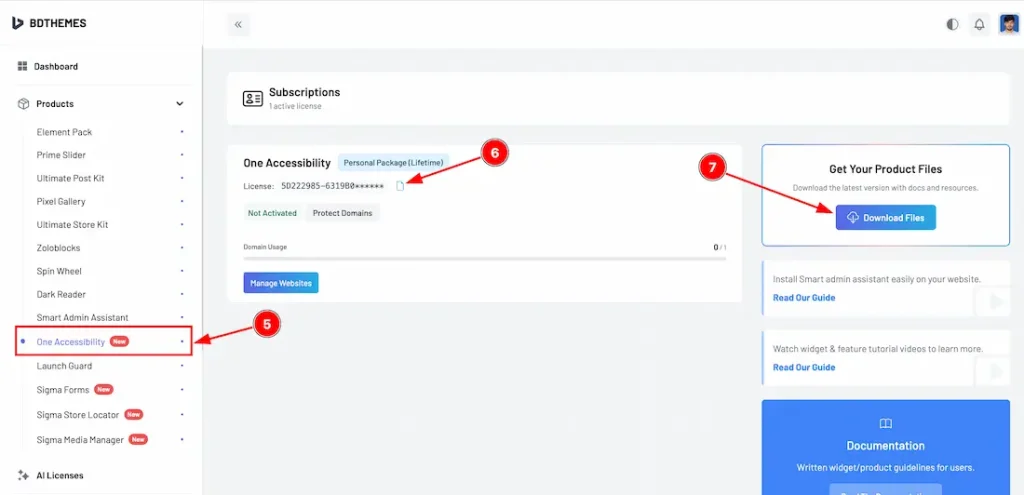
5. Select the “One Accessibility” tab from the left sidebar (Products). It will display the plugin information.
6. Here, you will get the license key to activate the pro plugin on the WP dashboard.
7. Click on the “Download Files” button on the top right side.
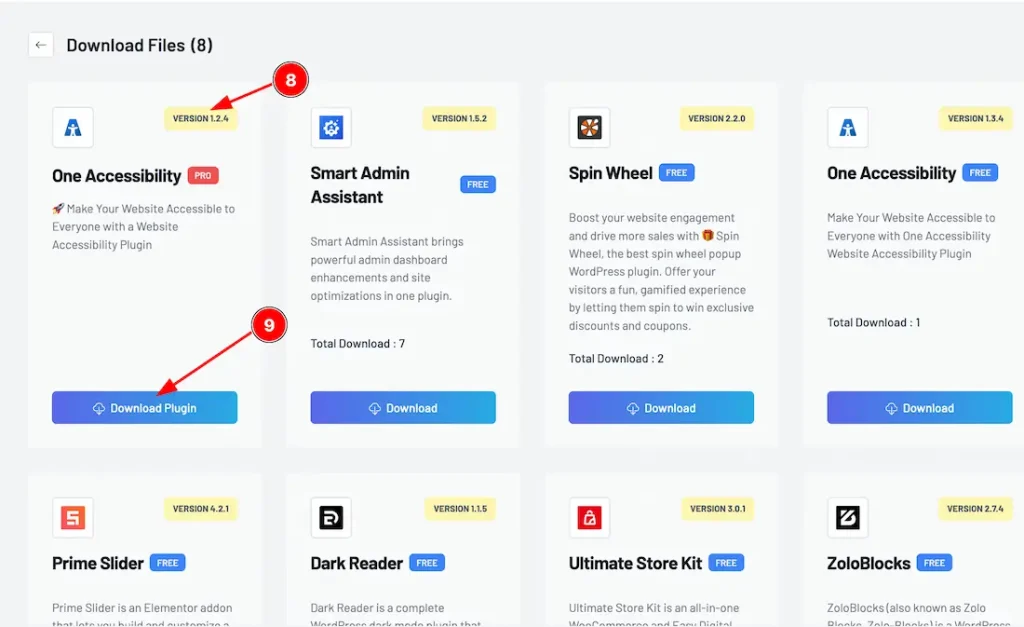
8. In the top right corner, the latest version will appear.
9. Now you will see the One Accessibility plugin. Just click on the ”Download Plugin” button, and it will start to download.
How to install and activate the plugin
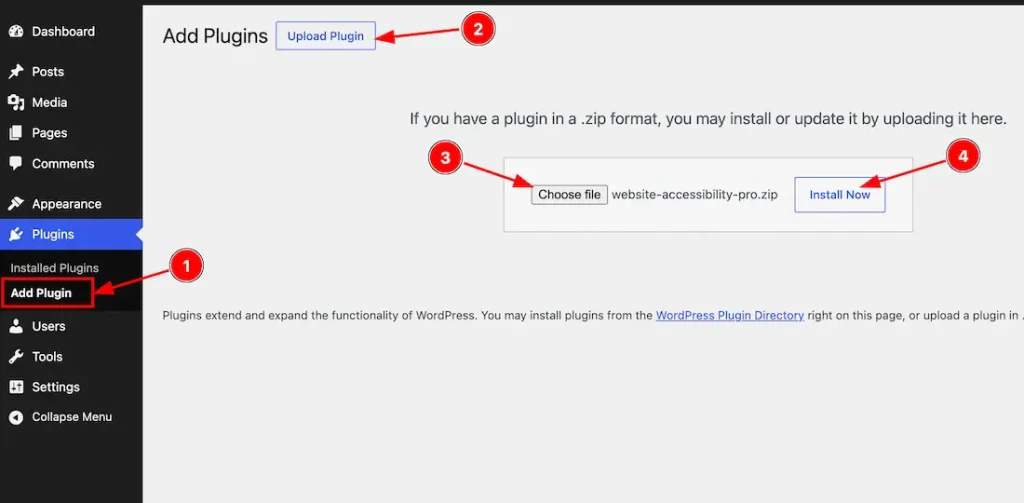
After logging in to your WordPress dashboard page, follow these steps-
1. Navigate to the Plugins tab and click on the ”Add New Plugin “.
2. Click on the “Upload Plugins” button to add the Pro version file.
3. Choose the Pro version plugin zip file from here.
4. Then click on the “Install Now” button to start the installation.
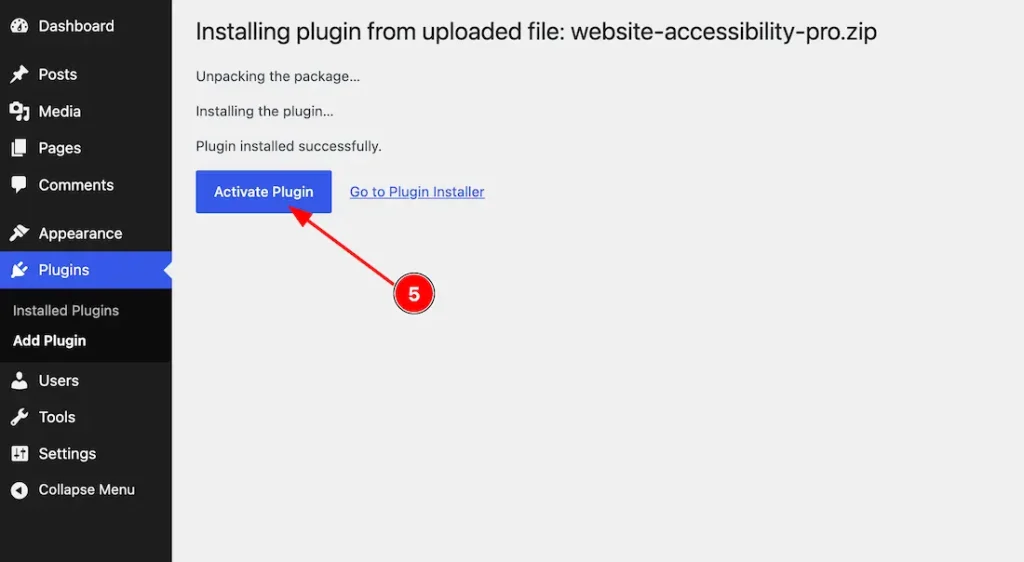
5. After completing installation, the “Activate Plugin” button will appear, and click on it to activate the plugin.
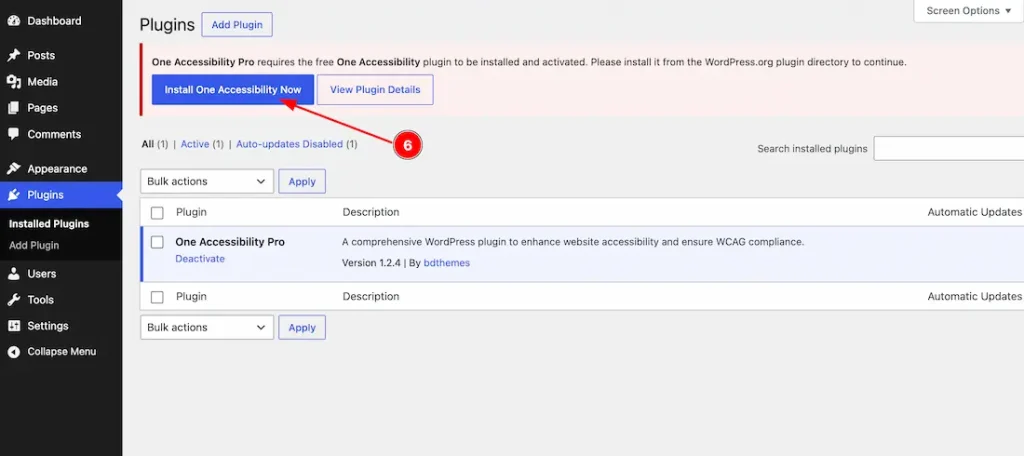
6. After installing the Pro version plugin, we want to inform you that the One Accessibility Pro version requires the One Accessibility free version plugin. You can install the free version by directly clicking on the “Install One Accessibility Now” button or downloading the latest free version from the WordPress.org site.
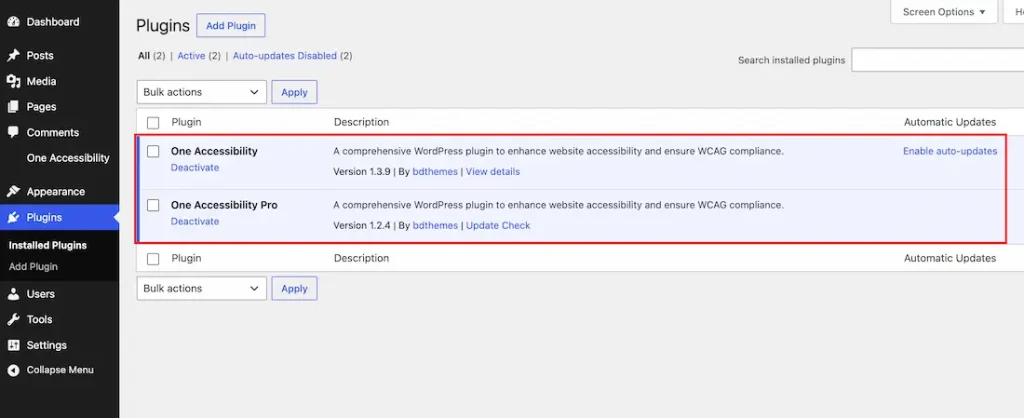
Just check your plugin dashboard once again that you successfully installed and activated the One Accessibility free and Pro versions on your WP site.
Activate the License Key
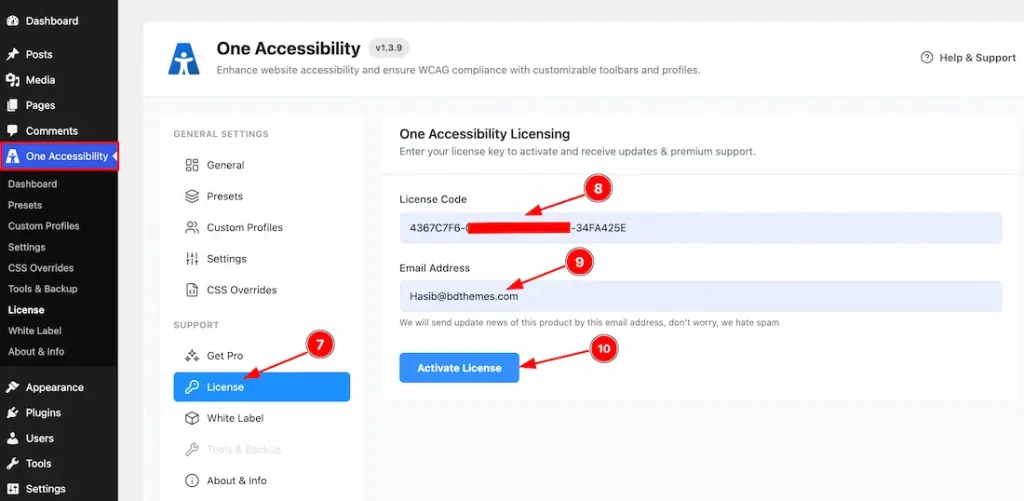
To activate the license key, just follow the instructions below-
7. Go to WP Dashboard > One Accessibility > License.
8. Just keep your license key inside the license field.
9. Keep your email inside the email field.
10. After that, just click on the “Activate License” button to activate the license key.
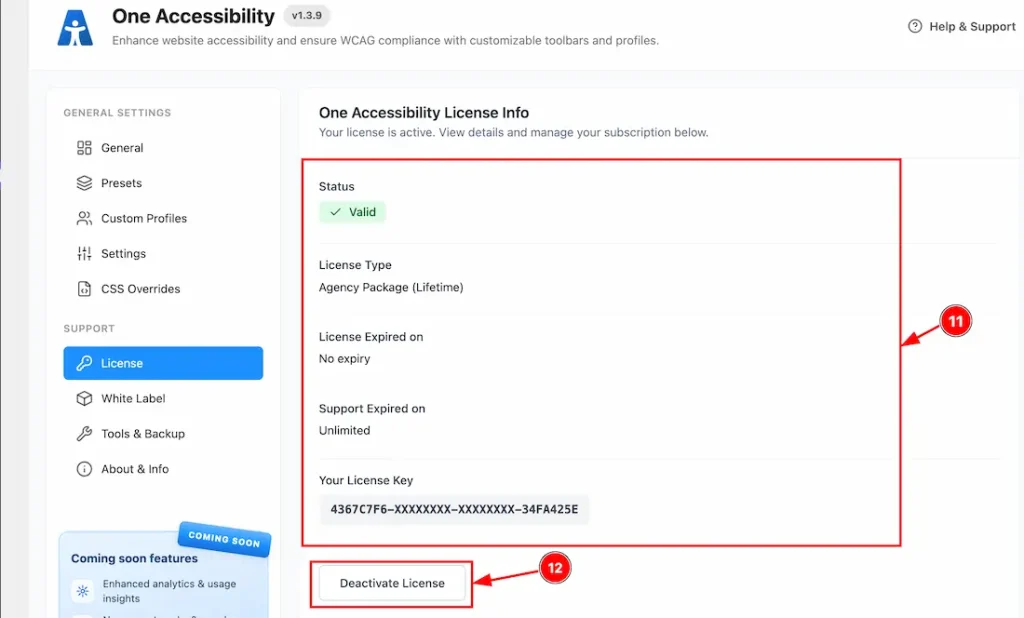
11. You will get to see the license information here after the license is successfully activated on your site. Here, you will see the license status, license type, license expiry date, support expiry date & your license key.
12. You can deactivate the license by clicking on the “Deactivate License” button.
Video Assist
The video will come soon. If you want, you can try the Pro plugin features directly from here.
Thanks for staying with us.