

WordPress now powers 42.5% of all websites globally, and blogging remains at the heart of that growth.
With over 30,000 themes available across the ecosystem, finding the right one can feel paralyzing.
Pick the wrong theme and you end up with a slow site, limited customization, or a design that looks exactly like everyone else’s.
This guide cuts through the noise.
We have tested and curated 20 of the best WordPress themes for blogs across every niche, organized by builder compatibility so you can find a theme that matches how you actually work.
We will also show you why a great theme is just the starting point, and how tools like Element Pack (for Elementor users) and ZoloBlocks (for Gutenberg users) can take your blog design far beyond what any theme can do alone.
Quick Comparison Table
| Theme | Builder Support | Best For | Speed | Free Version | Starting Price |
| Hello Elementor | Elementor | Custom-built blogs | ⭐⭐⭐⭐⭐ | Yes | Free |
| Neve | Elementor | Mobile-first blogs | ⭐⭐⭐⭐ | Yes | $69/year |
| OceanWP | Elementor | Multipurpose blogs | ⭐⭐⭐⭐ | Yes | $54/year |
| Hestia | Elementor | Startup blogs | ⭐⭐⭐⭐ | Yes | $69/year |
| Sydney | Elementor | Business blogs | ⭐⭐⭐⭐ | Yes | $69/year |
| GeneratePress | Elementor, Gutenberg | SEO blogs | ⭐⭐⭐⭐⭐ | Yes | $59/year |
| Kadence | Gutenberg, Elementor | Design blogs | ⭐⭐⭐⭐⭐ | Yes | $79/year |
| Inspiro | Elementor | Visual/photo blogs | ⭐⭐⭐⭐ | Yes | $79/year |
| Blocksy | Gutenberg | Modern blogs | ⭐⭐⭐⭐ | Yes | $69/year |
| Ashe | Gutenberg | Personal blogs | ⭐⭐⭐⭐ | Yes | Free |
| Baskerville | Gutenberg | Classic blogs | ⭐⭐⭐ | Yes | Free |
| Writee | Gutenberg | Writers | ⭐⭐⭐ | Yes | Free |
| Olsen Light | Gutenberg | Lifestyle blogs | ⭐⭐⭐ | Yes | Free |
| Foodie Pro | Genesis | Food blogs | ⭐⭐⭐⭐ | No | $75 |
| Twenty Twenty-Five | Gutenberg (FSE) | Minimalist FSE blogs | ⭐⭐⭐⭐⭐ | Yes | Free |
| Hemingway Rewritten | Gutenberg | Writer and personal blogs | ⭐⭐⭐ | Yes | Free |
| Soledad | WPBakery / Elementor | Magazine blogs | ⭐⭐⭐ | No | $59 |
| Newspaper | Custom builder | News blogs | ⭐⭐⭐ | No | $59 |
| Divi | Built-in builder | Visual design blogs | ⭐⭐⭐ | No | $89/year |
| Avada | Built-in builder | Advanced users | ⭐⭐⭐ | No | $69 one-time |
How to Choose the Best WordPress Blog Theme in 2026
Choosing from thousands of blogging themes for WordPress does not have to be guesswork. There are a handful of criteria that genuinely separate great themes from mediocre ones. Here is what to evaluate before you install anything.
Speed and Core Web Vitals Performance
Google’s Core Web Vitals are a confirmed ranking factor. A slow theme directly costs you search rankings. When evaluating fast WordPress blog themes, look for:
- A minimal frontend footprint, typically under 100KB on initial load
- No render-blocking scripts or unused CSS loaded by default
- Scores of 90+ on Google PageSpeed Insights without additional optimization
- Clean, minimal JavaScript that does not delay interactivity
- Lazy loading support for images and embeds
Lightweight WordPress themes like GeneratePress and Hello Elementor consistently hit 95+ PageSpeed scores out of the box. Anything that bundles unnecessary scripts will hurt your SEO before a visitor reads a single word.
SEO-Friendly Code Structure
The best SEO-friendly WordPress themes give search engines a clear picture of your content. What to look for:
- Semantic HTML5 markup with proper heading hierarchy
- Schema.org structured data support built into the theme
- Fast Time to First Byte (TTFB)
- Clean permalink-friendly post templates
- Compatibility with major SEO plugins like Yoast, Rank Math, and AIOSEO
Themes like Kadence and GeneratePress include schema markup natively, reducing your dependence on separate structured data plugins.
Customization Flexibility
Fixed layouts and rigid design systems are where many responsive WordPress blog themes fall short. Before committing to a theme, check whether it allows you to:
- Modify headers and footers without touching code
- Control sidebar behavior on a per-page or per-post basis
- Customize the blog archive layout and post card appearance
- Adjust single post templates independently from page templates
- Build custom archive pages for categories and tags
Theme Compatibility with Page Builders
This is the single most overlooked decision bloggers make. The page builder you choose shapes your entire design workflow, and your theme must support it well.
If you use Elementor
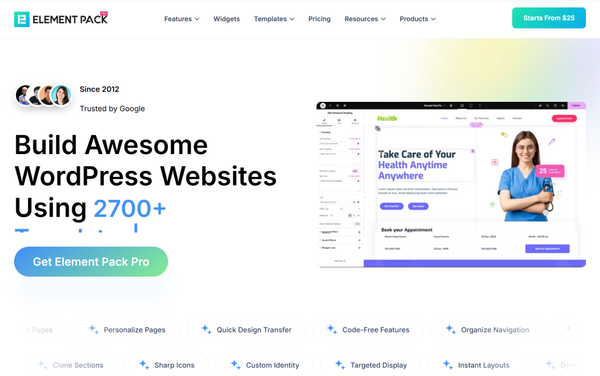
Pairing your theme with Element Pack unlocks 300+ advanced widgets, 2,700+ ready-made templates, post grids, sliders, dynamic content displays, and a full theme builder without touching code.
Element Pack works with any Elementor-compatible theme, which means your theme choice stays flexible. The Elementor addons gives a powerful layer on top of your theme.
If you use Gutenberg
ZoloBlocks is the natural companion. It enhances the native block editor with advanced post grids, carousels, sliders, dynamic content blocks, custom layouts, and 70+ blocks built specifically for performance-first Gutenberg sites.
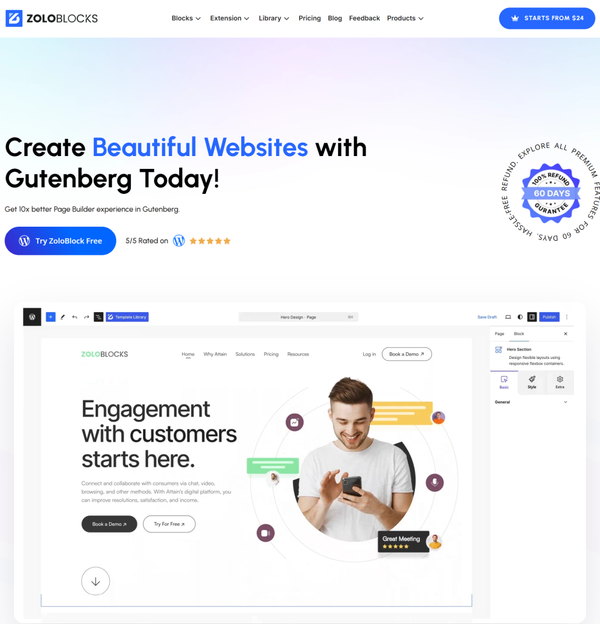
According to a WordPress Usage Statistics Report, over 60% of new WordPress themes now rely on full-site editing via Gutenberg. For a detailed comparison of both ecosystems, the Gutenberg vs Elementor breakdown is worth reading before you commit.
Setting up your builder before choosing your theme is smart planning. We have grouped the 20 themes below by builder type so this decision is easier.
Part A: Best Elementor-Friendly Blog Themes
These themes are optimized for Elementor and work beautifully alongside Element Pack.
1. Hello Elementor
Hello Elementor is the official free theme built by the Elementor team. It is intentionally minimal, loading under 10KB, because its sole purpose is to get out of the way and let Elementor do the design work.
There is no visual clutter, no bundled scripts, and no default styles fighting with your page builder.
With over 600,000 active installs (WordPress.org, 2025), it is one of the most widely adopted themes in the WordPress ecosystem.
Every design element comes from Elementor itself, giving you complete creative control over headers, footers, single post layouts, archive pages, and everything in between.
Key Features:
- Sub-10KB frontend footprint for maximum speed
- Completely blank canvas with zero conflicting styles
- Perfect baseline for Core Web Vitals optimization
- Consistent PageSpeed score of 95+ in clean installations
- No default CSS or JS that needs to be overridden
Best For: Bloggers who want to design every pixel through Elementor without theme interference.
Pricing: Free (no premium version needed when combined with Elementor Pro)
How to Enhance This Theme with Element Pack
Hello Elementor’s blank canvas becomes dramatically more powerful when you add Element Pack. What Element Pack unlocks:
- Mega menu builder for blogs with complex navigation structures
- Parallax and scrolling effects for feature sections
- No coding required for any of the above
You can learn more about how Element Pack works on the Element Pack overview.
2. Neve
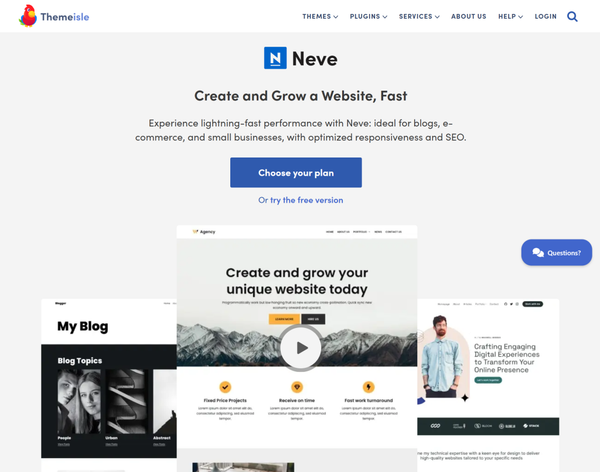
Neve is a mobile-first, AMP-ready theme built by ThemeIsle that consistently delivers sub-second load times in real-world testing.
It is designed with Core Web Vitals in mind from the ground up, making it one of the better responsive WordPress blog themes for anyone prioritizing organic search performance.
The free version comes with a starter site library and seamless Elementor compatibility. The Pro version adds a blog booster module, custom layouts for single posts, and enhanced WooCommerce support.
Key Features:
- AMP-ready and mobile-first architecture out of the box
- Sub-second load times in standard testing configurations
- Schema markup included for SEO-friendly post output
- Responsive design controls for fine-tuning mobile display
- WooCommerce-ready with eCommerce starter templates
- Accessibility-ready and screen reader friendly
Best For: Beginner bloggers and content-focused sites that need speed without complexity.
Pricing: Free + Pro starting at $69/year
How to Enhance This Theme with Element Pack
Neve gives you a fast, clean starting point. Element Pack extends it with:
- Post slider and post carousel widgets for featured content
- Dynamic content tools that Neve’s native customizer cannot replicate
- Custom archive page templates built directly inside Elementor
The combination is especially effective for content-heavy blogs that need varied archive layouts across different categories.
3. OceanWP
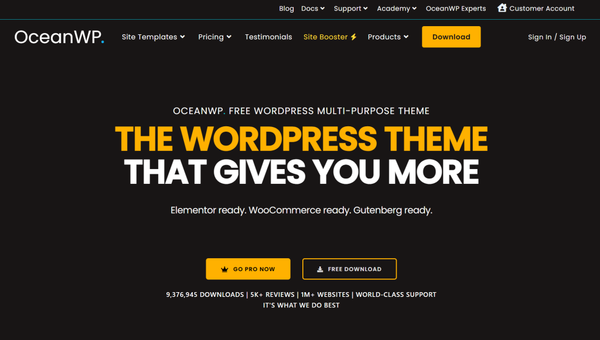
OceanWP has been around for years and remains one of the most popular multipurpose blogging themes for WordPress, with approximately 700,000 active installs (WordPress.org).
It offers an unusually generous free version that includes custom headers, blog layout options, sidebar controls, sticky navigation, and WooCommerce support right out of the box.
The WordPress customizer gives you granular control over layout widths, blog post meta display, and page-level settings without a premium upgrade.
Key Features:
- Extensive free version with features most themes charge for
- Per-page layout settings directly from the post editor
- WooCommerce-ready with dedicated shop templates
- Wide page builder compatibility including Elementor and Beaver Builder
- Customizable post meta display (author, date, categories, reading time)
- Premium extension modules available for additional functionality
Best For: Bloggers who want maximum control from the free version, lifestyle blogs, and portfolio-style content sites.
Pricing: Free + extensions from $54/year
How to Enhance This Theme with Element Pack
OceanWP handles the structural foundation well, but its blog archive designs are fairly standard out of the box. Adding Element Pack gives you:
- Related post sliders on single post pages
- Custom author card widgets for multi-author blogs
- Dynamic content displays with conditional visibility
This combination is particularly strong for lifestyle or magazine-style blogs that need visual variety across their archive pages.
4. Hestia
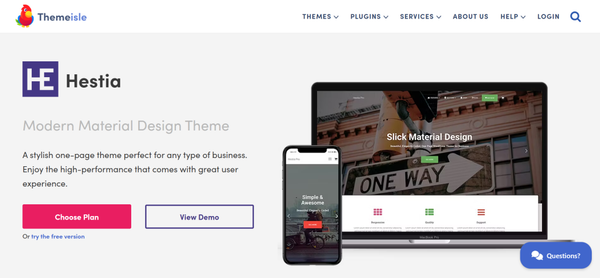
Hestia is a single-page-friendly theme from ThemeIsle that has gained a following among startup bloggers and personal brand sites.
Its bold, full-width design style works especially well for storytelling-oriented blogs where the homepage is as important as individual posts. It pairs tightly with Elementor and comes with a starter site library that includes business, blog, and portfolio designs.
The free version is functional but limited in blog layout options. The Pro version adds more customization controls including custom post layouts and additional section types.
Key Features:
- One-page and multi-page layout support in the same theme
- Full Elementor compatibility with no conflicts
- Starter site library with business, blog, and portfolio templates
- Strong full-width homepage sections for storytelling
- Bootstrap-based for reliable cross-device rendering
- Custom sections for team profiles, testimonials, and features
Best For: Startup bloggers, personal brand sites, and founders who want their blog to double as a landing page.
Pricing: Free + Pro at $69/year
How to Enhance This Theme with Element Pack
The homepage-centric design of Hestia pairs naturally with Element Pack. What you unlock:
- Hero section widgets with animated background support
- Post slider widgets for displaying featured blog content prominently
- Featured article widgets with custom thumbnail ratios
5. Sydney
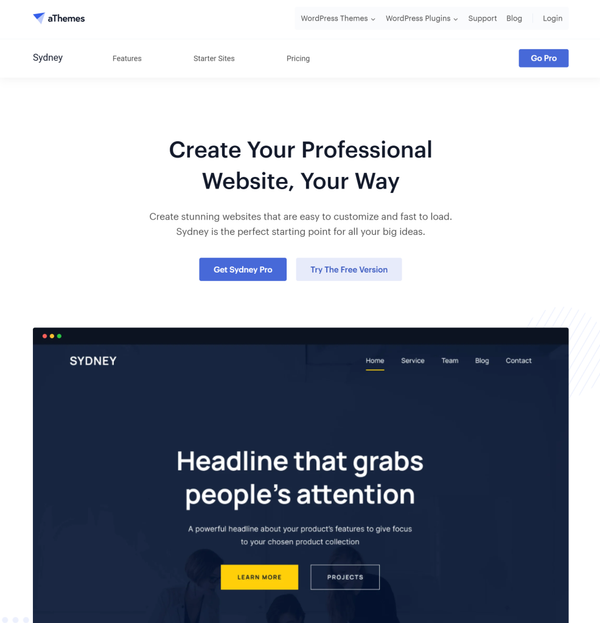
Sydney is a clean, professional WordPress theme developed by aThemes that caters to business-focused and professional bloggers.
It offers a full-screen header, smooth scrolling, strong typography defaults, and Elementor compatibility out of the box. The free version is reasonably capable, and the Pro version adds custom widgets, multiple header styles, and expanded layout options.
Sydney tends to appeal to writers who want their blog to look professional rather than personal, and to small businesses that maintain an active content marketing blog as part of their broader strategy.
Key Features:
- Full-screen header with overlay text support
- Google Fonts integration with 900+ font choices
- Strong typographic defaults optimized for long-form reading
- Full Elementor compatibility with custom widget support
- Clean, semantic HTML5 code structure
- Sticky navigation with transparent header option
- One-click demo content import
Best For: Professional and business bloggers, consultants, and writers who want a polished authority-focused aesthetic.
Pricing: Free + Pro at $69/year
How to Enhance This Theme with Element Pack
Sydney’s professional look gets a serious upgrade when paired with Element Pack:
- Category-filtered archive sections with tabbed navigation
- Animated feature blocks for highlighting cornerstone content
- Social counter widgets for building audience trust signals
6. GeneratePress
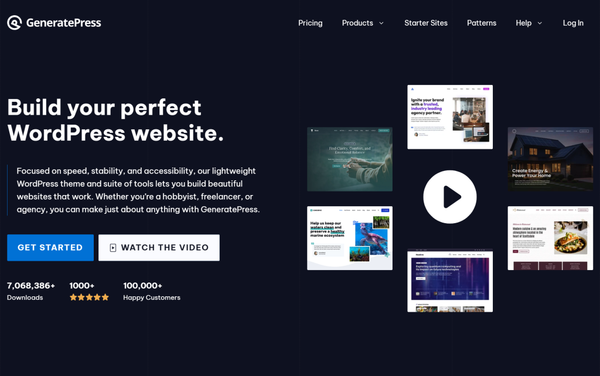
GeneratePress is a benchmark theme in the WordPress performance world. It clocks in at approximately 30KB on load, making it one of the fastest and most lightweight WordPress themes available anywhere.
Its modular system lets you activate only the features you need, keeping your site lean regardless of how complex your blog becomes over time.
The GeneratePress free version covers the essentials well. The Premium version at $59/year adds a full site library with 100+ starter templates, a Theme Builder module, WooCommerce support, and advanced hooks.
Key Features:
- Approximately 30KB frontend page weight, one of the smallest available
- Modular system: activate only the modules your blog actually needs
- 100+ professionally designed starter templates (Premium)
- Full Theme Builder for custom post and archive templates (Premium)
- Compatible with both Elementor and Gutenberg page builders
- Clean, semantic HTML5 markup for strong SEO output
- WooCommerce support with dedicated shop templates
Best For: Affiliate bloggers, SEO-focused content sites, and developers who want a lean, fast base to build on.
Pricing: Free + Premium at $59/year
How to Enhance This Theme with Element Pack
GeneratePress is stripped down by design, which means it benefits enormously from Element Pack’s expanded widget library. What you gain:
- Post carousel and post grid widgets with multiple layout skins
- Tabbed category archives for the blog homepage
- Category-specific featured post display blocks
- Advanced typography controls beyond what GeneratePress natively offers
- Custom footer blocks with recent post widgets
This is one of the most performance-efficient setups available for SEO-focused, fast WordPress blog themes. For more on how Elementor tools extend lightweight themes, the breakdown of Element Pack Pro is worth reading.
7. Kadence
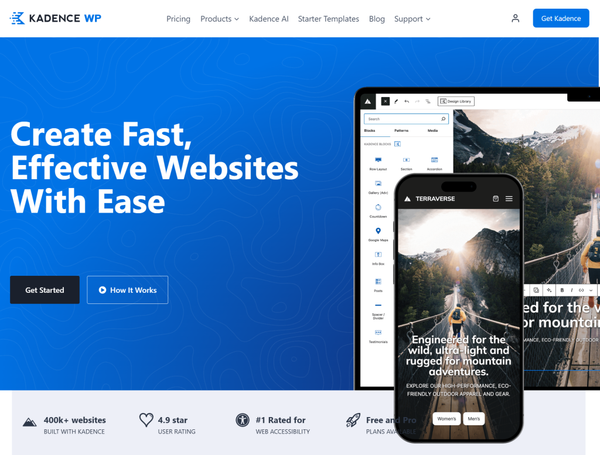
Kadence has become a favorite among WordPress professionals for its balance of speed, design flexibility, and native Gutenberg support.
The free version includes a drag-and-drop header and footer builder, a global color palette, global typography controls, and a library of around 50 starter templates.
It loads fast in real-world tests, consistently achieving sub-600ms load times in Gutenberg-based configurations.
What makes Kadence stand out is that it sits at the intersection of both builder ecosystems: it works naturally with Gutenberg and the native block editor, but also supports Elementor without conflict.
Key Features:
- Drag-and-drop header and footer builder included in the free version
- Global color palette with one-click sitewide color changes
- Global typography system with 900+ font options and 1,500+ icons
- Around 50 starter templates in the free version
- Native Gutenberg and full Elementor compatibility
- Sub-600ms load times in standard testing configurations
- Visibility controls for showing or hiding elements by device
Best For: Design-focused bloggers who want flexibility without sacrificing speed.
Pricing: Free + Pro bundles starting at $79/year
How to Enhance This Theme with Element Pack
Kadence already offers strong customization, but Element Pack pushes it further for Elementor users:
- Mega menu widget enhancements beyond Kadence’s built-in options
- Custom content display modules with dynamic field integration
- Post timeline and post tab blocks for advanced archive design
- Parallax and floating animation effects for section backgrounds
For useful performance context on why Kadence ranks among the top fast WordPress blog themes, the Gutenberg builder comparison covers what makes these themes perform at their best.
8. Inspiro
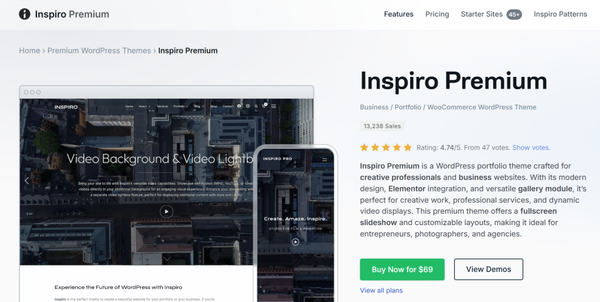
Inspiro is a media-focused WordPress theme built for bloggers and creators who rely heavily on visuals: photography, video, travel, design, and art blogs.
It is sleek, fast for a multimedia-focused theme, and received full-site editing support in its recent update.
Inspiro handles large featured images and video backgrounds cleanly without the performance penalties you might expect from a visually intensive theme.
The free version provides a solid starting point, while the Pro version adds premium sliders, custom portfolio layouts, additional header styles, and WooCommerce support.
Key Features:
- Media-first design with large featured image and video background support
- Full-site editing support added in the 2026 update
- Native Gutenberg and Elementor compatibility
- Portfolio and grid-based archive layouts
- Video background support for homepage hero sections
- Responsive and retina-ready out of the box
Best For: Photography blogs, travel blogs, visual creatives, and design-focused content sites.
Pricing: Free + Pro at $79/year
How to Enhance This Theme with Element Pack
Inspiro’s visual strength grows significantly with Element Pack:
- Image masking blocks with creative shape overlays
- Parallax effects for scroll-driven visual storytelling
- Post video slider widgets for multimedia archive sections
If you are running a photography or visual blog, this combination creates immersive post listings and portfolio-style archives that a theme alone cannot produce.
Part B: Best Gutenberg Blog Themes
These themes are optimized for the native WordPress block editor. Pair them with ZoloBlocks for advanced post grids, dynamic blocks, custom archive layouts, and complete Gutenberg-native design control.
As the ZoloBlocks review explains, ZoloBlocks enhances Gutenberg rather than replacing it, which means better long-term WordPress compatibility and cleaner, faster code output than traditional page builders.
For a full comparison of leading Gutenberg options, the Gutenberg builder guide is a thorough resource.
9. Blocksy
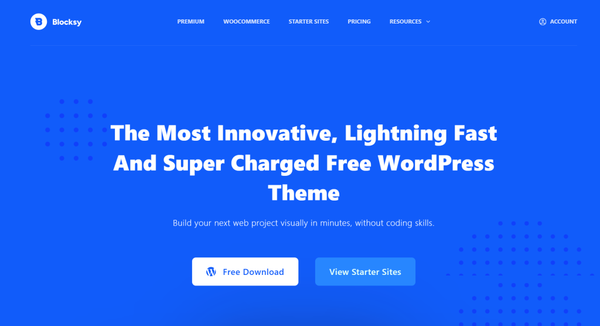
Blocksy is a modern, lightweight theme built with the Gutenberg editor at the center of its design philosophy.
It comes with a visual header and footer builder even in the free version, a global color system, dark mode support, advanced layout options for each post type, and WooCommerce integration.
With 400,000+ active installs (WordPress.org, 2025), it has established itself as one of the best free blog themes for WordPress in terms of combining speed and design capability.
Blocksy consistently scores 98/100 on PageSpeed Insights in speed tests, making it a strong choice for anyone prioritizing Core Web Vitals alongside modern design.
Key Features:
- Visual header and footer builder included in the free version
- Global color palette with instant sitewide color preview
- Dark mode support built into the free version
- Per-post and per-page layout settings
- WooCommerce integration with shop-specific layout controls
- FSE (Full Site Editing) friendly architecture
- 98/100 PageSpeed Insights score in clean installations
Best For: Bloggers who want modern design with strong performance, tech, travel, or creative content blogs.
Pricing: Free + Pro at $69/year
How to Enhance This Theme with ZoloBlocks
Blocksy’s design system is excellent, but its native blog archive options are fairly standard. Adding ZoloBlocks gives you:
- Advanced post grid blocks with multiple layout skins
- Post carousel blocks for featured content rotation
- Post timeline blocks for chronological archive displays
This keeps your site fast while dramatically expanding what your Gutenberg-powered blog pages can look like. The ZoloBlocks overview provides more detail on the full block library.
10. Ashe
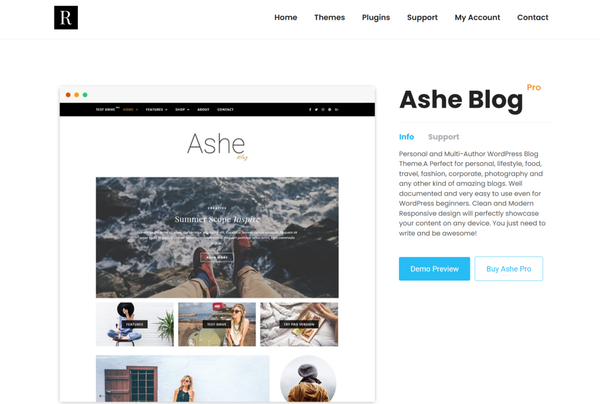
Ashe is a clean, minimal WordPress blog theme that has become genuinely popular among personal bloggers and lifestyle writers for its elegant simplicity.
It offers a traditional blog layout with clear typographic hierarchy, a featured post area, and multiple blog display options including full-width, left sidebar, and right sidebar configurations. The design is timeless rather than trendy, which tends to age well across years of publishing.
The free version covers most personal blogging needs.
Key Features:
- Clean, minimal design with a timeless editorial aesthetic
- Multiple sidebar configurations: full-width, left, and right sidebar
- Featured post area on the homepage
- Gutenberg block editor compatible
- Fast loading with no unnecessary scripts
- Lightweight codebase suitable for shared hosting environments
Best For: Personal blogs, simple lifestyle blogs, and bloggers who prefer a classic editorial aesthetic.
Pricing: Free + Pro at $49 one-time
How to Enhance This Theme with ZoloBlocks
Ashe’s minimal aesthetic works beautifully with ZoloBlocks:
- Social share blocks on single post pages
- Post navigation blocks with custom thumbnail styling
- Author bio blocks with an enhanced design layout
11. Baskerville
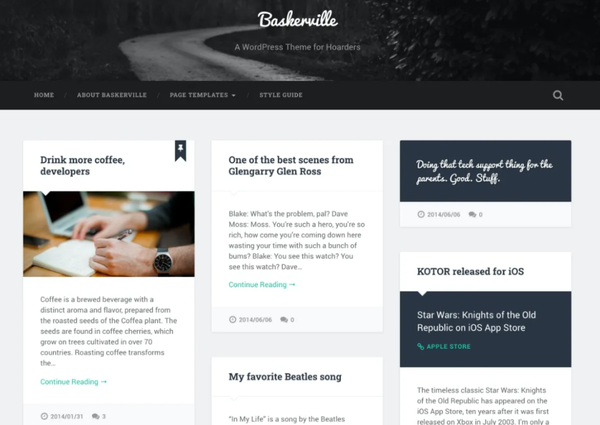
Baskerville is a free, classic WordPress blog theme that takes its design cues from traditional editorial and literary publishing.
It uses strong serif typography, a large featured image area, and a clean masonry-style blog grid that gives it a distinctive magazine-like feel without relying on premium design elements. It is maintained by the WordPress.com team and regularly updated to stay current with WordPress standards.
Baskerville is entirely free with no premium version, which makes it a great option for bloggers on a budget who still want a refined, editorial look.
Key Features:
- Strong serif typography for a literary and editorial feel
- Masonry-style blog grid in the archive view
- Large featured image area on both archive and single post pages
- Free with no premium upsell
- Actively maintained by the WordPress.com team
- Gutenberg block editor compatible
Best For: Classic bloggers, writers, and anyone who wants a literary or editorial aesthetic without spending on a premium theme.
Pricing: Free (no premium version)
How to Enhance This Theme with ZoloBlocks
Baskerville is a fairly static theme on its own. ZoloBlocks can dramatically transform the homepage and archive experience:
- Dynamic post grid blocks with custom card styles
- Post carousels with multiple skin options
- Featured article blocks with custom image ratios
- Text animation effects that modernize the classic aesthetic
12. Writee
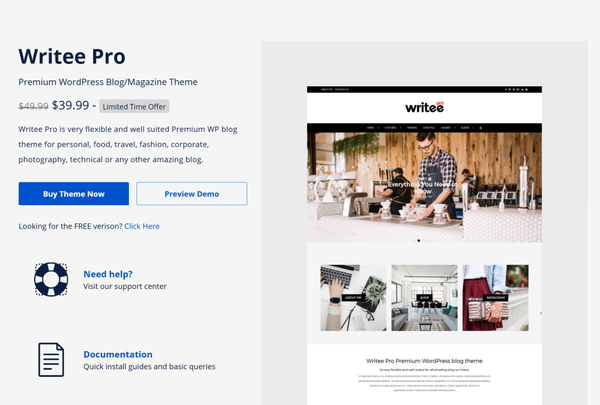
Writee is a minimal WordPress blog theme designed specifically with writers and long-form content creators in mind.
It emphasizes readability through clean typography, generous line spacing, distraction-free reading layouts, and strong contrast ratios. \
The color palette options lean toward neutral and warm tones that work well for personal essays, creative writing blogs, and author sites.
The free version is fully functional for blogging purposes.
Key Features:
- Readability-optimized typography with generous line spacing
- Distraction-free reading layout that keeps focus on the content
- Strong contrast ratios for accessibility compliance
- Neutral and warm color palette options
- Gutenberg block editor compatible
- Fast and lightweight with no unnecessary front-end scripts
Best For: Writers, essayists, author blogs, creative writing sites, and anyone for whom content readability is the top priority.
Pricing: $39.99 per year
How to Enhance This Theme with ZoloBlocks
Writee’s reading-focused design benefits from ZoloBlocks in ways that do not disrupt its minimalism:
- Advanced heading blocks with more typographic control than default Gutenberg
- Advanced paragraph blocks with custom spacing and drop cap options
- Post navigation blocks with custom thumbnail previews
13. Olsen Light
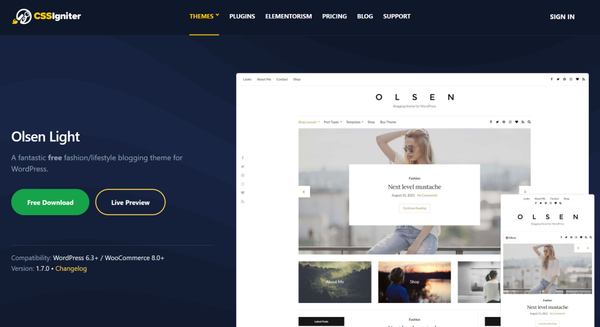
Olsen Light is a free lifestyle WordPress blog theme from CSSIgniter that targets fashion, beauty, travel, and food bloggers.
Its layout emphasizes large featured imagery, a bold header area, a clean sidebar, and a grid-based archive that showcases visuals prominently.
The overall aesthetic is contemporary and image-forward, adapting reasonably well to any visual-first niche with some color customization.
Key Features:
- Image-forward layout with prominent featured image display
- Bold, full-width header area
- Grid-based archive layout for visual browsing
- Clean sidebar with standard widget support
- Gutenberg block editor compatible
- No unnecessary plugin dependencies
Best For: Lifestyle blogs, fashion blogs, travel blogs, beauty blogs, and food content sites.
Pricing: Free
How to Enhance This Theme with ZoloBlocks
Lifestyle blog readers respond well to dynamic, visually varied content pages. ZoloBlocks adds:
- Post carousel blocks with image-forward card styles
- Post tab blocks for filtering content by category on the homepage
- Image gallery blocks with hover effects and lightbox support
14. Foodie Pro
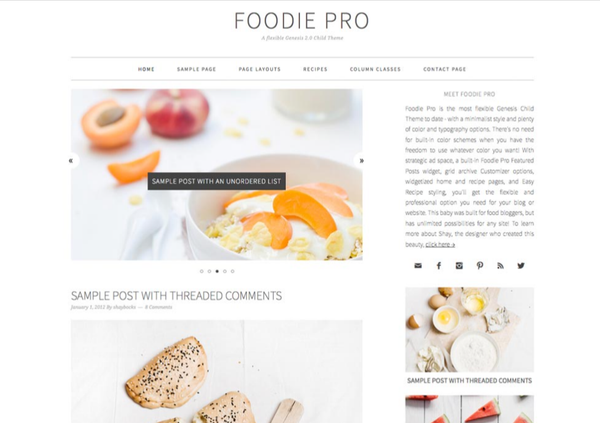
Foodie Pro is a premium theme built on the Genesis Framework by StudioPress, designed specifically for food bloggers.
It features a recipe-friendly layout, an emphasis on large food photography, a clean three-column archive option, a strong sidebar for ad placements, and an editorial grid style that has become the visual standard in professional food blogging.
While the Genesis Framework adds a layer of complexity compared to standalone themes, it also brings benefits: strong SEO defaults, clean code structure, and a well-established developer ecosystem.
Key Features:
- Food-specific layout designed for recipe and culinary content
- Large featured image areas optimized for food photography
- Clean three-column archive grid for visual browsing
- Strong sidebar layout for ad placements and category navigation
- Genesis Framework benefits including clean, SEO-friendly code output
- Schema markup support for recipe content
- WooCommerce-compatible for selling cookbooks or meal plans
Best For: Food bloggers, recipe sites, and culinary content creators.
Pricing: $75 via StudioPress (includes Genesis Framework)
How to Enhance This Theme with ZoloBlocks
Foodie Pro pairs with ZoloBlocks to create more dynamic recipe and content archive pages:
- Review and star rating blocks for recipe ratings
- Post carousel blocks for featured recipe sections
- Post category blocks for visual cuisine navigation
15. Twenty Twenty-Five
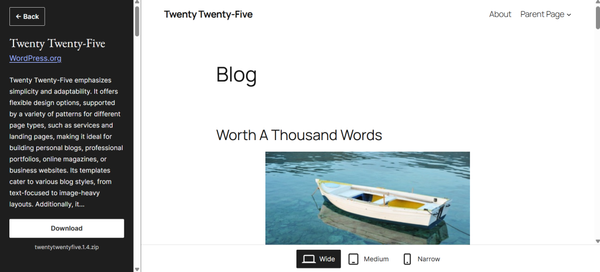
Twenty Twenty-Five is the default WordPress theme shipped with WordPress 6.7 and the best free FSE (Full Site Editing) blog theme currently available, scoring 98 on PageSpeed Insights mobile (GigaPress, March 2026).
Built entirely on block-based design patterns, it is the official showcase of where WordPress is headed: no PHP templates, no CSS file overrides, just block patterns and the Site Editor.
It comes with over 35 style variations and a library of block patterns covering blog layouts, newsletter signups, and content sections.
For bloggers who want to understand and use the future of WordPress without spending anything, Twenty Twenty-Five is the starting point.
Key Features:
- 98/100 mobile PageSpeed Insights score (fastest free FSE theme)
- Default WordPress theme shipped with WordPress 6.7
- Over 35 style variations for instant visual changes
- 200+ block patterns covering blog, archive, and page layouts
- Full site editing through the native WordPress Site Editor
- Accessible and WCAG 2.0 compliant
Best For: Bloggers who want to learn FSE, minimalist content sites, and anyone who wants the fastest possible free theme.
Pricing: Free (built into WordPress)
How to Enhance with ZoloBlocks
Twenty Twenty-Five’s minimalism becomes a real blog design with ZoloBlocks:
- Post grid blocks to transform the standard archive into a visual grid
- Post carousel blocks for a featured content section on the homepage
- Post tab blocks for category-filtered archive navigation
- Advanced heading blocks with gradient, animation, and highlight effects
16. Hemingway Rewritten
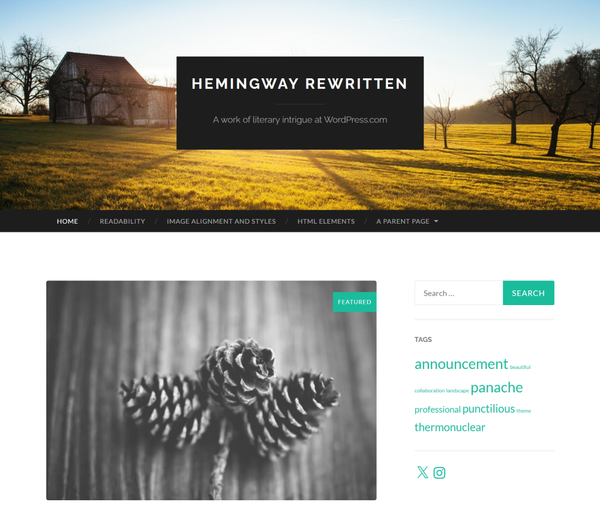
Hemingway Rewritten is a free two-column WordPress blog theme built for writers who want their content to be the only thing that matters.
It scores 94 on mobile PageSpeed Insights (GigaPress, March 2026), uses strong editorial typography, and keeps its layout clean enough that readers focus entirely on the writing.
There is no premium version, no upsell, and no bloat.
It was originally developed by Anders Norén, one of the most respected free theme developers in the WordPress community, and has been updated to stay current with Gutenberg.
For personal blogs, writing journals, and author sites where words matter more than design, Hemingway Rewritten is a genuine standout.
Key Features:
- 94/100 mobile PageSpeed Insights score
- Two-column editorial layout with strong typographic focus
- No premium version or upsell
- Built and maintained by Anders Norén, a respected theme developer
- Gutenberg block editor compatible
- Clean, minimal sidebar
- Custom header image and logo support
- Actively maintained on WordPress.org
Best For: Personal blogs, writers, essayists, author sites, long-form content blogs.
Pricing: Free (no premium version)
How to Enhance with ZoloBlocks
Hemingway Rewritten’s editorial simplicity works beautifully with ZoloBlocks:
- Advanced heading and text animation blocks for impactful titles
- Post list blocks for a custom “related posts” section
- Author bio blocks with an enhanced card layout
- Social share blocks at the end of each post
Part C: Magazine and Advanced Blog Themes
These themes come with their own built-in design systems and are best suited for high-volume publishing, magazine-style blogs, or experienced users who want maximum built-in control. They tend to be heavier than lightweight alternatives.
For publishers who need advanced post layouts beyond what these themes ship with, adding Element Pack or ZoloBlocks still applies, especially for unique archive and homepage designs.
You can also explore the one-page theme for additional design inspiration if your blog has a strong landing page focus.
17. Soledad
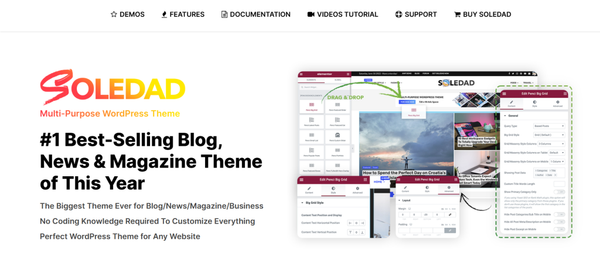
Soledad is a premium magazine and multi-concept WordPress theme popular among professional bloggers and content publishers.
It ships with 250+ homepage demos covering niches from food and fashion to technology and news, making it one of the most demo-rich themes available for magazine-style blogs.
It supports Elementor and WPBakery, and its built-in post layout options include masonry grids, sliders, tiles, and multiple sidebar configurations.
Key Features:
- 250+ pre-built homepage demos across multiple niches
- Multiple post grid styles including masonry, tiles, and slider
- Elementor and WPBakery page builder compatibility
- Social auto-post and sharing integrations
- Infinite scroll and load more button options
- Advanced post meta controls per post
Best For: Professional bloggers, magazine-style sites, multi-author blogs, and publishers who need design variety.
Pricing: $59 one-time via ThemeForest
18. Newspaper
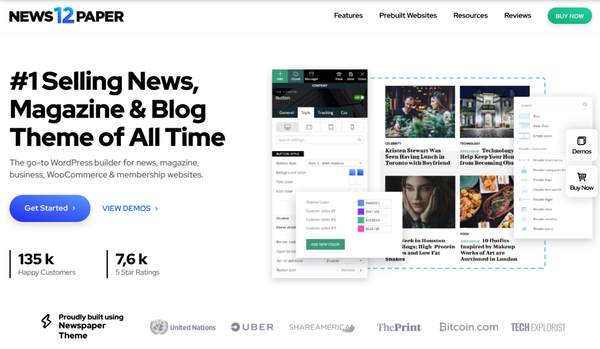
Newspaper is one of the best-selling WordPress magazine themes on ThemeForest.
It is built for news-driven, high-volume publishing with its proprietary tagDiv Composer builder, advanced header builder, and an extensive collection of pre-built news and magazine layouts.
It supports multiple ad slots, breaking news tickers, video embeds, and a range of archive styles suited for editorial teams.
Key Features:
- tagDiv Composer visual page builder included
- Breaking news ticker for real-time headline display
- Advanced advertisement management with multiple ad slots
- AMP support for fast mobile article loading
- Multiple header styles with the built-in header builder
- Cloud template library with pre-built article layouts
- Video and podcast archive templates
Best For: News sites, high-frequency publishing blogs, online magazines, and editorial teams.
Pricing: $59 one-time via ThemeForest
19. Divi
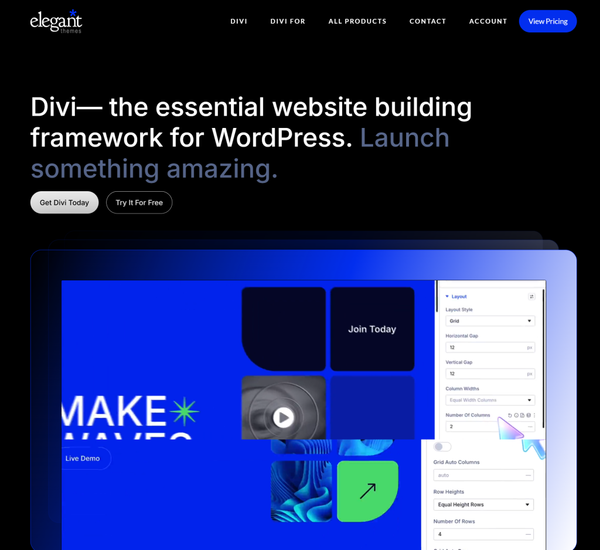
Divi is a design-heavy WordPress theme and page builder in one from Elegant Themes.
Its visual drag-and-drop builder gives you complete control over every element on your site, including blog pages, single post templates, and archive pages.
The Divi Builder has over 200 design modules and a large library of pre-built layouts covering virtually every blog niche.
The trade-off is performance. Divi sites tend to score lower on PageSpeed Insights than lightweight themes, and the theme’s code output can become bloated without careful optimization.
Key Features:
- Built-in visual drag-and-drop page builder with 200+ design modules
- A/B split testing built into the builder
- Global elements and global sections for sitewide consistency
- Responsive editing controls per device type
- Large pre-built layout library with 800+ designs
- Role editor for multi-author team management
- Divi AI integration for content and design assistance
Best For: Design-heavy blogs, creative portfolios, and bloggers who prioritize visual control over raw speed.
Pricing: $89/year or $249 lifetime via Elegant Themes
20. Avada
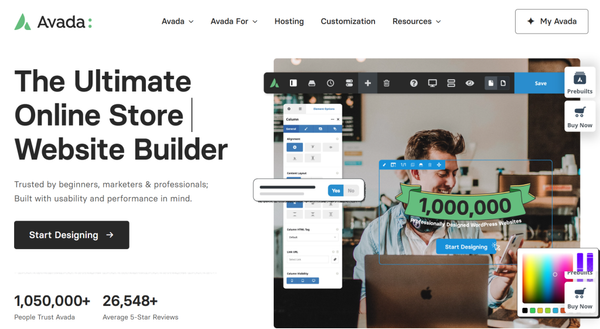
Avada is the best-selling WordPress theme of all time on ThemeForest.
Its built-in Avada Builder and Avada Studio provide access to hundreds of pre-designed layouts across virtually every niche, covering design, layout, typography, blog, and WooCommerce in a single package.
It is an all-in-one solution best suited for advanced users who want everything in one place.
Key Features:
- Built-in Avada Builder visual page builder
- Avada Studio template library with 400+ pre-designed layouts
- Global design system with sitewide style controls
- Advanced typography system with custom font management
- WooCommerce support with shop-specific templates
- Header builder with multiple header types
- Mega menu builder included
- Performance options panel for managing scripts and styles
- White-label branding options for agencies
- Lifetime updates included with purchase
Best For: Advanced users, agencies building client sites, and bloggers who want an all-in-one solution with no external builder dependency.
Pricing: $69 one-time via ThemeForest
Themes Are Just the Foundation: The Hybrid Approach to Blog Design
Here is the reality that most theme review articles skip: themes set the foundation, but they rarely determine what your blog actually looks like in practice.
Why Most Blog Themes Feel Limiting
Most WordPress blog themes share the same fundamental problem: fixed layouts. After installing the theme, your blog archive looks like every other installation of that theme. The specific limitations include:
- Blog archive pages offer minimal layout variation beyond basic grid or list
- Post card designs are fixed with little control over image ratio, meta placement, or excerpt length
- No native support for tabbed category navigation, dynamic content filtering, or post sliders
- Homepage sections are predetermined and difficult to rearrange without code
- Every blog on the same theme ends up looking nearly identical regardless of the content niche
This is the gap that design extensions exist to fill.
The Hybrid Approach: Lightweight Theme + Design Extension
The modern workflow that experienced WordPress bloggers use is straightforward:
- Choose a lightweight, well-optimized base theme
- Choose your preferred builder (Elementor or Gutenberg)
- Add a purpose-built design extension to create custom blog layouts
For Elementor users
Element Pack is built for exactly this workflow. With 300+ widgets specifically for Elementor, including advanced blog post grids, post carousels, post sliders, tabbed category archives, query loop blocks, and dynamic content displays, it lets you design blog layouts that look nothing like the default theme output.
It ships with 2,700+ ready-made templates and works with any Elementor-compatible theme on this list. For a broader look at what the plugin suite covers, the products page shows the full range of tools available. You can also check Element Pack pricing directly.
For Gutenberg users
ZoloBlocks is the Gutenberg-native equivalent. It enhances the block editor with 70+ advanced blocks including post grids, post carousels, post timelines, post tab blocks, post video sliders, and dynamic query blocks that standard Gutenberg blocks do not offer.
Because ZoloBlocks works natively inside Gutenberg rather than replacing it, you get performance benefits without sacrificing design flexibility. Check ZoloBlocks pricing for the current plans.
For more context on why this approach outperforms heavy all-in-one themes, the comparison of theme builders for WordPress is worth reading.
Best WordPress Blog Themes by Use Case
Finding the right theme is easier when you match it to your specific niche and goals. Here is how we would categorize the top options above.
Best themes for personal blogs:
- Ashe and Twenty Twenty-Five for classic, approachable designs with no configuration complexity
- Both work well with ZoloBlocks for more distinctive archive layouts
Best themes for professional and business blogs:
- GeneratePress and Kadence for the best balance of speed and SEO optimization
- Combine either with Element Pack for custom archive designs and dynamic content displays
Best themes for magazine and news blogs:
- Newspaper and Soledad, both purpose-built for high-frequency publishing
- Add Element Pack for additional post display variety across archive pages
Best themes for minimal and clean blogs:
- Avadafor typography-as-design with dark/light mode
- GeneratePress for the fastest baseline performance on this list
Best themes for lifestyle and food blogs:
- Olsen Light and Foodie Pro for niche-specific layouts
- Both benefit from ZoloBlocks for dynamic category archive pages
Best themes for Elementor users:
- Hello Elementor, Neve, and Kadence are the strongest foundations
- Paired with Element Pack, these cover virtually any blog niche
- The guide to the best theme builders for Elementor covers these options in more depth
Best themes for Gutenberg users:
- Blocksy, Ashe, and Kadence for block-based editing
- Pair with ZoloBlocks for advanced post layouts and dynamic content
- The ZoloBlocks introduction post provides more on what the plugin adds to any Gutenberg theme
Free vs Premium WordPress Blog Themes
The free vs premium debate shapes many purchasing decisions. Here is a direct breakdown.
What free themes do well:
- Cover all core blogging functionality at no cost
- Go through a quality review process on WordPress.org before publishing
- Receive regular updates and security patches
- Work without conflicts on standard hosting environments
- Hello Elementor, GeneratePress, Kadence, Blocksy, and Neve all have strong free versions
What premium themes add:
- More extensive starter template libraries
- Advanced customization options not available in the free version
- Dedicated support channels with faster response times
- Features like conditional headers, custom sidebar builders, and advanced WooCommerce tools
- Better suited for professional blogs with complex design requirements
The smarter angle: Even a completely free theme can produce premium-level blog designs when paired with the right tools. Running Hello Elementor (free) with Element Pack or Kadence (free) with ZoloBlocks produces results that surpass many premium theme defaults.
Both plugins have free versions available on WordPress.org, and both dramatically extend what free themes can produce without requiring a premium theme purchase. You can explore the full product suite to find the right combination for your blog.
FAQs
What is the best WordPress theme for blogs in 2026?
The right answer depends on your builder, niche, and performance priorities. For Elementor users, Hello Elementor and Neve are excellent starting points. For Gutenberg users, Kadence and Blocksy consistently lead the pack. For SEO-focused blogs where speed is paramount, GeneratePress is the benchmark. In every case, pairing your theme with Element Pack (for Elementor) or ZoloBlocks (for Gutenberg) gives you the design control that themes alone cannot provide.
Are free WordPress themes good for blogging?
Yes, many free WordPress themes are excellent for blogging. Hello Elementor, GeneratePress, Kadence, Blocksy, Neve, and Ashe are all available for free and actively used by millions of blogs. Free themes on WordPress.org go through a quality review process and receive regular updates. The limitation is typically in advanced customization options, which you can extend with plugins like Element Pack or ZoloBlocks without paying for a premium theme.
Which WordPress theme loads the fastest?
GeneratePress consistently leads speed benchmarks at approximately 30KB page weight (W3Techs performance data). Hello Elementor is equally fast as a blank canvas. Kadence and Blocksy both achieve excellent Core Web Vitals scores, particularly when configured without heavy demo content.
Can I customize a WordPress blog without coding?
Absolutely. With Elementor and Element Pack, you can design custom headers, footers, single post templates, archive pages, and dynamic blog grids entirely through a drag-and-drop interface. With Gutenberg and ZoloBlocks, you get the same level of control through the native block editor. Neither requires any coding knowledge to produce professional results.
Do I need a premium theme for a professional blog?
Not necessarily. Hello Elementor (free) with Elementor and Element Pack Pro, or Kadence (free) with ZoloBlocks Pro, can produce blog designs that look entirely custom and professional. Premium themes are worth the investment when you need their specific features such as advanced starter templates, dedicated support, or built-in WooCommerce tools, rather than as a general signal of quality.
Which theme is best for magazine-style blogs?
Newspaper and Soledad are the top choices for magazine-style publishing. Both are purpose-built for high-frequency content with multiple post grid styles, breaking news features, and multi-author support.
Conclusion
Choosing a WordPress blog theme in 2026 comes down to three factors: your preferred builder ecosystem, your performance requirements, and the level of design customization you need.
For Elementor users, Hello Elementor, Neve, Kadence, and GeneratePress are the strongest foundations. For Gutenberg users, Blocksy, Kadence, and Ashe cover the most ground. For magazine and news publishing, Newspaper and Soledad remain the category leaders.
The key takeaway from this guide is that the theme is the foundation, not the finished product. Every blog that looks truly distinctive got there by pairing a well-optimized theme with a design extension that pushed beyond the theme’s defaults.
- Element Pack does that for Elementor users
- ZoloBlocks does that for Gutenberg users
Whether you are building a personal blog or a high-traffic publication, the combination of a lightweight theme and a purpose-built design extension is how you create a blog that stands out.
Pick your theme. Layer in your design tools. Build something worth reading.
Supreakshya Shrestha
The BdThemes team builds WordPress plugins trusted by 3M+ users worldwide. We write about web accessibility, WCAG compliance, and inclusive design.