

Choosing the best WordPress cloud hosting isn’t just about picking a fast server; it’s about making sure your website loads quickly, stays online 24/7, and doesn’t crash during traffic spikes.
With WordPress powering over 43% of all websites today, hosting quality can make or break your online presence. And when even a 1-second delay in load time can reduce conversions by 7%, speed and uptime aren’t optional; they’re critical.
In this guide, we’ll help you find the top cloud hosting for WordPress based on performance, pricing, uptime, and reliability. From launching a personal blog and building a hotel website to managing high-traffic WooCommerce stores – our goal is to help you choose WordPress hosting that actually delivers.
From Hostinger to advanced managed cloud platforms, we’ve covered what truly matters, backed by real data.
Cloud Hosting vs Regular Hosting: What’s the Difference?
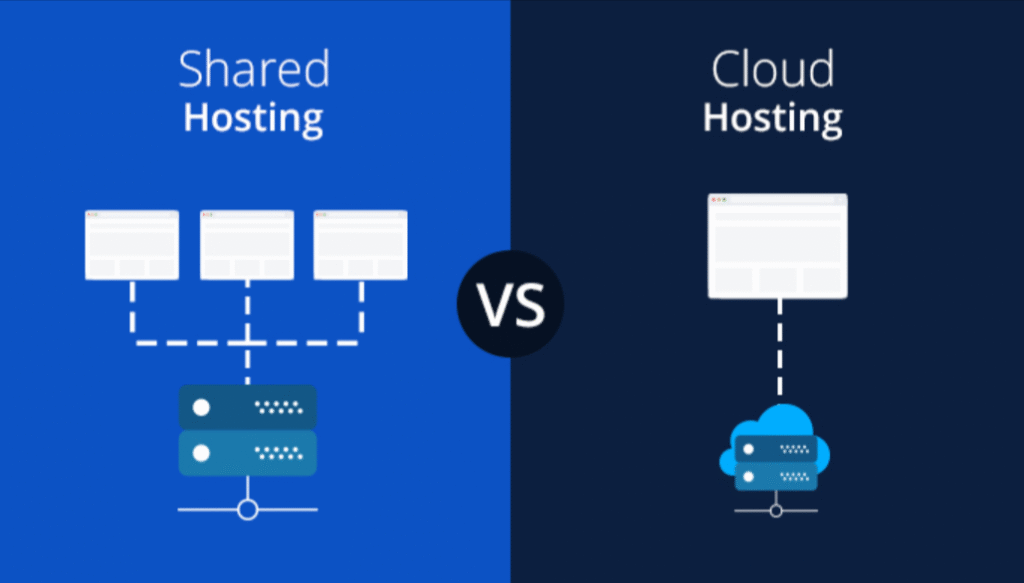
Cloud hosting for WordPress is a type of web hosting where your site runs on multiple interconnected servers, unlike traditional hosting that relies on a single physical server.
This distributed setup offers better uptime, faster performance, and on-demand scalability. If one server fails, another instantly takes over keeping your WordPress website online and stable.
Cloud Hosting vs Shared Hosting
- Shared hosting puts your site on a single server alongside hundreds of others.
- Resources like RAM, CPU, and bandwidth are shared meaning one busy site can slow down all the others.
- While shared hosting is cheap (starting as low as $2.99/month), it struggles with performance and reliability under traffic spikes.
Cloud Hosting vs VPS Hosting
- VPS hosting offers isolated server space on a single machine, which is more secure and faster than shared hosting.
- However, it still depends on a single physical server, so uptime and flexibility are limited.
- Scaling a VPS setup often means downtime or manual intervention.
Cloud Hosting vs Managed WordPress Hosting
- Managed WordPress hosting often uses cloud infrastructure but it adds automation, updates, security, and expert support on top.
- It’s ideal for users who want cloud-based WordPress hosting without managing technical tasks.
- Providers like Hostinger, Kinsta, and WP Engine fall into this category.
Pros and Cons: Cloud Hosting vs Regular Hosting
| Feature | Cloud Hosting | Shared/VPS Hosting |
| Speed | High, due to load distribution | Slower during high traffic |
| Uptime | 99.9%+ with server redundancy | Depends on single server |
| Scalability | Instant and automatic | Limited or manual |
| Cost | From $10–$15/month | Shared: $2.99+, VPS: $6–$30/month |
| Maintenance | Often managed | Often user-managed |
| Best For | Growing and high-traffic websites | Small or low-resource websites |
Who Should Choose Cloud Hosting (and Why)?
If you’re running a WordPress website that handles high traffic, sells products through WooCommerce, or needs fast load times across regions, cloud hosting is a better fit.
Sites using cloud infrastructure see uptime close to 99.99% and faster TTFB (Time to First Byte), which directly improves SEO and conversions.
Cloud hosting for WordPress is ideal for:
- Freelancers and developers managing multiple projects
- Businesses expecting seasonal traffic spikes
- Bloggers and publishers aiming for speed and uptime
- Store owners using WordPress and WooCommerce
- Anyone tired of slow, shared hosting limits
What to Look for in the Best WordPress Cloud Hosting

Choosing the best cloud hosting for WordPress is understanding what actually powers fast, secure, and reliable websites. Here’s what matters most.
1. Uptime Guarantee
Downtime directly impacts credibility and revenue.
A 99.9% uptime guarantee translates to roughly 8.76 hours of downtime per year, which is the industry standard. But top-tier WordPress cloud hosting providers often deliver even better.
For example:
- Kinsta and Cloudways maintain 99.99% uptime, equating to less than 5 minutes of downtime per month.
- According to Uptime Institute’s 2023 report, one hour of downtime costs an average of $260,000 for businesses.
Look for hosts with actual uptime monitoring and an SLA-backed guarantee.
2. Speed Optimization (CDN, Cache, SSD, Server-Side Tech)
A fast-loading WordPress site is non-negotiable. Studies show that 53% of mobile users leave a site if it takes over 3 seconds to load.
The best WordPress cloud hosting providers optimize for speed using:
- SSD storage for faster read/write access (up to 20x faster than HDD)
- Integrated CDN (Content Delivery Network) for global speed
- Object and page caching for quick content delivery
- Server-level performance tech, like NGINX, LiteSpeed, or custom stack (e.g., Kinsta’s NGINX + LXD + MariaDB)
Platforms like Hostinger Cloud and 10Web offer built-in CDN and caching layers by default, significantly reducing load times.
3. Scalability
If your content goes viral or you run promotions, you don’t want your site to crash. Cloud hosting for WordPress websites allows your resources to scale in real time.
- 10Web offers automated scaling powered by Google Cloud, ideal for WooCommerce stores.
- Cloudways lets users allocate more RAM or CPU in just a few clicks.
- According to HubSpot, 72% of growing businesses cite scalability as a top concern when choosing a host.
Look for hosts that support auto-scaling, especially if you’re expecting traffic surges.
4. Support (24/7 Availability + WordPress Expertise)
You shouldn’t have to wait hours to fix a down site or plugin error. The best cloud hosting for WordPress offers:
- 24/7 live chat and ticket support
- WordPress-specific expertise, not just general tech support
- Proactive assistance, not just reactive fixes
Hostinger, for instance, offers 24/7 multilingual support, while Kinsta staffs only WordPress-trained engineers, with no call center handoffs.
5. Security Features (DDoS, SSL, Firewalls, Backups)
According to SiteLock, a typical WordPress site faces 94 attacks per day. So your hosting provider should include:
- Free SSL certificates
- Daily or on-demand backups
- Advanced firewalls (WAF)
- Automated malware scanning
- DDoS protection
Cloud hosting platforms like Hostinger and Kinsta bundle security into their stacks, reducing the need for third-party plugins.
6. Price-to-Performance Ratio
Price matters but value matters more. A host charging $20/month but delivering better speed, uptime, and support can be a better deal than one at $5/month with constant issues.
For reference:
- Hostinger’s cloud plans start at $9.99/month, with 3GB of RAM and 200GB of SSD storage.
- Kinsta starts at $35/month, but offers premium performance, GCP infrastructure, and expert support.
Always match your budget to your needs but prioritize long-term performance.
7. Managed vs Unmanaged Cloud Hosting
Here’s the difference:
- Managed WordPress cloud hosting handles updates, security, backups, and performance ideal for beginners and busy site owners.
- Unmanaged cloud hosting (like raw AWS, DigitalOcean, etc.) gives you full control but requires technical knowledge.
Unless you’re a developer comfortable with server configuration, managed cloud hosting for WordPress websites will save time and prevent errors.
7 Top WordPress Cloud Hosting Providers in 2026
Let’s dive into the 7 top WordPress cloud hosting providers in 2026, each offering unique solutions to meet your website’s specific needs.
Hostinger
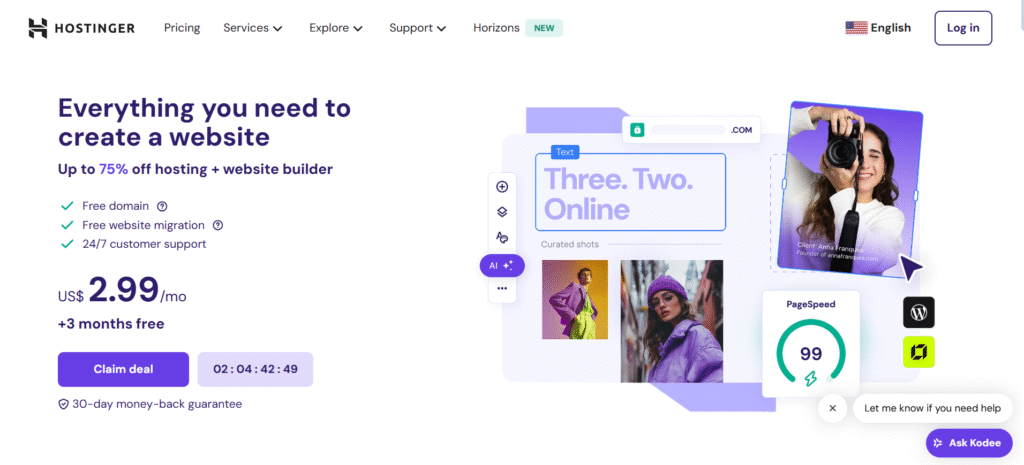
Hostinger is a globally recognized web hosting provider, renowned for its affordable pricing, robust performance, and user-friendly features.
Established in 2004, it has expanded its services to cater to a diverse clientele, ranging from individual bloggers to large enterprises. Hostinger’s commitment to delivering high-quality hosting solutions has earned it a solid reputation in the industry.
Key Features
- Content Delivery Network (CDN): Hostinger integrates with Cloudflare’s CDN, enhancing website loading speeds by distributing content across multiple global servers. This integration ensures that visitors experience faster load times, regardless of their geographic location.
- Auto-Scaling: Hostinger’s cloud hosting plans automatically adjust resources based on traffic demand. This feature ensures optimal website performance during traffic spikes, eliminating the need for manual intervention.
- Custom Control Panel (hPanel): Hostinger offers a proprietary control panel, hPanel, which is intuitive and user-friendly. It allows users to manage their hosting environment efficiently, with features like one-click installations and easy access to various tools.
Hosting Type
Managed Cloud Hosting: Hostinger offers managed cloud hosting, with the technical aspects of server management handled by its expert team. This allows users to focus on content creation and business growth without worrying about server maintenance.
Speed Benchmarks
Hostinger has demonstrated impressive speed performance in various tests:
- GTmetrix: Achieved a typical fully loaded time of approximately 0.8 seconds, significantly outperforming many budget hosting providers. This speed is attributed to Hostinger’s use of LiteSpeed optimization settings and SSD storage.
- Sucuri Load Time Tester: Recorded loading speeds around 1 second in Europe and South America, even when hosted on U.S.-based data centers. This global performance highlights Hostinger’s efficient infrastructure and CDN integration.
Uptime Statistics
Hostinger boasts a 99.9% uptime guarantee, aligning with industry standards. Independent tests have shown exceptional reliability:
- UptimeRobot Monitoring: Over a one-month period, Hostinger’s test site experienced zero downtime, showcasing the stability of their hosting services.
Ease of Use
Hostinger prioritizes user experience with features such as:
- hPanel: A custom-built control panel that simplifies website and hosting management tasks. Users can easily install applications, manage emails, and monitor website performance.
- AI Website Builder: Hostinger provides an AI-driven website builder, enabling users to create professional websites effortlessly. This tool is especially beneficial for those without coding experience.
Starting Price and Value Plan
Hostinger’s pricing is competitive, offering excellent value for the features provided:
- Shared Hosting: Plans start at $2.78 per month, suitable for startups and small businesses. This plan includes 25GB SSD storage and supports up to 25 websites.
- Cloud Hosting: Starting at $7.43 per month, this plan offers enhanced performance with cloud infrastructure, including features like auto-scaling and dedicated resources.
Pros and Cons
Pros:
- Affordable Pricing: Competitive rates make Hostinger accessible for businesses and individuals on a budget.
- High Performance: Fast loading times and reliable uptime contribute to a positive user experience.
- User-Friendly Interface: hPanel and the AI website builder simplify website management and creation.
- Comprehensive Support: 24/7 customer support is available to assist with technical issues and inquiries.
Cons:
- Renewal Rates: Although promotional pricing is initially attractive, renewal rates can be higher, a common industry practice.
- Limited Data Centers: While Hostinger has data centers in multiple regions, expanding this network could further enhance global performance.
Kinsta
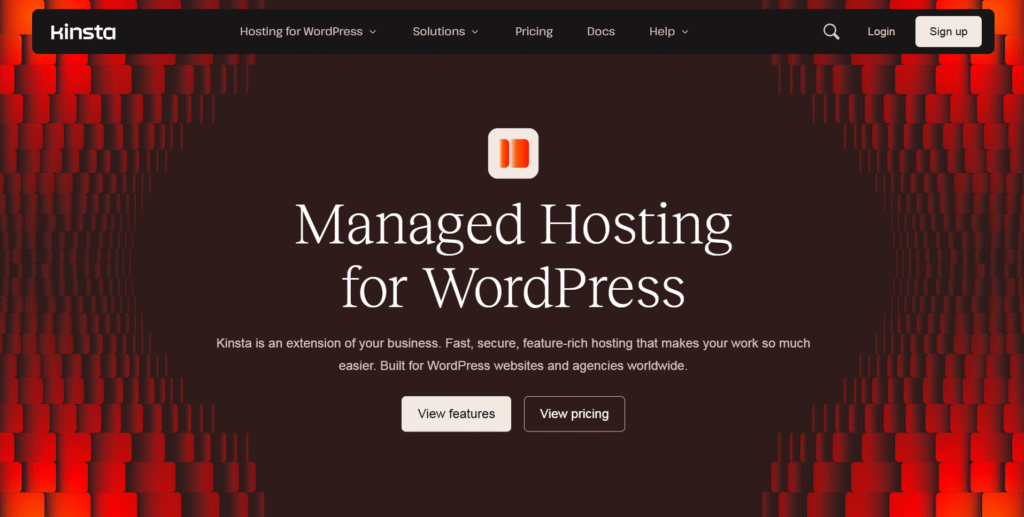
Kinsta is a premium managed WordPress hosting provider renowned for its high-performance hosting solutions tailored for businesses and developers.
Enhancing the Google Cloud Platform, Kinsta offers scalable and secure hosting environments optimized for WordPress sites. Founded in 2013, it has rapidly gained recognition for its exceptional speed, reliability, and customer support
Key Features
- Content Delivery Network (CDN): Kinsta integrates a proprietary CDN with over 260 Points of Presence (POPs) worldwide, ensuring rapid content delivery and reduced latency for global audiences.
- Auto-Scaling: Built on the Google Cloud Platform, Kinsta’s infrastructure automatically scales resources to accommodate traffic spikes, maintaining optimal performance without manual intervention.
- Backups: Kinsta provides daily backups with a retention period ranging from 14 to 30 days, depending on the plan. Users can also initiate manual backups and download them for added security.
Hosting Type
Managed WordPress Hosting: Kinsta specializes in managed WordPress hosting, handling all technical aspects, including server management, updates, and security, allowing users to focus on content creation and business growth.
Speed Benchmarks
Kinsta’s infrastructure delivers exceptional speed performance:
- Time to First Byte (TTFB): Kinsta consistently achieves low TTFB metrics, contributing to faster page load times.
- Global Performance: With data centers across multiple continents, Kinsta ensures fast loading times worldwide.
Uptime Statistics
Kinsta offers a 99.9% uptime Service Level Agreement (SLA), ensuring high availability. Independent tests have shown a 100% uptime rate over extended periods, highlighting the reliability of their hosting services.
Ease of Use
Kinsta’s custom dashboard is designed for user-friendliness, providing intuitive navigation for site management tasks. Features like one-click staging environments, free site migrations, and proactive plugin vulnerability alerts enhance the user experience.
Starting Price + Value Plan
Kinsta’s pricing is designed to customer of various needs:
- Single-Site Plan: Starting at $30 per month (after a free first month), this plan includes 1 WordPress installation, 35,000 monthly visits, 10GB of storage, and 125GB of CDN.
- Multiple-Site Plan: Starting at $70 per month (after a free first month), this plan supports 2 WordPress installs, 70,000 monthly visits, 20GB storage, and 250GB CDN.
Annual billing options are available at discounted rates, offering additional savings.
Pros and Cons
Pros:
- Exceptional Performance: Leveraging Google Cloud’s infrastructure, Kinsta delivers superior speed and reliability.
- Comprehensive Security: Features like free malware removal, DDoS protection, and daily backups ensure robust security.
- Developer-Friendly Tools: Tools such as SSH access, Git integration, and staging environments cater to developers’ needs.
Cons:
- Premium Pricing: Kinsta’s plans are priced higher than some competitors’, which may not suit all budgets.
- Limited to WordPress: Kinsta supports only WordPress sites, so it’s not suitable for other CMS platforms.
Cloudways
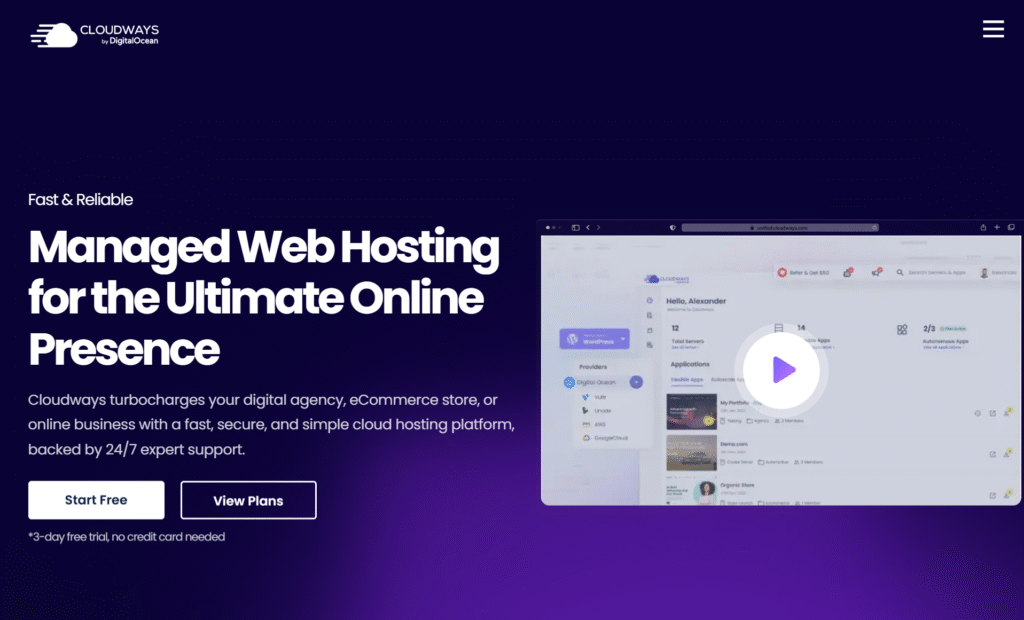
Cloudways is a managed cloud hosting platform that simplifies hosting by integrating with leading cloud providers, including DigitalOcean, Vultr, Linode, AWS, and Google Cloud.
Established in 2011, Cloudways offers a user-friendly interface and robust performance, making it a preferred choice for businesses, developers, and agencies seeking reliable hosting solutions without the complexity of server management.
Key Features
- Auto-Scaling: Cloudways’ infrastructure enables automatic resource scaling based on traffic demand, ensuring optimal website performance during spikes without manual intervention.
- Backups: Cloudways offers automated backups that users can schedule at their convenience, making it easy to restore their websites.
- Custom Control Panel: Cloudways provides a user-friendly custom dashboard that simplifies server and application management tasks, including performance monitoring, backups, and site migrations.
Hosting Type
Managed Cloud Hosting: Cloudways specializes in managed cloud hosting, handling all technical aspects, including server management, updates, and security, allowing users to focus on content creation and business growth.
Speed Benchmarks
Cloudways has demonstrated impressive speed performance in various tests:
- GTmetrix: Achieved a typical fully loaded time of approximately 1.9 seconds for a WooCommerce site built with Elementor, without any optimization plugins.
- Custom Testing: In tests using the ultra-lightweight Kadence theme, the Largest Contentful Paint (LCP) was 1.9 seconds, the Total Blocking Time (TBT) was 226 ms, and the Cumulative Layout Shift (CLS) was 0.03.
Uptime Statistics
Cloudways offers a 99.9% uptime Service Level Agreement (SLA), ensuring high availability. Independent tests have shown exceptional reliability, with users reporting improved uptime compared to previous hosting providers.
Ease of Use
Cloudways prioritizes user experience with features such as:
- User-Friendly Dashboard: The platform offers a modern, easy-to-navigate dashboard that simplifies server and application management.
- Flexible Billing: Cloudways offers a pay-as-you-go billing model, allowing users to pay only for the resources they use, which benefits businesses with fluctuating traffic.
Starting Price + Value Plan
Cloudways offers competitive pricing with a pay-as-you-go model:
- DigitalOcean: Plans start at $10 per month, providing 1 GB RAM, 1 Core Processor, 25 GB Storage, and 1 TB of Bandwidth.
- Vultr High Frequency (HF): Plans start at $13 per month, offering enhanced performance with 1 GB RAM, 1 Core Processor, 32 GB Storage, and 1 TB Bandwidth.
- Linode: Plans start at $12 per month, including 1 GB of RAM, 1 Core Processor, 25 GB of Storage, and 1 TB of Bandwidth.
These plans are scalable, allowing users to adjust resources as needed.
Pros and Cons
Pros:
- Exceptional Performance: Cloudways delivers high-speed performance, with users reporting faster load times compared to previous hosting providers.
- Comprehensive Support: Cloudways offers 24/7 live chat, support tickets, and a detailed knowledge base, ensuring that help is always available.
- Advanced Security: Features like bot protection, vulnerability scanning, and DDoS mitigation help keep websites secure.
Cons:
- Higher Costs: Managed services come at a premium, making Cloudways more expensive than using cloud providers directly.
- Learning Curve: New users might initially find the variety of cloud providers and server options overwhelming.
SiteGround Cloud Hosting
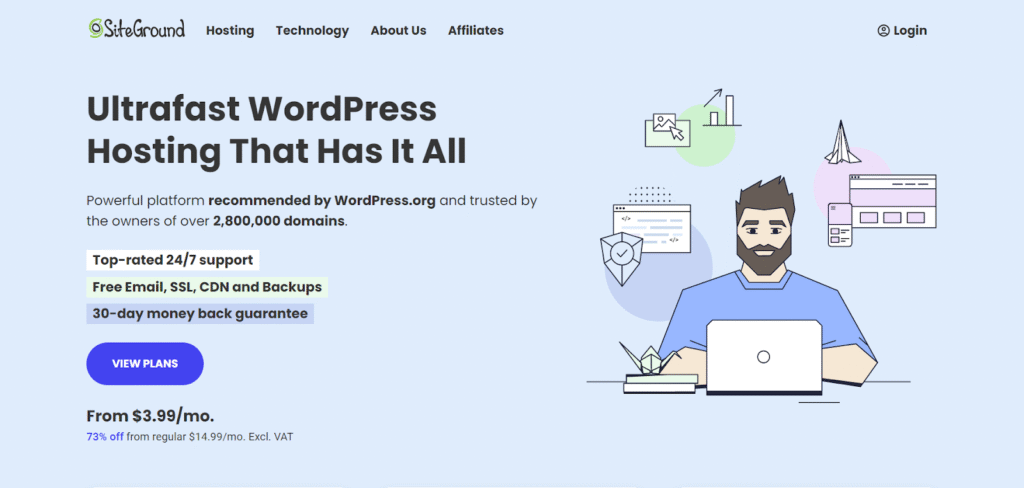
SiteGround is a renowned web hosting provider offering a range of hosting solutions, including shared, cloud, and dedicated hosting.
Their Cloud Hosting service is designed for businesses and websites requiring scalable resources, enhanced performance, and robust reliability.
Starting at $100 per month, SiteGround’s cloud plans provide a managed environment with customizable configurations to meet diverse hosting needs.
Key Features
- Content Delivery Network (CDN): SiteGround integrates with Cloudflare’s CDN, offering a free plan for up to 10GB of bandwidth. This integration enhances website loading speeds by distributing content across global servers, ensuring faster access for users worldwide.
- Auto-Scaling: SiteGround’s cloud infrastructure supports auto-scaling, allowing resources to adjust automatically based on traffic demands. This feature ensures optimal performance during traffic spikes without manual intervention.
- Custom Control Panel: SiteGround provides a user-friendly custom dashboard that simplifies server and application management tasks, including performance monitoring, backups, and site migrations.
Hosting Type
Managed Cloud Hosting: SiteGround’s cloud hosting is fully managed, handling all technical aspects, including server management, updates, and security.
This allows users to focus on content creation and business growth without worrying about server maintenance.
Speed Benchmarks
SiteGround’s cloud hosting has demonstrated significant improvements in website performance:
- Response Time: Upgrading to cloud hosting has reduced average response time from around 700ms to approximately 350ms.
- Time to First Byte (TTFB): Users have reported improved TTFB after migrating to SiteGround’s cloud hosting, resulting in faster page load times.
Uptime Statistics
SiteGround offers a 99.9% uptime Service Level Agreement (SLA), ensuring high availability. Independent tests have shown exceptional reliability, with uptime consistently above 99.97%.
Ease of Use
SiteGround prioritizes user experience with features such as:
- User-Friendly Dashboard: The platform offers an intuitive, easy-to-navigate dashboard that simplifies server and application management.
- Flexible Billing: SiteGround provides a pay-as-you-go billing model, allowing users to pay only for the resources they use, which is beneficial for businesses with fluctuating traffic.
Starting Price + Value Plan
SiteGround’s cloud hosting plans start at $100 per month and offer a range of configurations to suit various needs. The entry-level plan includes 4 CPU cores, 8 GB of RAM, and ample SSD storage, making it suitable for growing websites and businesses.
Pros and Cons
Pros:
- Exceptional Performance: SiteGround delivers high-speed performance, with users reporting faster load times compared to previous hosting providers.
- Scalability: The cloud infrastructure allows for easy scaling of resources to accommodate traffic growth and ensure consistent performance.
- Advanced Security: Features like daily backups, DDoS protection, and proactive monitoring help keep websites secure.
Cons:
- Higher Costs: Managed services come at a premium, making SiteGround’s cloud hosting more expensive than using cloud providers directly.
- Learning Curve: New users might initially find the variety of cloud configurations and server options overwhelming.
Nexcess Cloud Hosting
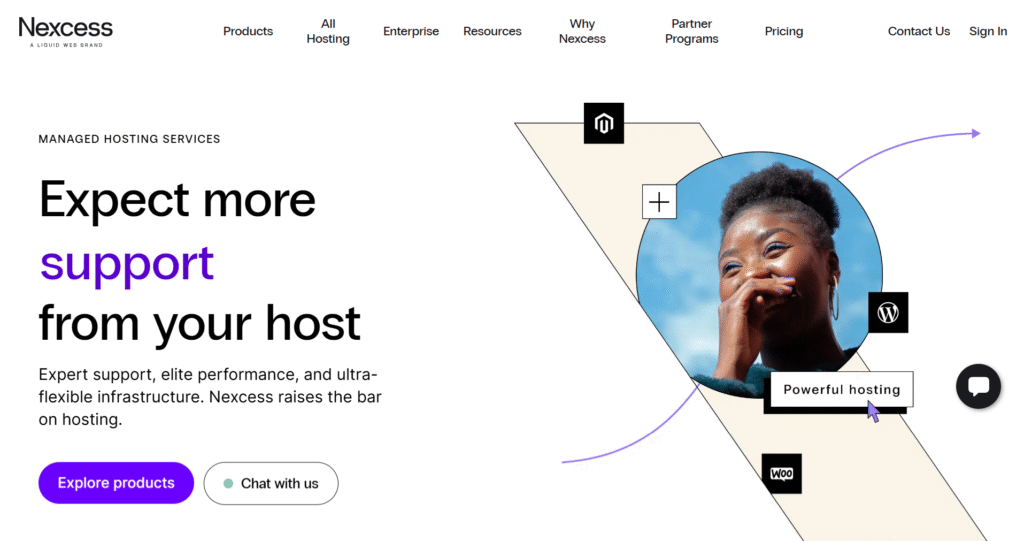
Nexcess is a reputable managed hosting provider offering a range of hosting solutions, including cloud hosting tailored for various applications such as WordPress, WooCommerce, and Magento.
Their cloud hosting services are designed to provide scalable resources, high performance, and robust reliability for businesses and developers.
Plans start at $57 per month and include managed environments with customizable configurations to meet diverse hosting needs.
Key Features
- Content Delivery Network (CDN): Nexcess integrates with a global CDN to enhance website loading speeds by distributing content across multiple servers worldwide, ensuring faster access for users.
- Auto-Scaling: Nexcess’s cloud infrastructure supports auto-scaling, automatically adjusting resources based on traffic demands. This feature ensures optimal performance during traffic spikes without manual intervention.
- Backups: Daily backups are included with all plans, and you can restore from the last 30 days. Higher-tier plans offer additional backup options, providing flexibility and security for your data.
Hosting Type
Managed Cloud Hosting: Nexcess offers fully managed cloud hosting services, handling all technical aspects such as server management, updates, and security. This allows users to focus on content creation and business growth without worrying about server maintenance.
Speed Benchmarks
Nexcess’s cloud hosting has demonstrated significant improvements in website performance:
- Response Time: Upgrading to cloud hosting has reduced average response times, resulting in faster page load times.
- Time to First Byte (TTFB): Users have reported improved TTFB after migrating to Nexcess’s cloud hosting, which has enhanced overall site speed.
Uptime Statistics
Nexcess offers a 99.99% uptime Service Level Agreement (SLA), ensuring high availability. Independent tests have shown exceptional reliability, with uptime consistently above 99.97%.
Ease of Use
Nexcess prioritizes user experience with features such as:
- User-Friendly Dashboard: The platform offers an intuitive, easy-to-navigate dashboard that simplifies server and application management.
- Flexible Billing: Nexcess offers a pay-as-you-go billing model, allowing users to pay only for the resources they use, which benefits businesses with fluctuating traffic.
Starting Price + Value Plan
Nexcess’s cloud hosting plans start at $57 per month and offer a range of configurations to suit various needs. The entry-level XS plan includes 50 GB storage, 1 TB bandwidth, and supports up to 11 sites, making it suitable for small businesses and developers.
Pros and Cons
Pros:
- Exceptional Performance: Nexcess delivers high-speed performance, with users reporting faster load times compared to previous hosting providers.
- Comprehensive Support: Nexcess offers 24/7 live chat, support tickets, and a detailed knowledge base, ensuring that help is always available.
- Advanced Security: Features like daily backups, DDoS protection, and proactive monitoring help keep websites secure.
Cons:
- Higher Costs: Managed services come at a premium, making Nexcess’s cloud hosting more expensive than using cloud providers directly.
- Resource Limitations: Some users have reported CPU and other resource limitations, which require additional upgrades to achieve optimal performance.
- Learning Curve: New users might initially find the variety of cloud configurations and server options overwhelming.
GreenGeeks

GreenGeeks is a renowned web hosting provider recognized for its commitment to environmental sustainability and robust hosting solutions.
Established with a mission to offer eco-friendly hosting services, GreenGeeks offsets 300% of its energy consumption by reinvesting in renewable energy sources, making it a leading choice for environmentally conscious website owners.
Beyond its green initiatives, GreenGeeks delivers high-performance hosting tailored to the needs of users ranging from individual bloggers to large enterprises.
Key Features
- Content Delivery Network (CDN): GreenGeeks integrates with Cloudflare’s CDN, enhancing website loading speeds by distributing content across multiple global servers. This ensures that visitors experience faster load times, regardless of their geographic location.
- Auto-Scaling: GreenGeeks offers auto-scaling, automatically adjusting computing resources based on website traffic demand. This ensures optimal performance during traffic spikes without manual intervention.
- Custom Control Panel (cPanel): GreenGeeks offers the industry-standard cPanel, allowing users to manage their hosting environment efficiently with features like one-click installations and easy access to various tools.
Hosting Type
GreenGeeks provides Managed WordPress Hosting, handling technical aspects such as server management, security updates, and performance optimizations. This allows users to focus on content creation and business growth without worrying about server maintenance.
Speed Benchmarks
GreenGeeks has demonstrated impressive speed performance in various tests:
- Time to First Byte (TTFB): Approximately 395ms, indicating a swift server response time.
- Load Handling: In load tests, GreenGeeks maintained a response time of 26ms under stress, showcasing its ability to handle high traffic efficiently.
Uptime Statistics
GreenGeeks boasts a 99.9% uptime guarantee, aligning with industry standards. Independent monitoring has shown an average uptime of 99.96%, reflecting the reliability of their hosting services.
Ease of Use
GreenGeeks prioritizes user experience with features such as:
- cPanel: A user-friendly control panel that simplifies website and hosting management tasks, allowing users to install applications, manage emails, and monitor website performance effortlessly.
- AI Website Builder: GreenGeeks offers an AI-driven website builder that lets users create professional websites quickly and easily, making it especially beneficial for those without coding experience.
Starting Price and Value Plan
GreenGeeks offers competitive pricing for its hosting services:
- Lite Plan: Starting at $2.95 per month, suitable for startups and small businesses. This plan includes 25GB of storage and supports one website.
- Pro Plan: Starting at $4.95 per month, this plan offers enhanced performance, unlimited websites, and 50GB of storage, making it ideal for growing businesses.
Pros and Cons
Pros:
- Eco-Friendly Hosting: GreenGeeks’ commitment to renewable energy makes it an environmentally responsible choice.
- High Performance: Fast loading times and reliable uptime contribute to a positive user experience.
- Comprehensive Support: 24/7 customer support is available to assist with technical issues and inquiries.
Cons:
- Renewal Rates: Promotional pricing is attractive initially, but renewal rates can be higher, which is common in the industry.
- Limited Data Centers: While GreenGeeks has data centers in multiple regions, expanding this network could further enhance global performance.
HostWP.io: Powerful, Affordable, and User-Friendly WordPress Hosting
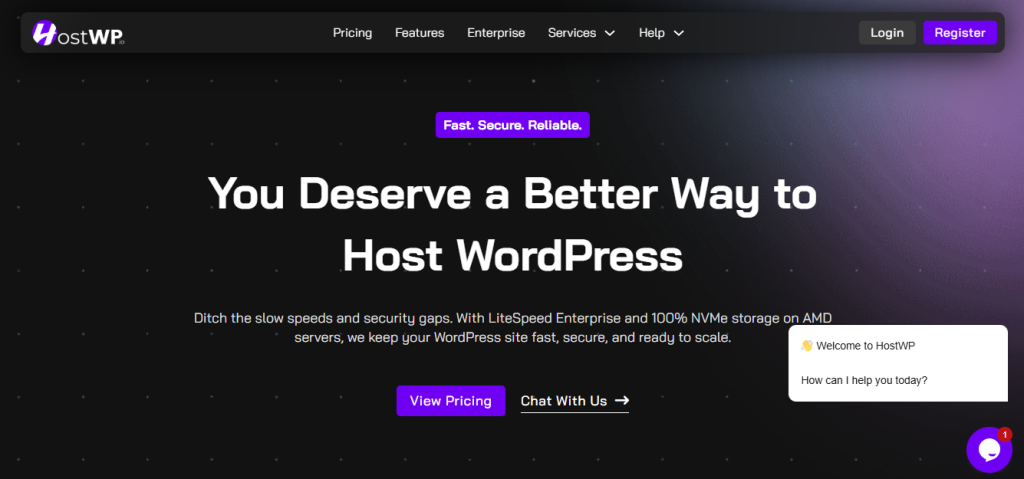
HostWP.io is a modern WordPress hosting provider designed to deliver high performance, strong security, and ease of use at an affordable price.
Launched with a mission to simplify WordPress hosting, HostWP.io has become a preferred choice for businesses, bloggers, developers, and agencies seeking reliable hosting with no hidden costs. Its focus on WordPress-specific tools and technologies makes managing websites faster, safer, and more efficient.
Key Features
- LiteSpeed Enterprise: HostWP.io uses LiteSpeed Enterprise web servers for all plans. Customers of HostWP.io do not need to pay separately for a LiteSpeed Enterprise license; it is included with their plans, making it the most cost-effective way to migrate WordPress websites to LiteSpeed Enterprise servers.
- Redis Object Cache: All HostWP plans include Redis cache, which significantly speeds up database queries and backend and frontend operations.
- 100% NVMe SSD Storage: Every hosting plan comes with NVMe SSD storage, which is much faster than traditional SSDs, resulting in faster website responses and better overall performance.
- QUIC.cloud CDN: HostWP.io integrates QUIC.cloud CDN with more than 83 global locations. This helps deliver your content to visitors worldwide faster, reducing latency and improving the user experience.
- Daily Backups and One-Click Restore: Automatic daily backups, combined with one-click restore, make it easy to recover your site in case of accidental changes or issues.
- Free Website Migration: Migrating your WordPress site to HostWP.io is straightforward. Their team handles the entire process, ensuring zero downtime and no technical hassle for users.
- Expert WordPress Support: HostWP.io offers 24/7 support from professionals who know WordPress inside out. From theme conflicts to plugin troubleshooting, their team provides reliable and fast assistance.
- Database Centre: HostWP.io has data centers in the USA, UK, and Germany, and has recently expanded its infrastructure further. They have also launched a new data center in Singapore, bringing their global network closer to users in the APAC region.
Hosting Type
- Managed WordPress Hosting: HostWP.io handles all server-side management, including caching, security, updates, and backups. This allows website owners to focus on creating content and growing their business instead of worrying about technical issues.
- Staging and Developer Tools: HostWP.io provides a staging environment for safely testing website changes. Developers also get access to SSH, SFTP, and WP-CLI, making site management faster and more efficient.
- Domain Registration: Customers can register domains with HostWP.io and manage them from a single dashboard.
- Business Emails: The HostWP.io servers are optimized to send and receive email, and customers can create as many business email addresses for their domains as they want without additional costs.
Speed Benchmarks
HostWP.io prioritizes speed and performance. Real-world testing and customer experience highlight its efficiency:
- Page Load Times as low as 200ms: Websites hosted on HostWP.io load significantly faster than traditional shared hosting, thanks to LiteSpeed Enterprise and NVMe SSD storage.
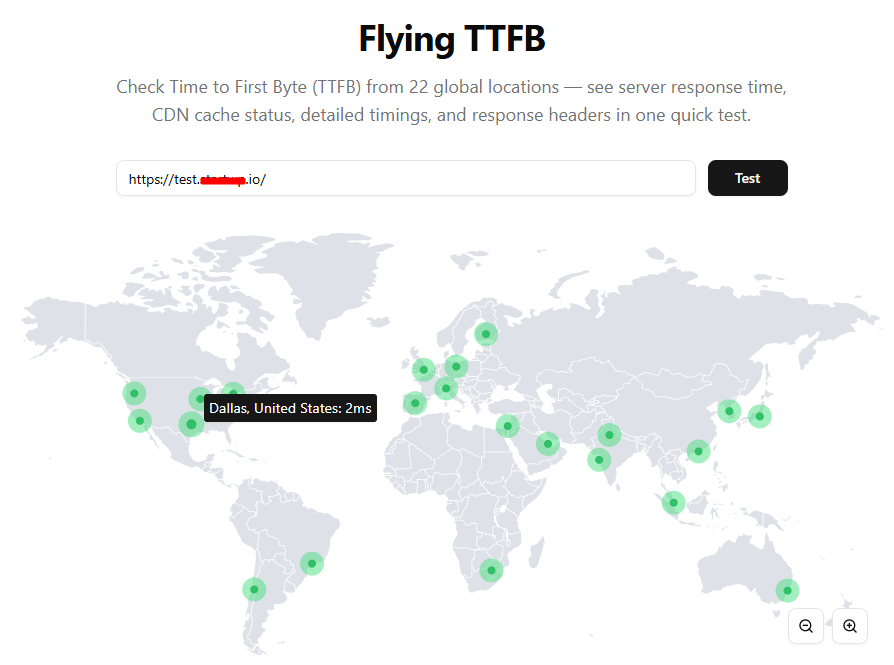
- Global Performance TTFB as low as 15ms: With QUIC.With cloud CDN, visitors from anywhere in the world experience fast website loading, ensuring a smooth experience even for international audiences.
- Traffic Handling: The platform is optimized to handle high traffic without slowing down, making it ideal for growing blogs, e-commerce stores, and agency client sites.
Uptime and Reliability
HostWP.io promises a 99.9% uptime guarantee, ensuring websites remain accessible almost all the time. Independent users report high stability and minimal downtime, demonstrating the reliability of their infrastructure.
- Monitoring and Security: Continuous monitoring, firewall protection, and proactive measures help prevent downtime caused by attacks or server issues.
Ease of Use
HostWP.io focuses on simplicity while offering powerful tools:
- WordPress Manager: A centralized dashboard for managing all WordPress sites, plugins, and themes with ease.
- One-Click Installations: Install WordPress or other applications quickly and easily.
- Migration Made Easy: Free migration ensures that moving your existing site to HostWP.io is simple, quick, and risk-free.
Starting Price and Value Plan
HostWP.io offers affordable and transparent pricing, ensuring users know exactly what they are paying for:
- Starter Plan: Ideal for small websites, includes up to 3 WordPress sites, 10 GB NVMe storage, and 1 GB RAM for $9.99 per month (first month $1), 30% off for 1 year.
- Pro Plan: For growing businesses, supports up to 5 WordPress sites, 20 GB of NVMe storage, and 2 GB RAM for $19.99 per month.
- Earlybird Plan: Supports up to 10 sites with 30 GB NVMe storage and 4 GB RAM for $24.99 per month.
- Business Plan: Hosts 25 sites with 50 GB NVMe storage and 4 GB RAM, costing $34.99 per month.
- Agency Plan: Unlimited WordPress sites, 100 GB NVMe storage, and 4 GB RAM for $49.99 per month.
- All plans include LiteSpeed Enterprise, NVMe SSDs, daily backups, free migration, and expert WordPress support.
Pros and Cons
Pros:
- Affordable Pricing: HostWP.io plans are competitive, offering great value without hidden fees.
- High Performance: LiteSpeed Enterprise, NVMe SSD storage, and CDN integration make websites load quickly and reliably.
- User-Friendly Tools: WordPress Manager, staging environment, and one-click installations simplify website management.
- Comprehensive Support: 24/7 bot-free support from WordPress experts ensures technical problems are resolved quickly.
- Inclusive Features: Daily backups, free migration, SSL certificates, and CDN are included in all plans.
Cons:
- Newer Brand: HostWP.io is newer compared to global giants when compared to WP Engine, Kinsta, Cloudways, Siteground, etc.
- Limited Data Centres: While performance is excellent, HostWP currently has 4 global locations: the US, Germany, the UK, and Singapore at the time of writing this review.
Comparison Table: Features, Speed, Uptime and Pricing
| Hosting Provider | Starting Price (Monthly/Yearly) | Uptime Guarantee | Page Load Speed | Server Locations | Free Migrations? | Support Options |
| Hostinger | $2.99/month (billed yearly) | 99.9% | 500ms (on average) | USA, UK, Singapore, Europe | Yes | 24/7 live chat, Email |
| Kinsta | $35/month (billed yearly) | 99.99% | 130ms (on average) | North America, Europe, Asia, Australia | Yes | 24/7 support (chat), Knowledge base |
| Cloudways | $12/month (billed yearly) | 99.99% | 200ms (on average) | North America, Europe, Asia | Yes | 24/7 support (chat, tickets) |
| SiteGround Cloud | $80/month (billed yearly) | 99.99% | 450ms (on average) | USA, Europe, Asia | Yes | 24/7 chat, Phone, Tickets |
| Nexcess | $57/month (billed yearly) | 99.99% | 200ms (on average) | North America, Europe, Asia | Yes | 24/7 live chat, Tickets, Phone |
| GreenGeeks | $2.95/ month(billed monthly) | 99.96% | 395ms (on average) | USA, Europe, Asia | Yes | 24/7 support (chat, tickets) |
| HostWP.io | $9.99/ month(billed yearly) | 99.99% | Less than 150ms (on average) | USA, EU, UK, SG | Yes | 24/7 support (chat, tickets) |
Key Takeaways:
- Starting Price: Hostinger offers the most affordable plans, starting at $2.99/month, while SiteGround and Kinsta offer higher-tier plans starting at $80/month.
- Uptime Guarantee: All providers offer an impressive uptime guarantee, with Kinsta and Nexcess offering 99.99%.
- Page Load Speed: Kinsta leads with an average page load speed of 130ms, followed by Nexcess and Cloudways at 200ms.
- Server Locations: All providers offer multiple server locations across North America, Europe, and Asia, ensuring global accessibility for users.
- Free Migrations: All providers offer free migrations, making it easier for users to switch from another hosting provider.
- Support Options: Each provider offers 24/7 support through multiple channels, including live chat, email, and phone, ensuring quick assistance when needed.
Want to reduce cloud costs?

File Manager for Dropbox is the perfect solution for you.
Get the plugin and cut down your WordPress website’s cloud storage expenses instantly.
This plugin offers full Dropbox integration right inside your WordPress dashboard. Easily browse, manage, and use any Dropbox file directly on your site, no coding needed.
✅ Full Dropbox Integration
Access your entire Dropbox storage from the WordPress dashboard.
📁 File Browsing & Management
Browse, upload, rename, delete, and organize Dropbox files directly in WordPress.
🔗 Embed Dropbox Files Anywhere
Easily insert files, folders, images, videos, or PDFs into posts and pages via shortcode or block.
🔄 Auto-Sync Support
Keep your Dropbox and WordPress in sync, and changes reflect instantly on your site.🔐 Secure File Access Controls
Control who can view or download specific files or folders from your site.
Tips to Get the Most Out of Your Cloud Hosting
Optimizing your WordPress cloud hosting can significantly enhance your site’s performance, speed, and reliability.
Here are some valuable tips to help you maximize the benefits of your cloud hosting:
Use a Lightweight Theme
The theme you choose for your WordPress website plays a major role in its performance. A lightweight theme minimizes the use of unnecessary scripts and assets that could slow down your website.
According to Google’s PageSpeed Insights, every 1-second delay in page load time can reduce conversions by 7%. Choosing a fast, optimized theme like Astra or GeneratePress can improve the WordPress experience in the cloud.
Prioritize Built-In CDN
Most cloud hosting providers offer built-in Content Delivery Network (CDN) integrations. CDNs distribute content across multiple servers globally, improving website speed by caching static content at the server closest to the user.
For example, Kinsta, a top cloud hosting provider, integrates with KeyCDN to deliver content faster. Using a cloud WordPress hosting plan with a built-in CDN can decrease load time by up to 50% in some cases.
Regular Backups and Uptime Monitoring
Regardless of your hosting solution, regular backups are essential to safeguard your WordPress website from data loss.
Using automated backup services with your WordPress provider in the cloud ensures peace of mind. Additionally, using uptime monitoring tools like Pingdom can help track your website’s performance and alert you to downtime.
Research from Uptime Robot shows that businesses lose around $7,000 per minute due to server downtime, underscoring the importance of uptime monitoring.
Always Check Renewal Pricing!
While the best cloud hosting services offer low initial prices, it’s important to check their renewal rates.
Some providers offer attractive introductory pricing that increases significantly after the first term.
For example, Cloudways offers an initial price of $12/month, but renewal pricing can go up depending on your plan and resource usage. Always ensure that you understand the renewal pricing structure to avoid surprises when it’s time to renew.
FAQs
What is WordPress cloud hosting and how is it different from regular hosting?
WordPress cloud hosting is a hosting solution that uses multiple servers to host your website, providing better scalability, performance, and reliability. Unlike regular hosting (like shared hosting), cloud hosting for WordPress websites ensures that resources like CPU and RAM are allocated dynamically based on demand, making it more adaptable during traffic spikes.
Is Hostinger a reliable option for WordPress cloud hosting in 2026?
Yes, Hostinger is considered one of the top WordPress cloud hosting providers in 2026. With fast speeds and excellent uptime guarantees, it provides a cost-effective solution for users looking to build their WordPress cloud sites.
What are the benefits of using cloud hosting for WordPress websites?
The main benefits of cloud hosting for WordPress websites include enhanced scalability, better uptime, faster page load times and greater flexibility compared to traditional hosting solutions.
How does pricing for WordPress cloud hosting compare to shared or VPS hosting?
While WordPress cloud hosting providers tend to be pricier than shared hosting, they are often more cost-effective than VPS hosting when considering features like performance optimization and scalability.
Which cloud hosting provider offers the best speed and uptime for WordPress sites?
Among the top WordPress cloud hosting providers, Kinsta and Cloudways are known for offering the best speed and uptime, with Kinsta guaranteeing 99.99% uptime and page load speeds averaging 130ms.
Is cloud hosting suitable for beginners or small websites?
Cloud hosting can be suitable for beginners, especially with managed WordPress cloud hosting solutions that handle most technical tasks, such as backups, security, and updates. However, small websites with low traffic might find shared hosting to be a more cost-effective solution initially.
Can I easily migrate my existing WordPress site to a cloud hosting provider?
Yes, most WordPress cloud hosting providers such as Hostinger, Cloudways, and Kinsta offer free migrations and provide tools to help you easily move your existing WordPress site to their cloud hosting platform.
Do cloud hosting providers offer automatic backups and staging environments?
Many of the best cloud hosting services for WordPress offer automatic daily backups, as well as staging environments. This ensures your site is protected from data loss and allows you to test changes safely before going live. Cloudways, Hostinger and Kinsta are known for their top-tier backup and staging environments.
What should I look for in a managed WordPress cloud hosting provider?
When choosing a managed WordPress cloud hosting provider, look for key features like automatic backups, enhanced security (DDoS protection, SSL), a built-in CDN, 24/7 support, and scalability to handle growth.
Does cloud hosting improve website performance and SEO?
Yes, cloud hosting for WordPress websites can significantly improve website performance, leading to faster page load speeds, which are crucial for SEO. It also helps improve search engine rankings.
Conclusion
WordPress cloud hosting offers significant advantages for websites looking to scale, improve performance, and ensure improved uptime.
The flexibility, enhanced security, and powerful speed optimizations make it an ideal choice for businesses, e-commerce sites, and high-traffic blogs. Unlike traditional hosting, cloud hosting enables seamless scaling, ensuring your website can handle surges in traffic without compromising performance.
However, it is essential to select a cloud WordPress provider that aligns with your specific needs, such as website size, traffic volume, and required features.
Price should not be the sole determining factor—look for providers with the best price-to-performance ratio to ensure you’re getting the most value from your hosting investment.