

In this documentation, we will discuss the customization of the Single Post widget presented by the Element Pack Pro add-on.
Inserting widget
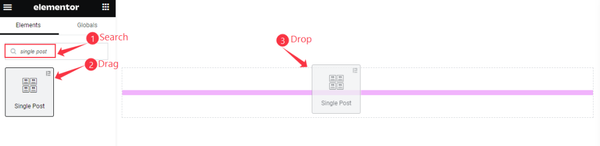
Open your page in Elementor editor, search by the widget name, then drag and drop it.
The Default view of Single Post
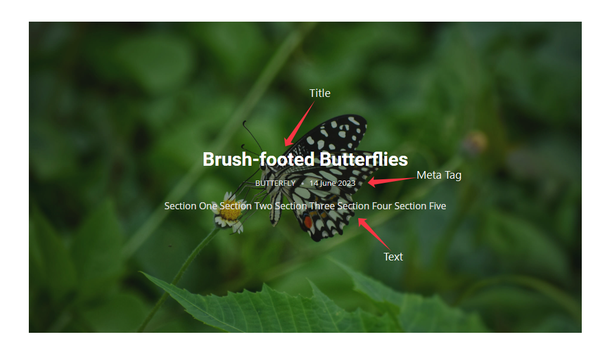
The Single Post displays the Post Title, Meta Tag, and Text.
Content Tab Customization
Layout Section
Go to Content > Layout
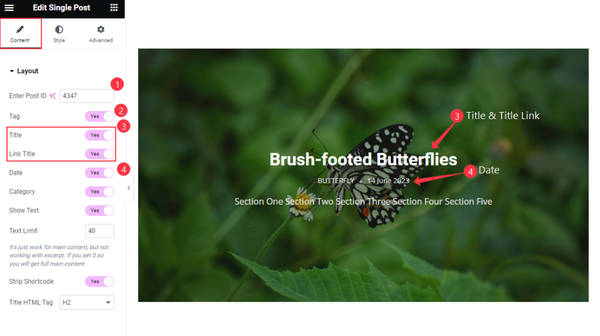
Find the Enter Post ID section to show specific posts only. Another Tag, Title, Link Title, and Date option.
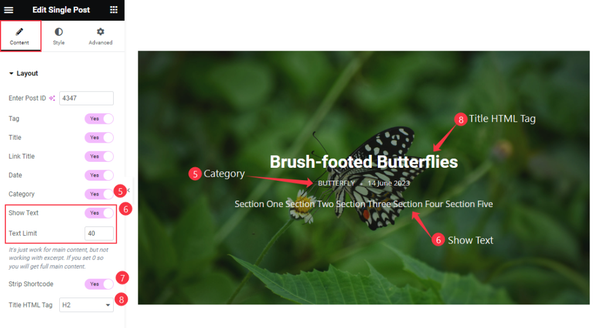
Then find the Category, Show Text, Text Limit, Strip Shortcode, and Title HTML Tag options.
Style Tab Customization
Title Section
Go to Style > Title
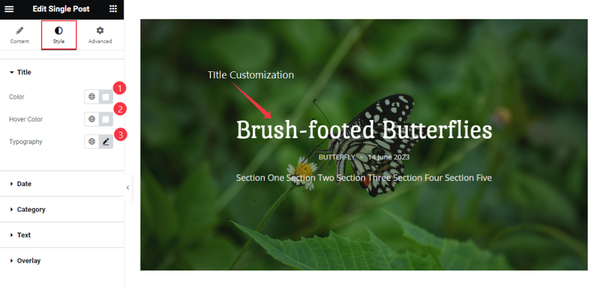
Find the Color, Hover Color, and Typography options.
Date Section
Go to Style > Date
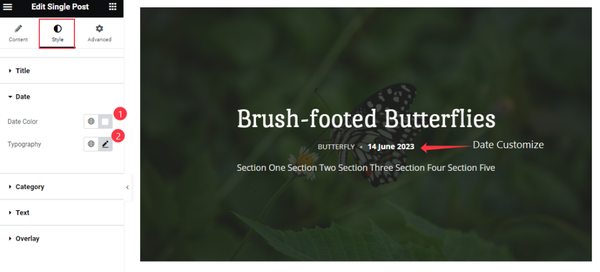
Find the Date Color and Typography options.
Category Section
Go to Style > Category
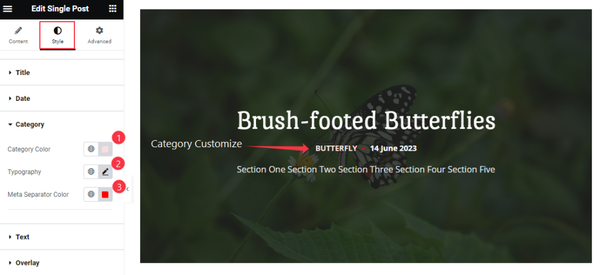
Find the Category Color, Typography, and Meta Separator Color options.
Text Section
Go to Style > Text
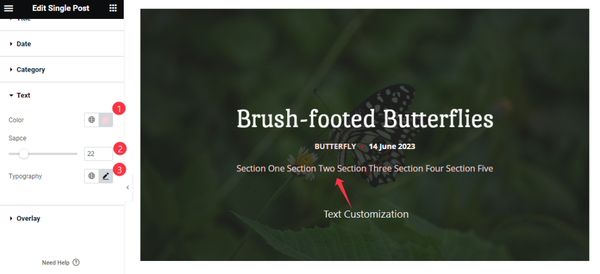
Find the Color, Space, and Typography options.
Overlay Section
Go to Style > Overlay
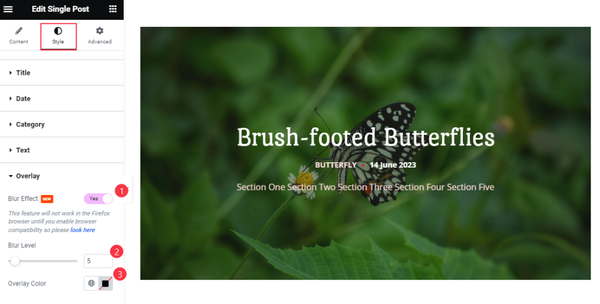
Find the Blur Effect, Blur Level, and Overlay Color options.
Video Assist
Watch the Single Post video tutorial here. Please visit the demo page for examples.
Thanks for being with us.