
WordPress is popular for its user-friendly interface.
Successfully running a website involves much more than just building it. Streamlining your site’s workflow can require you to adopt a variety of strategies to ensure ongoing growth and efficiency.
Fortunately, the WordPress ecosystem offers thousands of plugins designed to simplify tasks and increase productivity.
By identifying the best solutions and methods for your needs, you can make meaningful improvements to how you work.
In this guide, you’ll discover some methods and 3 plugins to improve your workflow and get the most out of your WordPress site.
Methods to Improve Your WordPress Workflow
There are several methods you can use to make managing your WordPress site easier. Here are a few of them:
- Content Planning and Management
- Development and Administration Tools
- Content Review and Collaboration
- Technical Maintenance and Analytics
- Workflow Automation Plugins
Basically, now we will discuss the Workflow Automation Plugins method in detail.
Workflow Automation Plugins
Workflow automation plugins allow your WordPress site to handle many routine tasks for you, helping different tools and actions work together smoothly.
For example, tasks like customizing the admin dashboard, managing content, or managing user accounts can be automated as needed. Using various plugins can also make your site more user-friendly, as well as simplify how visitors interact and browse.
For more examples, features like ready-made templates, especially for form creation, allow you to quickly set up forms without having to start from scratch.
Using a workflow automation plugin can make a big difference in how efficiently you manage your WordPress site. To help you get started, you’ll find three plugin recommendations below that can take your workflow to the next level.
Three Tools to Improve Your WordPress Workflow
Managing a WordPress website involves more than just publishing content. Keeping everything organized, from content creation to admin management and accessibility checks, can save you hours each week. It can also make your site better for your visitors.
You can further improve this type of workflow with these three plugins. The plugins are:
- Smart Admin Assistant
- One Accessibility
- Sigma Forms
Below, we discuss in more detail how Smart Admin Assistant, One Accessibility, and Sigma Forms can transform your site’s workflow. And how to ease your workload, and improve the overall experience for both admins and users.
Smart Admin Assistant
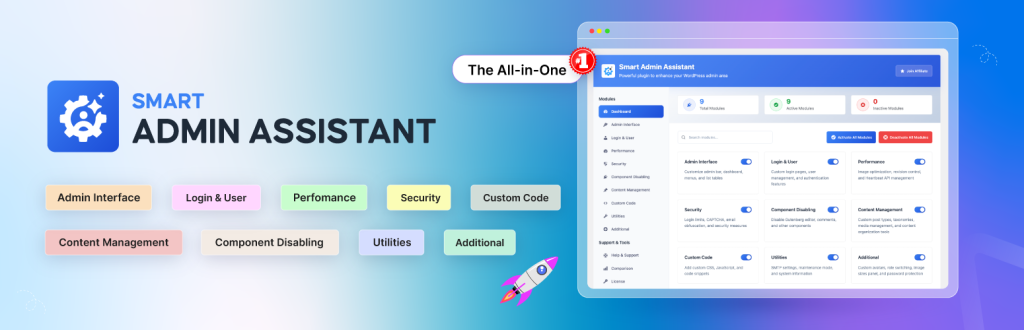
Managing a WordPress website can quickly become overwhelming as your site grows. We know that the default admin dashboard only offers basic options. Often, you have to search for additional plugins to handle everyday tasks like content duplication, admin menu customization, and performance optimization.
Luckily, the Smart Admin Assistant plugin brings powerful solutions together in one place. It makes the workflow smoother and site management easier for everyone.
How does Smart Admin Assistant boost your WordPress website workflow?
The Smart Admin Assistant plugin is much more than an add-on. It’s a complete workflow upgrade for WordPress admins. Whether you need better content tools, a cleaner dashboard, stronger security, or just fewer plugins to maintain, this assistant helps you work smarter.
WordPress’s standard admin panel is simple, but growing sites soon need more. You may find yourself lacking tools to:
- Duplicate content easily
- Customize dashboards, admin bars, or menus
- Control admin notices or disable unused components
- Manage user logins securely
- Optimize site performance without extra plugins
Instead of juggling multiple plugins, the Smart Admin Assistant gives you a suite of features in a single, streamlined extension.
Key Features that Improve Workflow
1. Content Management
- Duplicate posts and pages in one click
- Auto-generate excerpts and custom sort post lists
- Bulk media management and external link controls
2. Dashboard & Menu Customization
- Show/hide admin bars for specific roles
- Tidy up admin notices and reduce clutter
- Redesign dashboard widgets and menus for your team’s needs
3. Performance Optimization
- Automatic image optimization during upload
- Limit post/page revisions to save database space
- Control the Heartbeat API and enable caching for speed
4. Security Upgrades
- Custom login URLs and page design
- Advanced login restrictions and user tracking
- CAPTCHA, brute-force protection, and manual IP blocking
5. Utilities & Extras
- Custom SMTP for reliable emails
- Maintenance mode and complete system info
- Role switching and image size management
All these tools work together to save you time, reduce errors and help everyone.
One Accessibility
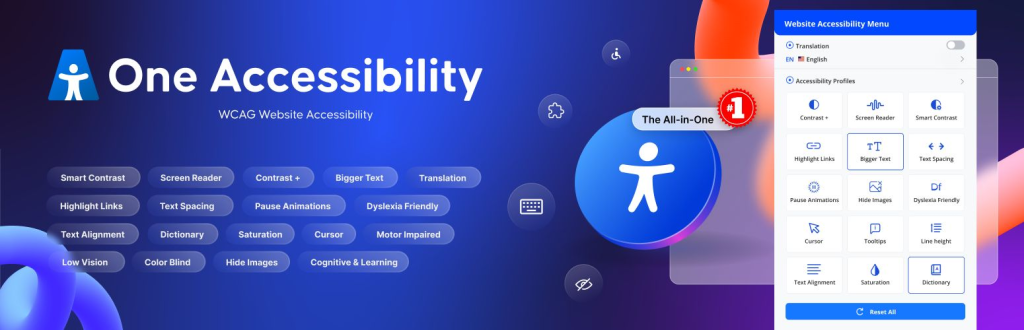
Maintaining a WordPress site that is truly accessible to all users can be challenging. Especially if you use multiple plugins for different accessibility features.
BdThemes’ One Accessibility plugin simplifies this process. It provides everything you need for ADA and WCAG compliance in a single solution. Using it can save you time and improve your workflow.
How does the One Accessibility plugin boost your WordPress website workflow?
Website accessibility is not just a legal checkbox; it makes your content usable for everyone. This includes people with visual, motor, cognitive, or language disabilities.
But configuring accessibility, especially to cover all disability levels (A, AA, AAA), often requires adding multiple plugins. And using too many plugins slows down your site and complicates site management.
This is where One Accessibility stands apart. With this all-in-one plugin, you get an organized, efficient way to manage a wide range of accessibility needs from your WordPress dashboard.
Key Features that Improve Workflow
1. Accessibility Toolbar
- Screen reader compatibility and text-to-speech
- Cursor customization for easier navigation
- Color contrast adjustment tools for better readability
- Text scaling options for improved legibility
2. Content Customization
- Simplify page layouts for cognitive disabilities
- Option to pause animations for epilepsy safety
- Ability to hide images for sensory sensitivity
3. Language & Communication
- Translation integration for multilingual sites
- Dictionary tooltips for word definitions
- Multilingual accessibility and text-to-speech support
4. User Management Profiles
- Create presets targeting specific disabilities (vision, motor, cognitive, etc.)
- Real-time preview and easy profile switching
5. Universal Compatibility
- Works seamlessly with any theme or page builder
- Accessible admin dashboard and front-end integration
These features help you meet accessibility standards, improve the user experience, and simplify site management.
Sigma Forms
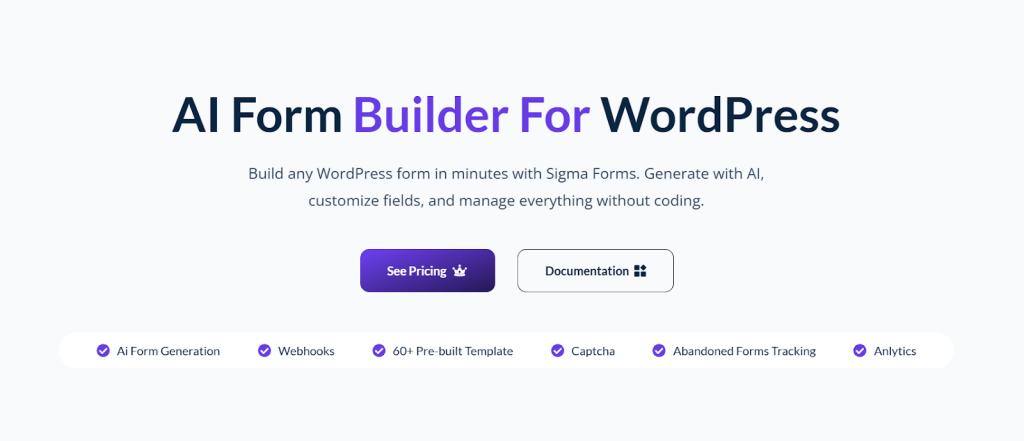
Creating and managing forms is an essential part of running a successful WordPress website. We all need contact forms, surveys, order forms, or event registrations every day.
However, creating forms from scratch or trying to find the right template can be time-consuming and frustrating. The Sigma Forms plugin dramatically changes this workflow, allowing you to instantly create smart, engaging forms with the help of AI.
How does the Sigma Forms plugin boost your WordPress website workflow?
Sigma Forms is more than your average form builder. It is designed to make form creation and management fast, flexible and accessible to everyone. It requires no coding knowledge to use.
With Sigma, you can simplify form-building tasks. You can also improve your website’s data collection and create a better experience for your site visitors.
Key Features that Improve Workflow
1. AI Form Generation
- Instantly build complete forms by simply describing what you need in plain language
- No more manual field-by-field setup or complicated coding
2. Easy Customization
- Drag-and-drop builder for visual editing
- 60+ ready-to-use templates for all common form types
- Personalize layouts, branding and styles with ease
3. Advanced Functionality
- Add conditional logic (show/hide fields based on answers)
- Accept payments and donations with integrated gateways
- Protect forms with built-in CAPTCHA and anti-spam filters
- Access real-time analytics for form performance
4. Seamless Integrations
- Connect to email marketing platforms like Mailchimp for automatic list building
- Use webhooks to trigger automations with other apps or business tools
- Manage all submissions and responses from a single dashboard
5. Designed for Everyone
- Intuitive, code-free setup for beginners
- Flexible and powerful options for advanced users
- Fully mobile-responsive forms to reach users on any device
So, with Sigma Forms, you just tell it what form you want and the plugin’s AI will create it for you. This will save you time and effort and increase your workflow.
FAQ for WordPress Workflow
Q1: What are the best plugins to improve WordPress website workflow?
One Accessibility, Sigma Forms, and the Smart Admin Assistant are top WordPress plugins that streamline admin tasks, boost accessibility, and automate form creation for a faster website workflow.
Q2: How can One Accessibility help optimize my WordPress site?
One Accessibility ensures your WordPress website meets ADA and WCAG guidelines. It makes the website accessible for everyone. It improves user experience and enhances your site’s SEO.
Q3: Is Sigma Forms a good choice for fast WordPress form creation?
Yes! Sigma Forms uses AI to instantly create professional WordPress forms, reducing manual work and improving workflow efficiency for website owners and admins.
Q4: How does Smart Admin Assistant increase WordPress admin productivity?
Smart Admin Assistant centralizes admin controls. You can customize your WordPress dashboard and streamline site management. It can save time and reduce the need for multiple plugins.
Conclusion
Adopting One Accessibility, Sigma Forms and the Smart Admin Assistant is a smart move for any WordPress website owner wanting to boost workflow, performance and accessibility.
These plugins enable you to work smarter, automate with ease and deliver a better experience for all your visitors. Try them on your WordPress site and experience the difference for yourself!