

Staring at a bright screen for hours is one of the most common causes of eye fatigue today. Be it working late at night, binge-reading articles or coding through a long session, your browser brightness can make or break your comfort.
That is where a good brightness extension for Chrome comes in. These small but powerful tools let you take full control of your screen lighting and color temperature without touching your operating system settings.
In this guide, we will walk you through everything you need to know about dark mode and brightness control in Chrome.
You will discover the top ten dark mode and Chrome brightness extensions available right now, understand what sets each apart and find out which one best fits your needs.
We will also share a bonus tip for WordPress site owners who want to bring dark mode directly to their website visitors. Now, let us dive in.
What is Dark Mode?
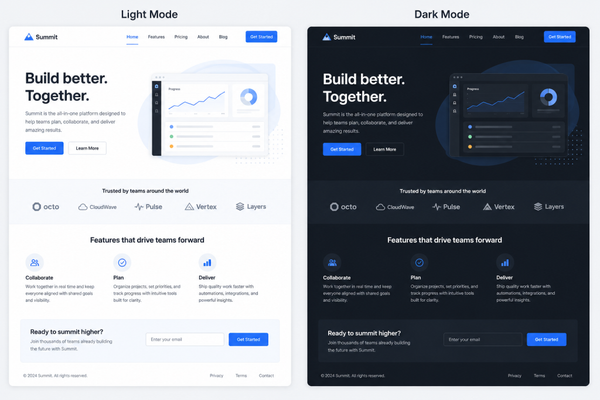
Dark mode is a display setting that switches the color scheme of an interface from a light background with dark text to a dark background with light text.
It has become one of the most requested features across apps, operating systems and browsers in recent years. The shift toward darker interfaces is not just a design trend; it is a practical response to how people actually use their screens.
When you enable dark mode, the dominant white backgrounds that most websites use are replaced with shades of dark gray, charcoal or black. Text, icons and UI elements are then displayed in lighter tones so they remain easy to read.
The result is a lower overall brightness output from your screen, which many users find far more comfortable during extended browsing sessions.
From a technical standpoint, dark mode reduces the number of illuminated pixels on an OLED or AMOLED display, which can slightly improve battery life on laptops and mobile devices.
On traditional LCD screens, the benefit is more about comfort than power saving. Either way, using a screen dimmer Chrome extension or a proper dark mode tool makes a real difference for daily users.
Why Do You Need a Dark Mode Extension for Chrome?
Chrome is the most widely used browser in the world, but its built-in brightness options are fairly limited.
You can switch the browser UI to dark mode through system settings, but individual websites still load with their own default styles, which almost always means bright white backgrounds.
A dedicated dark mode or brightness extension fills that gap by applying custom filters across every page you visit.
Here are the main reasons why so many users are turning to a Chrome brightness extension to improve their daily browsing experience.
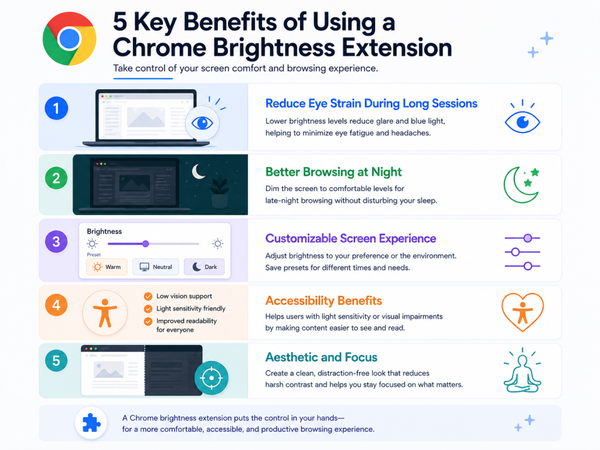
Reduce Eye Strain During Long Sessions
Extended screen time puts enormous stress on your eyes. The constant exposure to bright white light triggers a kind of visual fatigue that builds up gradually.
Using an eye strain extension for Chrome helps by lowering the overall brightness of web pages, reducing the contrast between your screen and the ambient lighting in your room and making text easier to read for longer periods.
Better Browsing at Night
Opening a bright website late at night can feel like shining a flashlight in your own face. A good lower-brightness Chrome extension lets you turn down brightness in Chrome so that night browsing becomes genuinely comfortable.
Many extensions also include a warm color temperature option, which reduces the amount of blue light reaching your eyes and makes it easier to fall asleep after a browsing session.
Customizable Screen Experience
Not everyone wants the same level of darkness. Some users prefer a subtle dim, while others want an intense dark mode that transforms every website.
A proper Chrome extension to adjust brightness gives you granular control over brightness levels, contrast, sepia tone and more. You can fine-tune the settings for each website separately or apply global rules across all tabs.
Accessibility Benefits
Dark mode is not just about personal preference. For users with certain visual conditions, such as photophobia, migraine sensitivity or astigmatism, bright screen backgrounds can be genuinely painful.
A reliable extension to control brightness in Chrome makes the web more accessible by giving these users a way to comfortably interact with any website, regardless of its native design.
Aesthetic and Focus
There is also a creative and productivity angle to dark mode. Many developers, designers and writers find that a darker interface helps them focus on their work without visual distractions. It also gives your browser a sleek, modern look that many users simply prefer aesthetically.
Top 10 Dark Mode Extensions for Chrome
Now, let us get into the real highlight of this guide. Here are the ten best dark mode and brightness extensions available for Chrome right now, each with its own strengths and use cases.
1. Dark Reader
Dark Reader is the most popular and widely trusted dark reader extension for Chrome available today. It brings a sophisticated dark mode to virtually every website you visit, using intelligent inversion algorithms that preserve the readability and visual quality of each page.
Dark Reader is completely free for basic use and has an optional subscription for advanced features.
It is compatible with virtually all websites and is updated regularly to address any rendering issues. If you are serious about protecting your eyes and want the most capable dark reader extension for Chrome, this is the one to start with.
2. Screen Shader
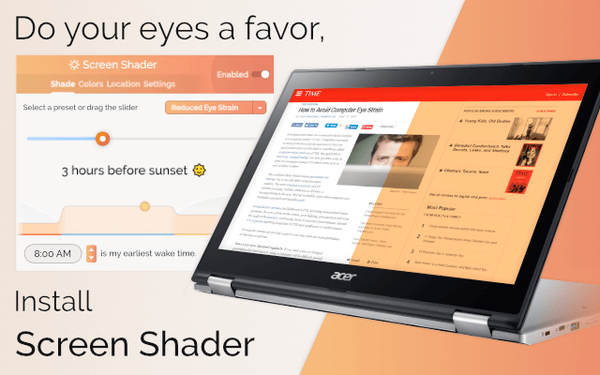
Screen Shader is a highly regarded screen dimmer Chrome extension that focuses on warm color shifting rather than full dark mode transformation. Instead of inverting your entire page, it overlays a subtle warm amber or orange tint over your browser window.
This approach is particularly effective at reducing blue light exposure, which is the primary culprit behind screen-induced sleep disruption.
The extension offers automatic scheduling, so it can gradually shift your screen tone as the day progresses, starting with a neutral color in the morning and warming up toward evening.
This mimics the natural behavior of sunlight and helps your body maintain its circadian rhythm even during long screen sessions.
Screen Shader is ideal for users who do not want the dramatic visual change of full dark mode but still want meaningful protection against eye strain. It is lightweight, free and works seamlessly across all websites without breaking any layouts.
3. Night Eye
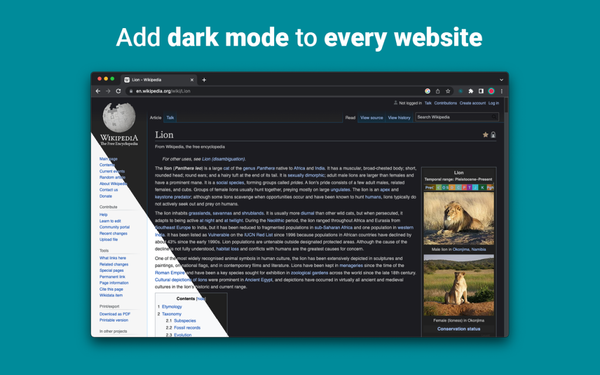
Night Eye is a premium-quality best night mode extension for Chrome that takes dark mode seriously. Unlike some basic tools, Night Eye does not simply invert colors.
It uses smart conversion to apply true dark mode to websites while keeping images vivid and text sharp. The result is a polished, professional-looking dark version of every page you visit.
One of Night Eye’s standout features is its support for multiple modes, including Dark, Filtered, Dimmed and Normal, so you can choose exactly how aggressively the extension modifies your browsing environment.
It also includes a blue light filter and allows you to schedule different modes throughout the day.
Night Eye offers a free tier with limited sites per month and a paid version for unlimited access. For users who spend a lot of time on visually rich websites and want dark mode to look great rather than just functional, Night Eye is an excellent choice.
4. Midnight Lizard
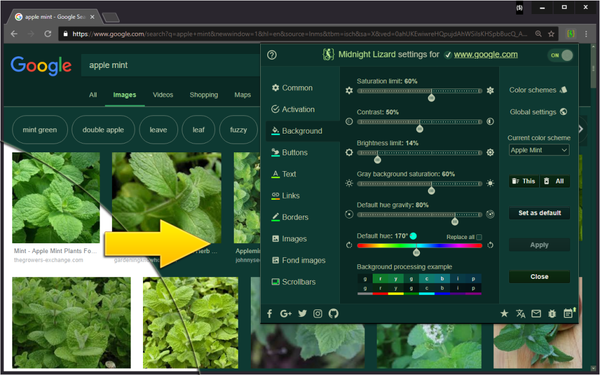
Midnight Lizard takes a unique approach to dark mode by giving you control over complete color schemes rather than just brightness levels.
The extension comes with dozens of built-in color schemes, including various interpretations of dark mode, high contrast, inverted and warm-toned layouts. You can apply different schemes to different websites or set a single global scheme for everything.
For users who want to go beyond simple dimming and actually customize how every color on every website looks, Midnight Lizard is an incredibly powerful Chrome extension to adjust brightness and color.
It is particularly popular among accessibility-focused users who need specific color combinations for comfortable reading.
The extension is open source and free, with an active development community that continues to improve compatibility and add new schemes.
If you enjoy tinkering with visual settings and want a deeply customizable experience, Midnight Lizard deserves a spot on your shortlist.
5. Turn Off the Lights
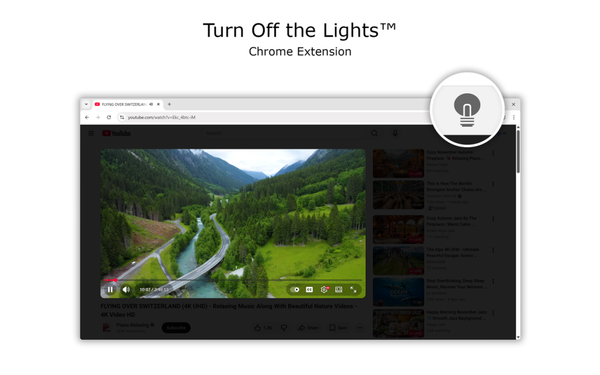
Turn Off the Lights is one of the most feature-rich and versatile brightness extensions available for Chrome. As its name suggests, it was originally designed to dim the background around video players so you could watch content without bright distractions.
Over time, it has evolved into a full-featured Chrome brightness extension with a massive set of customization options.
Turn Off the Lights is free with optional donations and has one of the most dedicated user communities of any Chrome extension. If you want a tool that does far more than just lower your screen brightness, this is an excellent option to explore.
6. Dark Mode for Chrome
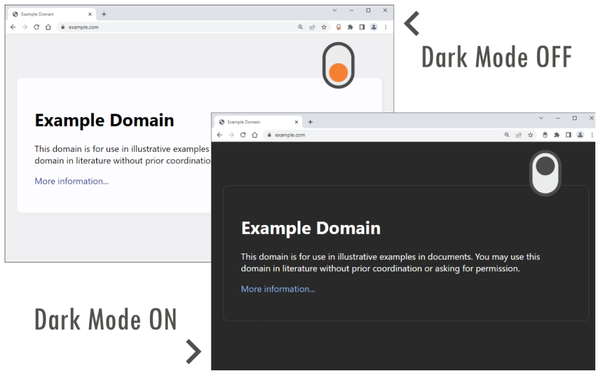
Dark Mode for Chrome is a straightforward, no-frills extension designed for users who just want a quick and easy way to switch every website to dark mode.
Its single-click toggle approach makes it one of the most accessible options for users who are not interested in spending time on settings and configurations.
The extension applies a CSS-based dark overlay to web pages, which works reliably across most sites without causing major layout issues.
It is not as sophisticated as some of the premium options on this list, but for everyday casual browsing, it does the job efficiently.
If you are new to using a lower brightness Chrome extension and want something to get started with quickly, Dark Mode for Chrome is a sensible and user-friendly starting point.
7. Dimmer
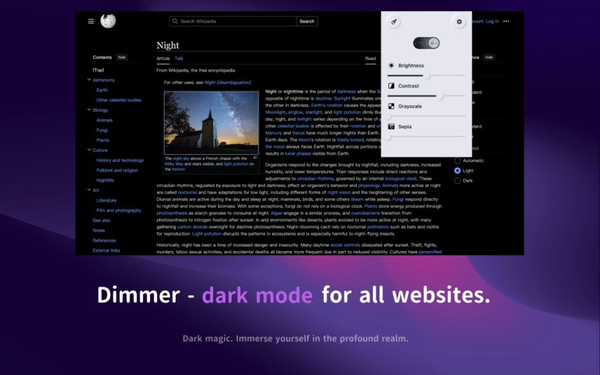
Dimmer is a clean and focused screen dimmer Chrome extension that does exactly what its name implies.
It applies a transparent overlay to your browser tabs with an adjustable opacity level, effectively allowing you to lower the overall brightness of any webpage beyond what your monitor’s hardware settings can achieve.
This makes it particularly useful in very dark room environments where even the lowest hardware brightness is still too intense.
Dimmer is ideal for late-night readers who want fine-grained control over brightness without the complexity of full dark mode tools. It is free, lightweight and works across all websites without any configuration beyond dragging a slider.
8. Super Dark Mode
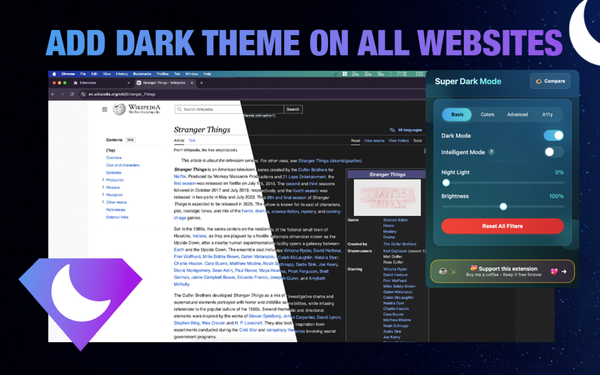
Super Dark Mode is a well-reviewed extension that applies a comprehensive dark theme across websites using both intelligent CSS injection and color inversion techniques.
It aims to create a consistent dark browsing experience without the visual artifacts that some simpler inversion tools produce on images and video content.
For users who want a well-rounded extension to control brightness in Chrome alongside a solid dark mode experience, Super Dark Mode offers a good balance of simplicity and capability.
9. Dark Background and Light Text
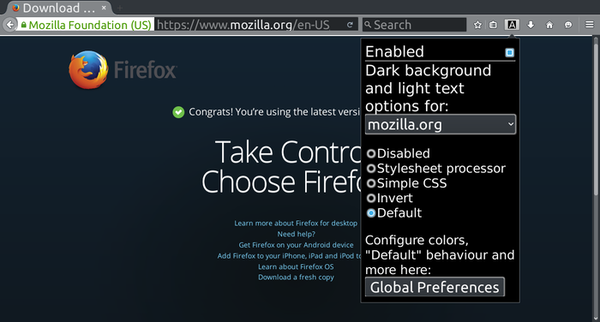
This extension takes a content-first approach to dark mode by forcing a dark background and light text combination on every website, regardless of the original design.
It is particularly popular among developers and technical writers who spend a lot of time reading documentation, GitHub repositories and code-heavy pages.
The extension uses CSS injection to override website styles and apply a consistent dark environment without relying on color inversion. This means images and media display normally while text content and backgrounds shift to a readable dark theme.
Dark Background and Light Text is a free, open-source extension with a practical and no-nonsense approach.
If you spend a significant amount of your browsing time on text-heavy technical content and want a reliable eye strain extension for Chrome, this is a smart and efficient option.
10. Luna Reader
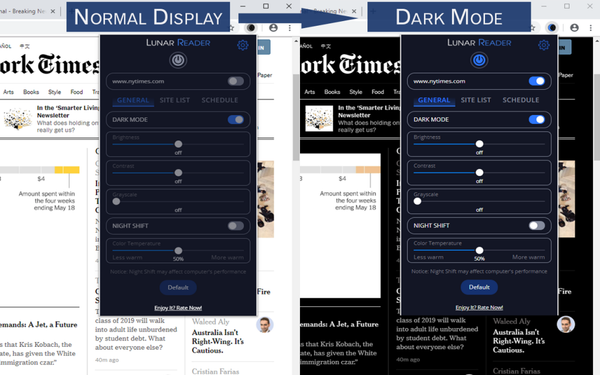
Luna Reader rounds out our list with a focus on reading comfort. It combines dark mode with a reading mode feature that strips away distracting elements from web pages and presents content in a clean, focused layout.
This dual approach makes it one of the best night mode extensions for Chrome for users who do a lot of long-form reading online.
The extension offers adjustable font sizes, line spacing and background color options alongside its core brightness control. You can switch between pure dark, sepia and light reading modes depending on your environment and preference.
Luna Reader is especially popular among students and avid readers who want their browser to feel more like an e-reader than a standard webpage.
The clean interface and readable typography options make extended reading sessions noticeably more enjoyable.
Bonus: Dark Mode Plugin for WordPress
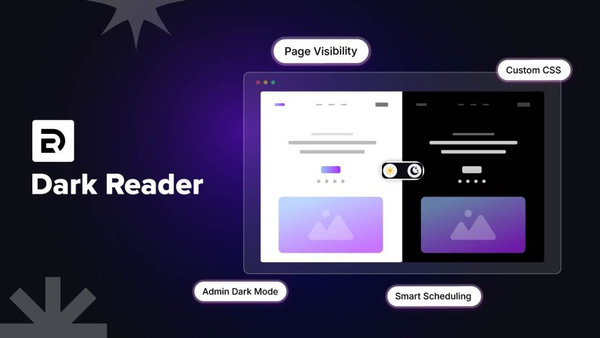
If you manage a WordPress website, you have a unique opportunity to offer your visitors the same comfortable dark browsing experience that Chrome extensions provide.
Rather than asking your audience to install a browser extension themselves, you can build dark mode functionality directly into your site. The Dark Reader plugin by BdThemes brings professional-grade dark mode capability to any WordPress site without requiring any coding knowledge.
Once installed, it adds a sleek dark mode toggle to your website that visitors can use to switch between light and dark themes on demand. The plugin remembers each visitor’s preference using browser storage, so their chosen mode persists across sessions.

What makes this plugin particularly impressive is the depth of its customization options.
You can define exactly how colors shift when dark mode activates, ensuring that your brand colors, custom typography and visual design remain intact even in dark theme.
It also integrates smoothly with popular page builders and themes, making it a versatile addition to any WordPress setup.
BdThemes is a trusted name in the WordPress ecosystem, known for creating high-quality, well-supported plugins and tools.
Their product line includes a wide range of Elementor widgets and blocks available through Element Pack Pro, a comprehensive Gutenberg block collection at ZoloBlocks and a dedicated WooCommerce enhancement toolkit at StoreKit Pro.
All of these tools are built with the same attention to quality and user experience that defines the Dark Reader plugin.
Adding dark mode to your WordPress site is one of the most user-friendly improvements you can make. It signals that you care about your visitors’ comfort, reduces bounce rates among users who prefer dark interfaces and makes your site stand out as modern and thoughtful. The Dark Reader plugin makes this enhancement simple, reliable and completely customizable.

FAQ
What is the best brightness extension for Chrome?
Dark Reader is widely considered the best overall brightness and dark mode extension for Chrome due to its intelligent color processing, deep customization options and compatibility with virtually every website. It allows you to control brightness, contrast, sepia levels and more on a per-site or global basis.
How do I change brightness on Chrome using an extension?
To change brightness on Chrome, install a dedicated Chrome brightness extension such as Dark Reader, Dimmer or Screen Shader from the Chrome Web Store. Once installed, click the extension icon in your toolbar to open its settings and use the brightness slider or mode toggles to adjust the light level to your preference. Most extensions apply changes instantly across all open tabs.
Will using a dark mode extension slow down my browser?
Most well-maintained dark mode extensions have minimal impact on browser performance. Lighter tools like Dimmer or Screen Shader are especially efficient. More feature-rich options like Dark Reader do require slightly more processing to analyze and recolor pages, but on modern hardware, the difference is rarely noticeable during normal browsing.
Can I use a screen dimmer Chrome extension on all websites?
Yes, most screen dimmer Chrome extensions apply globally to all websites by default. Many also let you create site-specific rules so you can keep certain pages in their original appearance while applying dark mode to others. This is useful for websites where the native design is already dark or where color accuracy matters.
Is there a way to turn down brightness in Chrome below the monitor’s minimum?
Yes. An extension like Dimmer allows you to apply a software overlay that lowers the visual brightness of web pages beyond what your monitor hardware can achieve. This is especially helpful for late-night browsing in a dark room. Simply install the extension and drag the slider to reduce screen brightness to any level you need. For a full-featured option with warm color shifting, Screen Shader also lets you turn down brightness in Chrome below system limits.
Can I add dark mode to my WordPress website without coding?
Absolutely. The Dark Reader plugin by BdThemes allows you to add a fully functional dark mode toggle to your WordPress site with no coding required. You can customize how colors shift, set a default mode for new visitors and ensure your brand design remains consistent in both light and dark states.
Are Chrome brightness extensions safe to use?
Extensions from the official Chrome Web Store are reviewed by Google and are generally safe. Always check the number of users, ratings and the permissions an extension requests before installing. Reputable extensions like those on this list have large user bases and transparent privacy policies. Avoid installing extensions from unknown or untrusted sources outside of the Chrome Web Store.
Final Thought
Finding the right brightness extension for Chrome can genuinely transform how you use the web. Dark Reader leads the pack for its intelligence and versatility, but every tool we have covered brings something unique to the table.
Experiment with a few and find the combination of darkness, color, warmth and brightness level that makes your browsing feel effortless. And if you own a WordPress website, do not overlook the opportunity to give your visitors the same comfortable experience. The Dark Reader plugin from BdThemes is a polished, easy-to-use tool that adds real value to any site.
Paired with the broader ecosystem of WordPress tools available at Element Pack Pro, StoreKit Pro and ZoloBlocks, you have everything you need to build a modern, user-friendly website that prioritizes visitor comfort from the very first click.
Your eyes work hard every day. Give them the break they deserve with a smarter, darker browsing experience.
Md Tariqul
The BdThemes team builds WordPress plugins trusted by 3M+ users worldwide. We write about web accessibility, WCAG compliance, and inclusive design.