

In this documentation, we will show you how to download Element Pack Pro Plugins. It includes Element Pack Pro, Rooten Theme, FAQ ( Testimonial Support Type ), Portfolio, and Testimonials.
Log in to Dashboard
Go to the link BDThemes Account
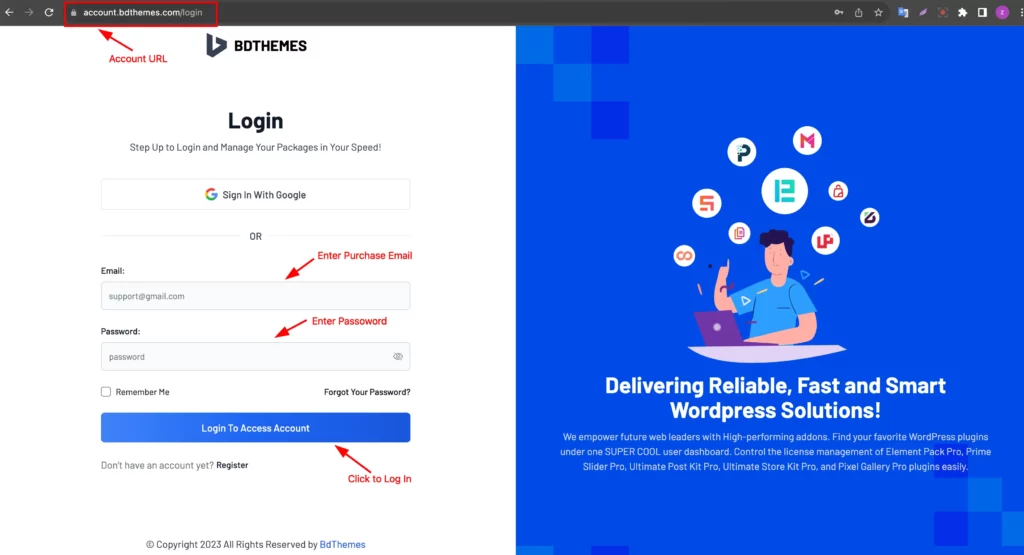
There you can log in with your Purchase email and Password. Make sure you create an account with the Purchase email.
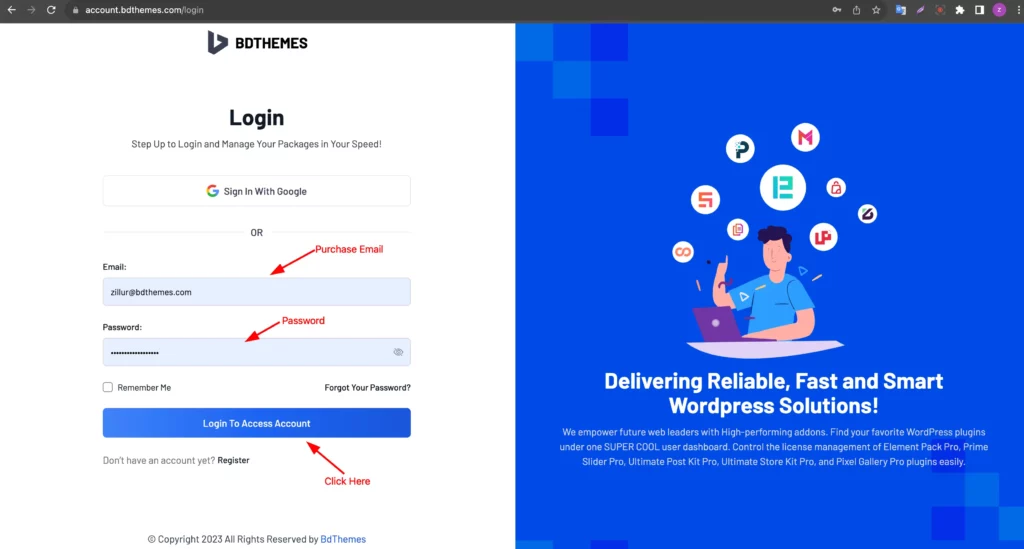
Enter your Purchase Email and Password then click on the “Login To Access Account ” Button.
Download Files
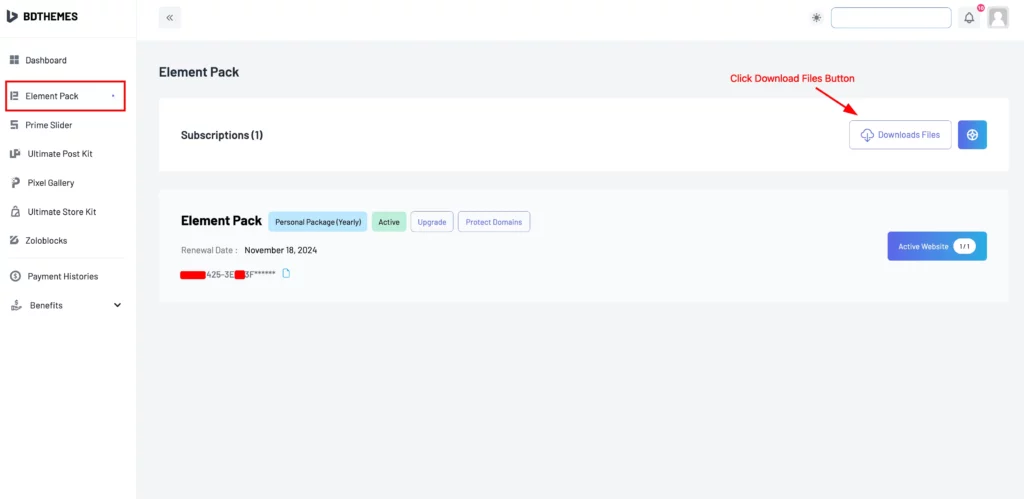
After logging in to your Dashboard, just click on the Element Pack Tab find the Download Files Button, and Click It.
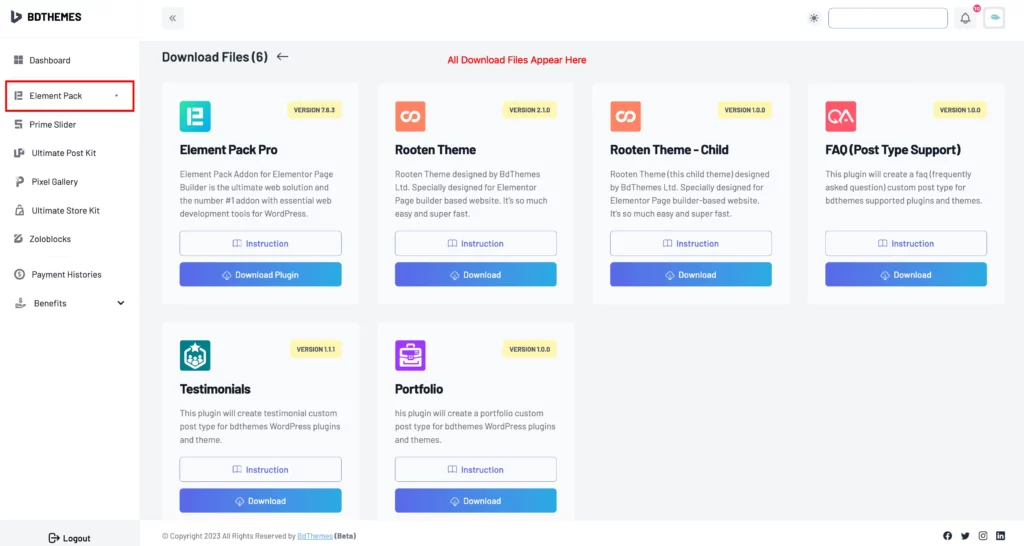
Here all the Download Files will appear.
Element Pack Pro Plugin Download
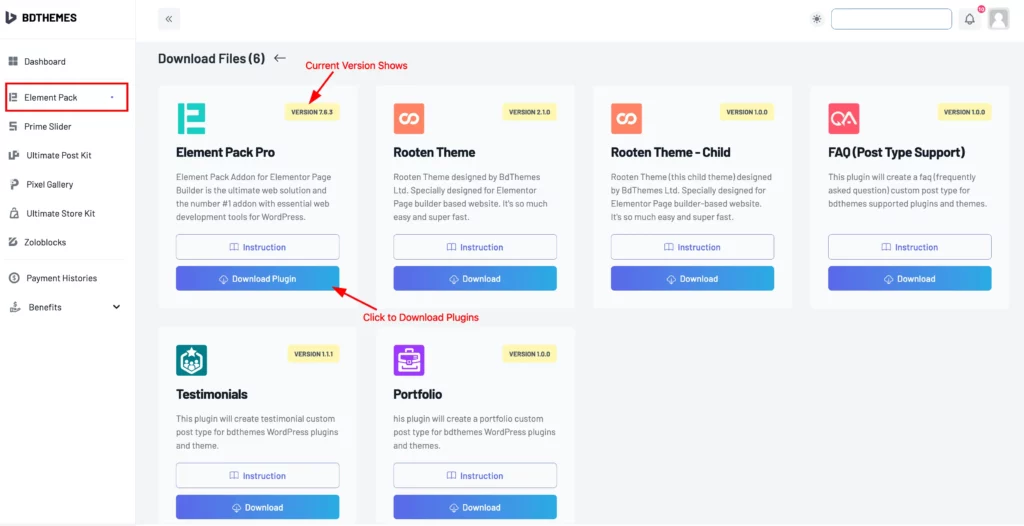
Here is the latest version of Element Pack Pro to get it just click on the Download Plugin button.
Rooten Theme Download
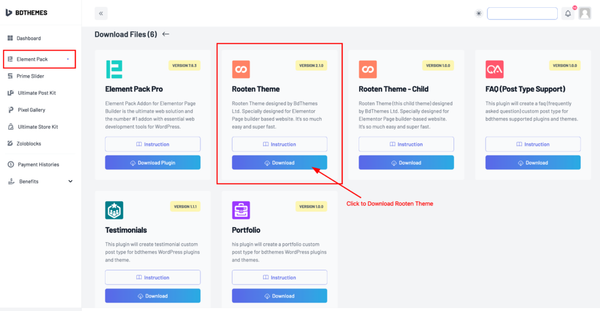
Just click on the Download button to get the Rooten Theme.
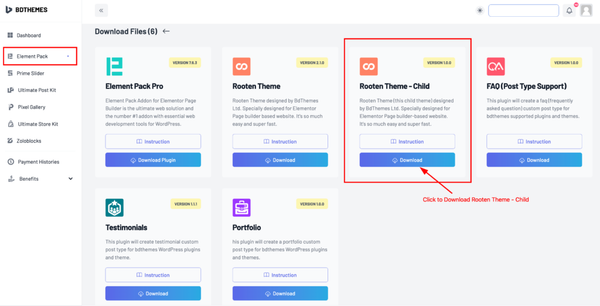
Then Download the Rooten Theme – Child also.
FAQ ( Post Type Support ) Download
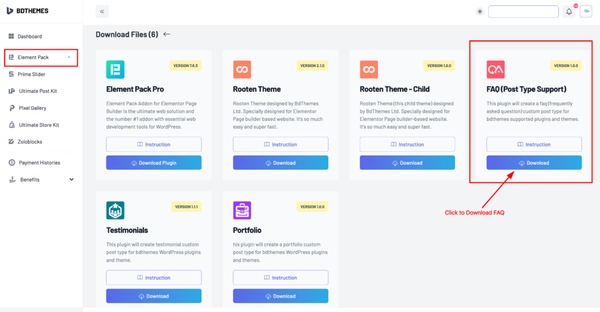
To get the FAQ ( Post Type Support ) Plugin just click on the Download button.
Testimonials Download
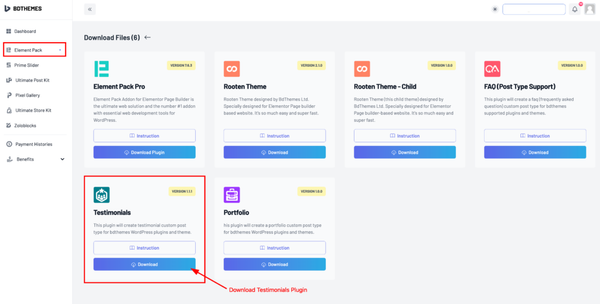
Find the Testimonials plugin and click on the Download button.
Portfolio Download
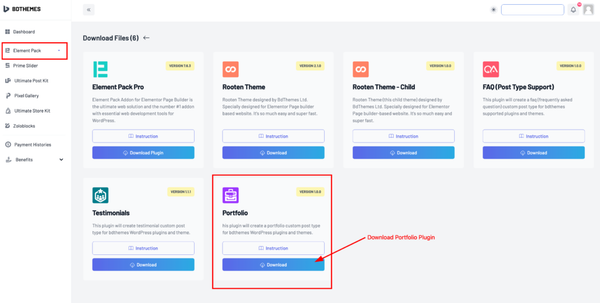
Click on the Download button to get the Portfolio Plugin
By following you can download all the Element Pack Pro Plugins and Files from your BDThemes Dashboard.