

This documentation provides comprehensive insights into the Export pattern Extension developed by Zoloblocks.
Activate the Export Pattern Extension
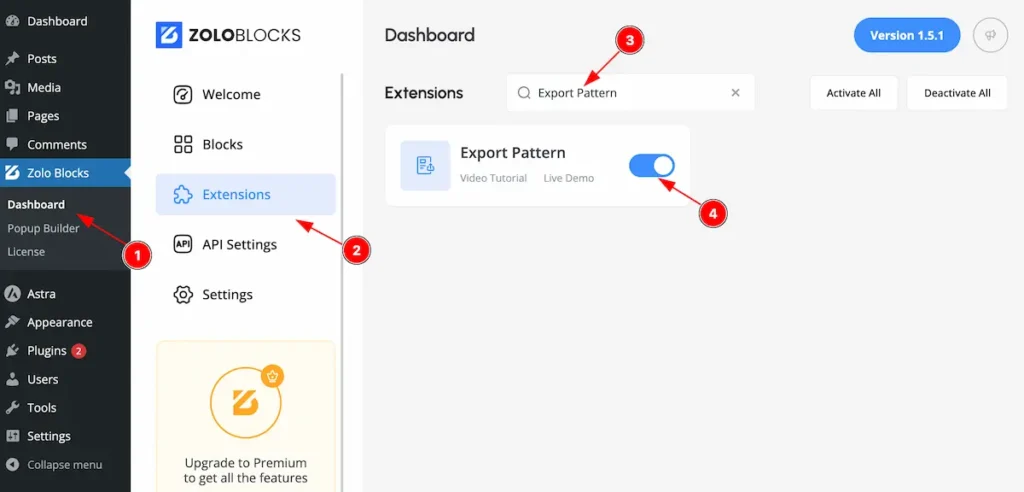
On WordPress Dashboard Navigate to ZoloBlocks from the sidebar menu.
- Select the Dashboard option under ZoloBlocks.
- Go to the Extension tab.
- Use the search bar to search for “Export Pattern”
- Click Enable to activate the Export Pattern extension.
Export Pattern
Export pattern useful to enhances reusability, maintainability, and optimization.
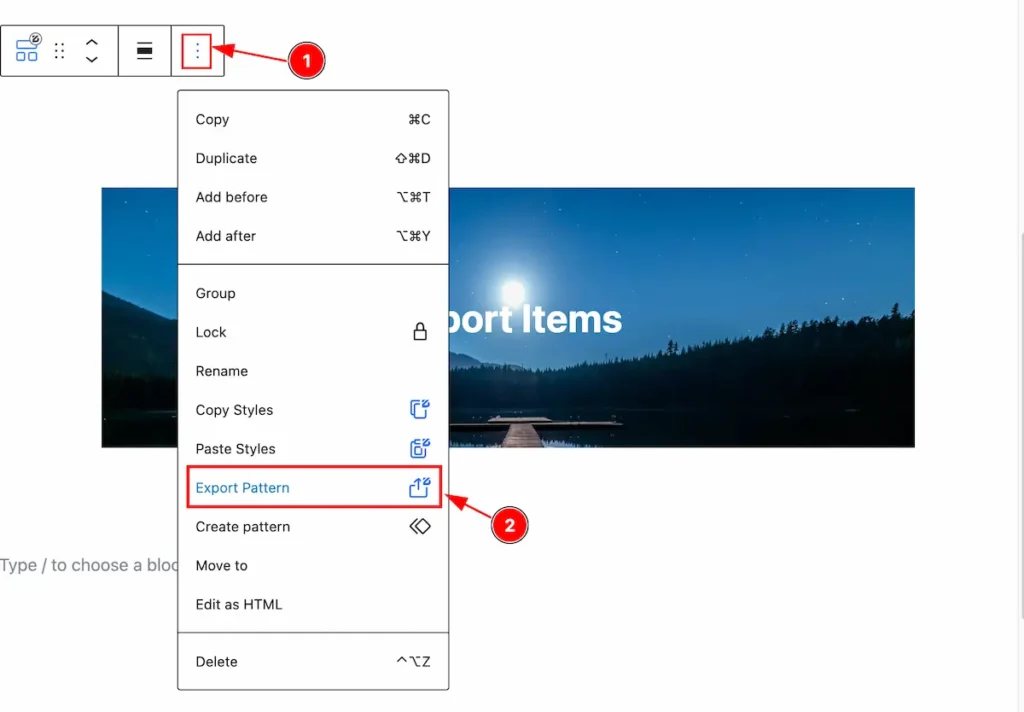
- Select three dot and it will appear the Controls.
- Find the ” Export Pattern ” click on it.
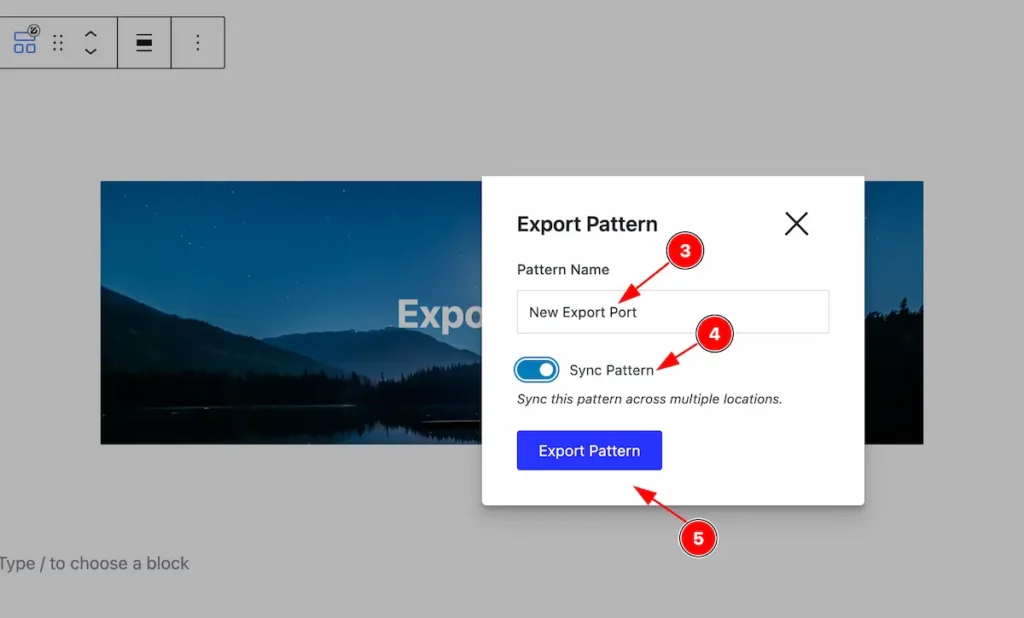
- Set the name for the Export Pattern.
- Enable the switcher to ” Synch pattern “.
- Click on the Export Pattern button to export.
It will be downloaded as the json format.
By following these instructions, you can use the Export Pattern to export it.
Video Assist
The Video help you to learn more about the Extension.
Thanks for being with us.